I’m trying to bridge an RS-232 serial device to my LAN so I can access it remotely over TCP/IP instead of being tied to a local COM port. There are a lot of serial-to-ethernet adapters, terminal servers, and software tunnel options out there, and I’m not sure what’s reliable or worth the money for a small setup. I’d really appreciate recommendations on specific hardware models, open source or commercial software solutions, and any gotchas to watch out for when configuring the passthrough or virtual COM ports.
Hardware-wise you’ve basically got three buckets: cheap “serial device servers,” industrial terminal servers, and DIY PC+adapter. Software-wise you either want a virtual COM port or you just talk raw TCP/UDP.
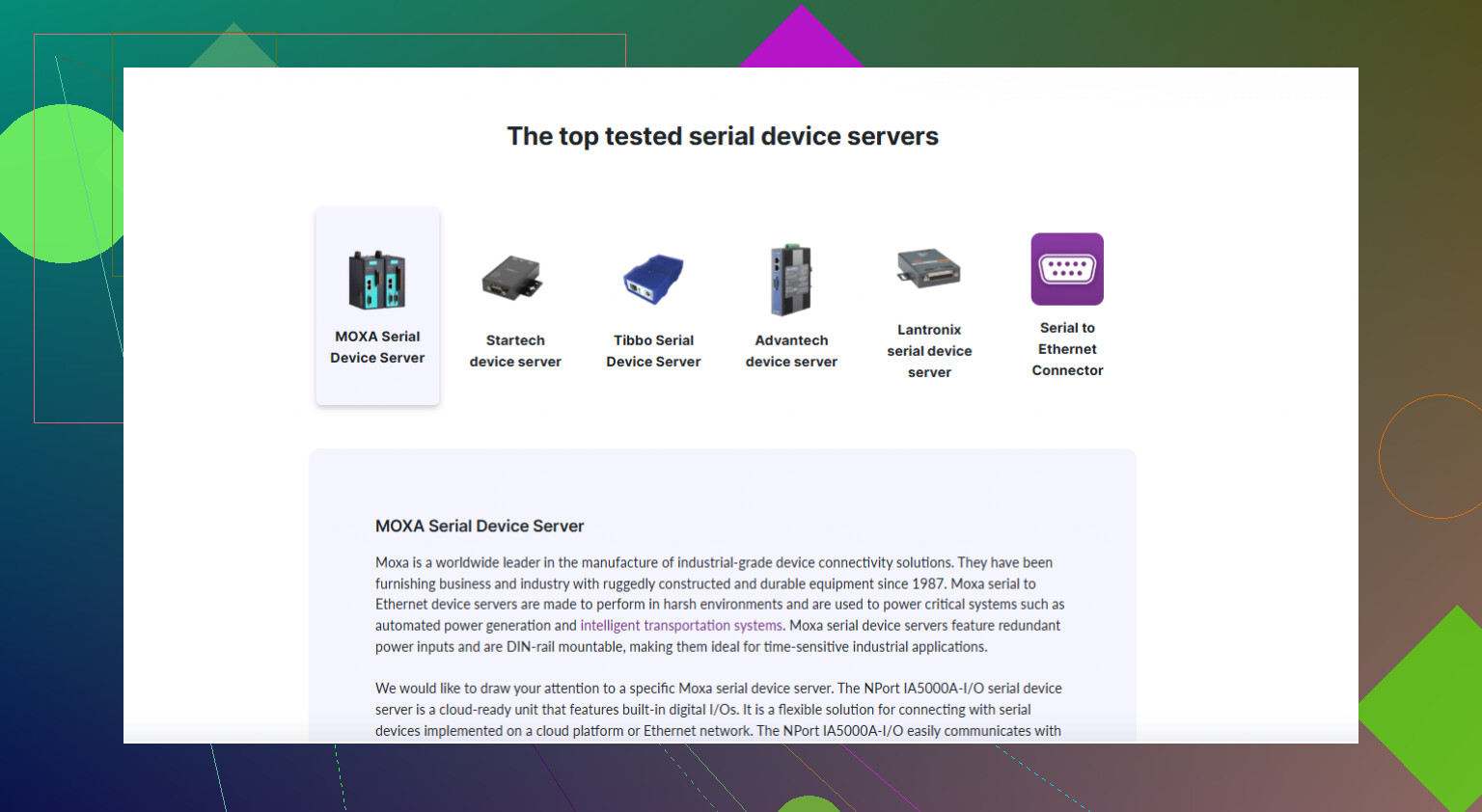
If you want something simple that just works and maps to a COM port, a Serial Device Server + virtual COM driver is the comfy route. Look for one that supports RFC2217, has a watchdog, and can do keepalives. StarTech, Lantronix, Moxa, etc are the usual suspects. If this is some old finicky gear that expects real RS‑232 timing, avoid the super‑cheap no‑name boxes, they like to drop connections or mangle control signals.
On the software side, a Serial to Ethernet Conector is actually decent if you’ve got a Windows box you can leave running. It creates a virtual COM port and forwards it over TCP/IP, so your old software thinks it’s talking to COM3 while it’s really hitting the device over LAN or even WAN. Nice when you can’t touch the original app.
If you want a deeper step by step with pictures and config tips, this guide is pretty much on point: set up serial-over-Ethernet like a pro. It walks through picking hardware, configuring IP, latency tweaks, and how to expose the serial port over TCP for remote access.
Personally I’d do this:
- Decide if you can dedicate a small PC or not.
- If yes, use a solid USB‑to‑RS‑232 or PCIe serial card plus Serial to Ethernet Conector.
- If no, buy a single or 4‑port device server that supports virtual COM and RFC2217.
- Test with something like PuTTY or socat before wiring your production app into it.
Avoid the temptation to run it over Wi‑Fi if latency or reliability matters. RS‑232 over flaky Wi‑Fi equals random unexplained errors and lots of swearing.
27 Likes
Short version: if you want “plug it in and forget it,” don’t overcomplicate this.
@sognonotturno already covered the classic device-server + virtual COM route pretty well. I’ll add a slightly different angle and a couple places where I’d make a different choice.
- Skip the virtual COM layer if you can
If your software can be reconfigured to talk raw TCP instead of a COM port, do that.
Virtual COM drivers are where a lot of weirdness happens: latency spikes, odd timeouts, apps hanging when the network burps.
Instead, expose the serial device as:
- a simple TCP server on the device server, or
- via
socat/netcaton a small box next to the equipment
Then your app connects directly to ip:port and you avoid the whole fake COM thing. Of course, if the legacy software is locked to “COM3 or die,” then ok, use virtual COM.
- Use a tiny single-board computer as the “bridge”
This is where I disagree a bit with the “PC or boxed device server” binary choice.
A Raspberry Pi (or similar) with a decent USB‑RS‑232 adapter is often a nicer middle ground than a full PC or a black-box terminal server:
- Runs Linux, so
socatorser2netgive you very predictable serial to TCP mapping - Easy to script watchdogs, logging, automatic restarts
- You can do TLS tunneling or VPNs easily if you ever expose this outside your LAN
Basic setup:
- Pi + FTDI‑based USB‑RS‑232
- Install
ser2net - Map
/dev/ttyUSB0to something liketcp,port=4001 - From remote side, point your client or virtual COM tool at
pi_ip:4001
- When you actually do want virtual COM
If you’re stuck on Windows software that can’t be touched, something like Serial to Ethernet Conector is actually worth using. Not just as a “quick hack,” but as your main solution if:
- You have several serial devices
- You need encryption or access over WAN/VPN
- You want centralized management of all virtual COM ports
The nice thing is you can mix:
- Hardware side: Pi or cheap device server exposing serial as TCP
- Client side: Serial to Ethernet Conector creates COM ports that talk to those TCP endpoints
So your crusty app still thinks it’s on COM4, but the other end can be anywhere on the LAN.
- Don’t ignore flow control and weird RS‑232 quirks
Many folks blame “Ethernet” when it’s actually bad RS‑232 handling:
- Make sure whatever you pick supports hardware flow control (RTS/CTS) if your device uses it
- Check DTR/DSR behavior, some budget boxes get these wrong or ignore them
- Mind baud rate edge cases, especially 115200 and nonstandard rates
If this is industrial gear that is picky about control signals, I’d lean away from some of the lower‑tier device servers and toward either a Pi setup or a more serious brand (Moxa, Lantronix, etc.).
- If you go the pure software route
Another pattern that works very well:
- Put a small Windows box (NUC, thin client, or even an old laptop) next to the serial device
- Use a solid USB‑RS‑232 or PCIe serial card
- Run Serial to Ethernet Conector to share that COM over TCP/IP
- On the remote PC (where the legacy app lives), install the same tool and map the remote stream back to a local virtual COM
That way:
- Short, clean physical RS‑232 run
- Long leg is Ethernet, not serial
- You keep everything in software you control, no weird web UI firmware box to babysit
- WiFi: use it only if you have no choice
Here I’ll echo @sognonotturno but with less optimism: WiFi + finicky legacy serial protocols is basically a bug generator. If you absolutely must use WiFi, at least:
- Fix the channel and keep the AP uncongested
- Increase retransmit and timeouts on the serial over IP software if possible
- Expect occasional retries and design for it
- Getting the actual tools
If you want to grab Serial to Ethernet Conector and related stuff quickly, the easiest route is to hit something like
get reliable serial over Ethernet tools here
and pull down the installer plus docs. Saves you hunting around vendor pages.
So if I were you, I’d pick based on how “untouchable” your existing app is:
-
App can talk TCP or can be modified:
Pi or small Linux box, RS‑232 adapter,ser2net. Simple, robust, no virtual COM. -
App is frozen to COMx and can’t be changed:
Either a half‑decent device server with RFC2217 plus a virtual COM driver, or a local mini‑PC + Serial to Ethernet Conector. I’d lean to the mini‑PC if uptime and debuggability actually matter to you.
That’s about it. The perfect solution is the one you can still understand and fix at 2 AM when the serial gizmo decides to throw a tantrum.
If you want a slightly different angle from what @byteguru and @sognonotturno already laid out, I’d look at this in terms of who owns the connection logic: the hardware, the client, or the network in between.
1. Put the brains in the middle: TCP relay / jump host
Instead of doing “device server ↔ virtual COM driver” directly, run a small TCP relay in the middle:
-
Near the RS‑232 device:
- Could be a Pi, thin client, or one of the cleaner device servers.
- Expose serial as a raw TCP endpoint (e.g. via
ser2netor the device’s native TCP listener).
-
In the server room / office:
- Run a relay service (e.g.
socat, simple TCP proxy, or VPN) that presents a stable endpoint to your clients.
- Run a relay service (e.g.
This way your legacy app or virtual COM tool always talks to a fixed IP and port, even if you later swap hardware by the device. It is a bit more moving parts than @byteguru’s “don’t overcomplicate it,” but it pays off if this grows past one or two ports or you think you might re‑cable hardware later.
2. Using Serial to Ethernet Conector as a client, not the whole solution
Both earlier replies lean on Serial to Ethernet Conector mostly as the main bridge. I think it shines more as a client-facing piece, with something else owning the serial side.
Pattern that works well:
-
At the device side:
- Device server or Pi exposes serial as plain TCP.
-
At your workstation:
- Serial to Ethernet Conector creates a virtual COM and connects to that TCP endpoint.
Pros of using it this way:
- Your “serial over IP” core is simple and debuggable (raw TCP).
- You can hook multiple different client machines via the same TCP endpoint.
- If you later replace Windows software, you can drop the virtual COM layer and just talk TCP.
Cons:
- Still Windows dependent on the client.
- Virtual COM abstraction can still mask problems and add latency.
- Licensing cost if you have many ports versus free tools.
So I half‑agree with @sognonotturno’s warning about virtual COM weirdness, but dumped onto an external box like a device server it is even harder to debug. Keeping the serial/TCP part “dumb” and using Serial to Ethernet Conector only at the edge is usually cleaner.
3. Pros & cons of Serial to Ethernet Conector in this context
Pros:
- Very straightforward for legacy apps that cannot be changed from COMx.
- Supports multiple ports and remote endpoints, so scaling up is easy.
- Plays nicely with mixed setups: Pi, device servers, or another PC at the far end.
- Centralized configuration and logging on your Windows box.
Cons:
- Ties you to Windows for the client side.
- Virtual COM means you inherit serial timing quirks over a non‑deterministic network.
- Adds another proprietary layer when plain TCP might be enough.
- Not ideal if you need ultra low latency or deterministic control signals.
4. Security and segmentation (often skipped)
Both earlier answers mention WAN/VPN, but I’d push security a bit harder:
- Put the serial bridge (Pi, mini‑PC, or device server) in a small VLAN or at least behind a firewall rule.
- Disable any “web access from WAN” checkboxes on device servers. They are notorious for old firmware and weak HTTP.
- If you use Serial to Ethernet Conector across sites, consider tunneling over an existing VPN rather than exposing its port directly.
5. When I would actually choose each approach
Ignoring edge cases, I’d map it like this:
-
One or two devices, app can speak TCP:
- Simple device server or Pi with
ser2net. - Client connects by IP:port. No Serial to Ethernet Conector needed.
- Simple device server or Pi with
-
Legacy Windows app locked to COMx, only a couple of ports:
- Device side: Pi or industrial device server exporting raw TCP.
- Client side: Serial to Ethernet Conector to create the virtual COM.
- This gives you debuggable TCP in the middle and COM compatibility at the edge.
-
Many serial ports, central site, multiple clients:
- Use a small Linux box or server with multiport RS‑232 card, run a service exposing each port over TCP.
- On Windows clients that need COMx, use Serial to Ethernet Conector.
- Everyone else uses raw TCP.
I slightly disagree with the idea that a dedicated “boxed” terminal server is always the least complicated. In practice, a small Linux box plus a clear TCP mapping is often easier to manage over years than a proprietary web UI that gets forgotten firmware. The box is great if you truly never want to think about it again, but most environments end up tweaking something later.
If you keep the model simple in your head as:
Real serial port ↔ simple TCP endpoint ↔ optional virtual COM (Serial to Ethernet Conector)
you can change any one piece later without redesigning the whole thing.
If you only need to operate the device remotely, I’d skip serial tunneling and use Remote Desktop to control its connected PC.
Leave the RS-232 cable attached to your existing PC and run your serial application there. Keep your baud rate and flow-control setings unchanged. Enable Remote Desktop on a supported Windows edition, then connect from your workstaion over the LAN.
This approach targets remote operation, rather than exposing a TCP serial socket. Choose it if you need access to the existing application, rather than a COM port on another computer.
Depends heavily on what your device does when a fresh connection opens. A lot of RS-232 gear toggles reset or re-inits on DTR, so every time the network hiccups and the socket reconnects, your device might reboot or drop state. That is the failure nobody in this thread mentioned, and it will bite you harder than latency ever will. Check whether your bridge asserts DTR/RTS on connect and whether you can pin those lines.
Beyond that, @johny’s Remote Desktop idea is the one I’d actually reach for first if you only need to run the app, not the port. It sidesteps the whole tunneling mess. If the app truly needs a COMx somewhere else, I’d use Serial to Ethernet Conector for that leg and keep the serial-to-TCP part as dumb as possible so you can swap it later without touching anything else.