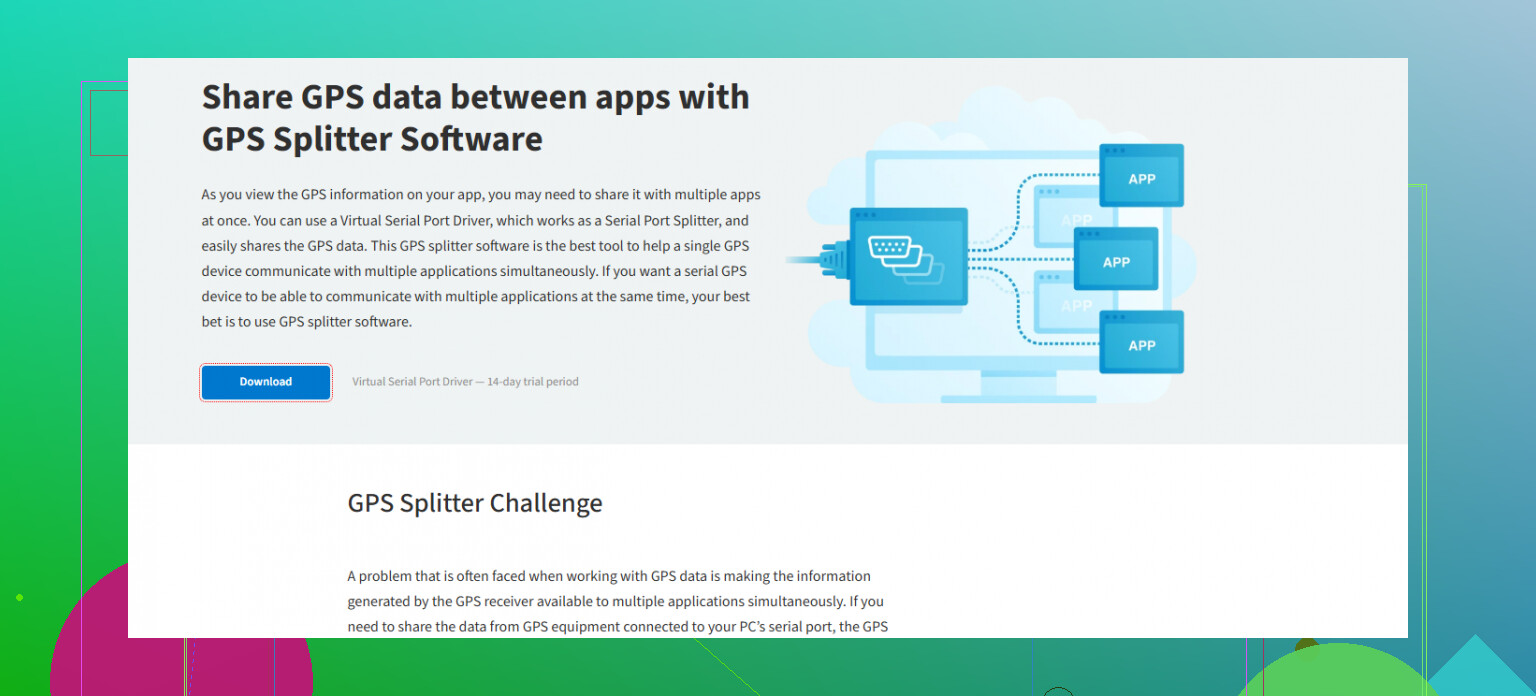
I just got a GPS splitter to share a single antenna between two devices, but I’m not sure how to set it up or if I need to do anything special. Hoping someone can walk me through the right steps or mention things I should watch out for. Any advice is appreciated.
The Curious Case of Sharing a GPS Signal on a Fire Truck
So, here’s a little dive into how a fire crew tweaks its tech setup to outpace the flames (or at least get there before things go fully sideways): let’s talk about splitting a COM GPS connection so both the vehicle’s tracking gear and navigation system can sip from the same data fountain.
A Real-World Fix for Dispatch Dilemmas
Let me walk you through the scene: You’re rolling down Main Street in a beefed-up fire engine, the kind so loaded with tech it shames my home desk setup. Up front is a Panasonic Toughbook—rugged enough to take a fall, collect dust, and still boot up like, “What’s next?” This brute handles NAV and tracking, but the real kicker is the live CAD dispatching that routes the team not by old-school firehouse location, but wherever the truck’s parked or closest. That’s how you save seconds, and seconds are lives in this game.
Streamlining Signals: Why Split the GPS?
Look, GPS signals are stubborn. Most COM ports don’t naturally play nice with two different programs elbowing in for the same feed. You want super-accurate navigation and for your location to update in real time for dispatch? Yeah, without a splitter, good luck.
Enter the GPS Splitter
Kind of like using a headphone jack for two sets of headphones at once, splitting the virtual COM port with software lets NAV and tracking both grab what they need—no one left standing awkwardly in radio silence.
- Tracking app takes coordinates, beams your live location.
- Navigation app recalculates routes on the fly, no drama if your shortcut takes you off-pattern.
The Ripple Effect: Why Even Bother?
Honestly, when dispatch knows where you REALLY are, they stop guessing and start sending the right rig—your rig—to the closest callout. Who cares about which station you left from—this is 2024, not 1994. So if you’re staged by the mall or stuck at a hydrant on Maple Ave, the CAD pings your Toughbook, checks your location, and routes you in a blink.
Bottom Line
If your fire or EMS crew’s still tied to static dispatch or fighting with GPS conflicts, this approach could shave off those precious minutes. Not the flashiest upgrade, I get it. But in the world where faster response literally means stories with better endings, every tweak counts.
(And if you ever tried to juggle serial gadgets or get yelled at by NAV software for “missing” a turn that didn’t exist—trust me, sharing this GPS data is worth the setup headaches.)
12 Likes
A GPS splitter (hardware one, not the virtual/COM port software kinda thing @mikeappsreviewer is talking about) is about as thrilling as a traffic jam, but if you’re running two GPS devices off the same antenna, it’s pretty useful. Here’s the straight dope:
-
Physical Setup: Take the antenna cable and plug it into the splitter’s ‘IN’ port. Then run cables from both ‘OUT’ ports to each of your GPS devices. Don’t overthink it—it’s just cables.
-
Check Power Pass-Through: One thing a lot of folks screw up: Some splitters only pass power to one of the GPS units (because the antenna might need power from the GPS receiver). Make sure whichever device actually supplies power to the antenna is plugged into the port that supports “pass-through.” If your splitter is passive (no power handling), and your antenna needs juice, you’re outta luck until you get an active splitter or powered antenna.
-
Signal Strength: You will drop a little bit of signal strength splitting it, so if you’re using a long cable or marginal antenna, don’t be surprised if the weaker device drops out when you go under an overpass or get near interference.
-
Ground Loops: On fancier vehicles, weird stuff sometimes happens if both devices are grounded differently. If things go bonkers and GPS readings jump, try isolating grounds or using a splitter with isolation.
-
Devices: Turn both GPS gadgets on and check their sat signals—you want the same fix as you had before splitting. If anything acts weird, swap ports or check cable quality.
If you’re doing this for virtual COM ports on Windows (like running two apps pulling NMEA streams from one GPS module), honestly, skip the hardware madness and use something like Virtual Serial Port Driver. No extra wiring, no signal attenuation, no fighting ground loops, just clean virtual ports for as many apps as you want.
So, opinions: hardware splitters work for physical antennas and multiple actual GPS boxes. If you’re just running software on the same box—ignore the hardware, go virtual. And don’t get all hung up on solving software problems with hardware, like some people do (looking at you, @mikeappsreviewer—your fire-truck example is cool, but it’s a whole other animal).
If you want more details on how to maximize accuracy, or keep signal up for both devices, check this writeup on sharing GPS signals between multiple applications. It’s straightforward and won’t talk your ear off with dispatch stories.
Just a heads up, there’s a lot more to using a GPS splitter than plugging in some cables and crossing your fingers. Some of the stuff @mikeappsreviewer and @waldgeist covered is on point, especially about signal pass-through and power, but I’d argue there’s a bit more nuance if you want everything working well and not just “kinda functional.”
First off—are you using a passive or active splitter? Big difference. Many (read: most) basic GPS splitters don’t play nice with two devices if both try to power the antenna—sometimes, neither ends up supplying enough, and bam, both devices lose the fix, and suddenly your “solution” turned into a rolling blackout. QUICK FIX: Make sure only one device is providing power, or get a splitter that isolates and manages power lines properly.
Don’t fall into the trap of thinking signal splitting is lossless, either. Whenever you split, you cut some power from the original feed. It’s physics, not magic. So if either of your devices is fussy about SNR (Signal-to-Noise Ratio), or you’re running long extension cables, you might see your signal degrade. Test this before you climb up on your roof to secure the antenna with a wrench in your teeth.
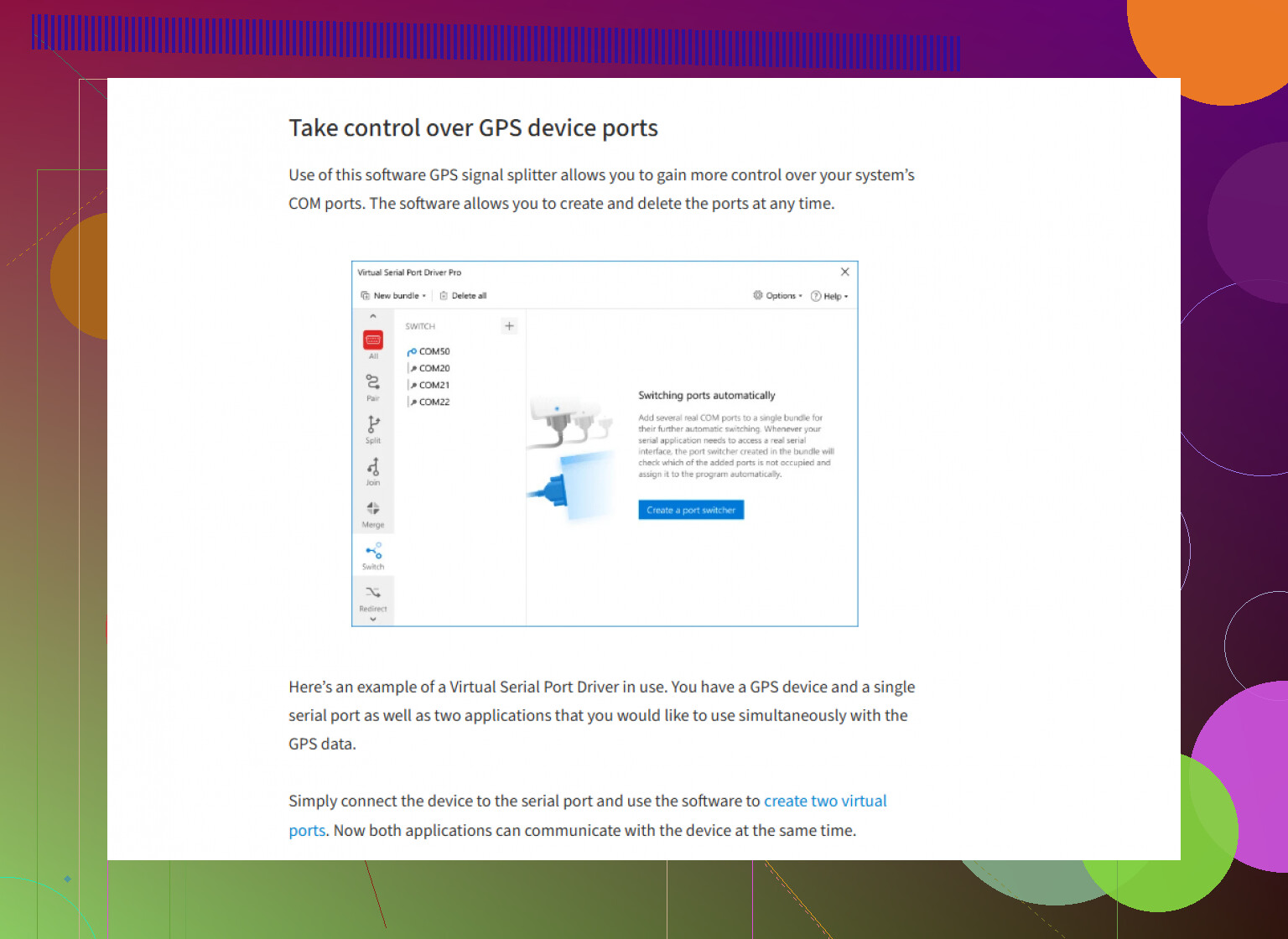
Honestly, if both devices are actual, stand-alone GPS receivers, you’re stuck with hardware and all its quirks (cable length, ground loops, random static, your buddy’s “handywork” with a soldering iron—seen it all). But, if you’re just trying to share one GPS puck across multiple applications on a single Windows PC, hardware is overkill. Skip all the headaches and use a software solution. The folks above mentioned virtual COM software, and I’ll back that: Virtual Serial Port Driver is probably the smoothest way to share that stream, no tools or fried boards required. Seriously, if you want a straight shot from GPS module to unlimited apps, check out sharing GPS data across multiple apps seamlessly—it beats troubleshooting cables at 1am.
Last point (hot take): if you’ve got weird glitches, don’t just wiggle cables and hope. GPS devices can be picky about grounding and interference; if you start seeing phantom jumps or “no fix” errors, run through isolation and high-quality shielded cables, not whatever spare wire you found in your junk drawer.
So TL;DR: If you’re splitting hardware signals, mind your power and expect some loss. If it’s just apps in Windows fighting over one GPS, skip the physical splitter and get a software solution. Don’t overcomplicate unless you love solving mysteries when your location jumps to Antarctica for no reason.