I’m thinking about using Cyberduck for file transfers and cloud storage management. I need real user feedback on reliability, speed, security, and ease of use before I commit, especially since I’ve had issues with other FTP clients in the past.
🦆 First impression
I’ve gone back to Cyberduck a few times for server access and cloud file moves. My use case was pretty plain, SFTP here, an S3 bucket there, grab files, send files, leave. What kept pulling me back was how little friction it added. Launch it, connect, move stuff, done. No maze of panels. No weird setup detour.
👍 Stuff it gets right
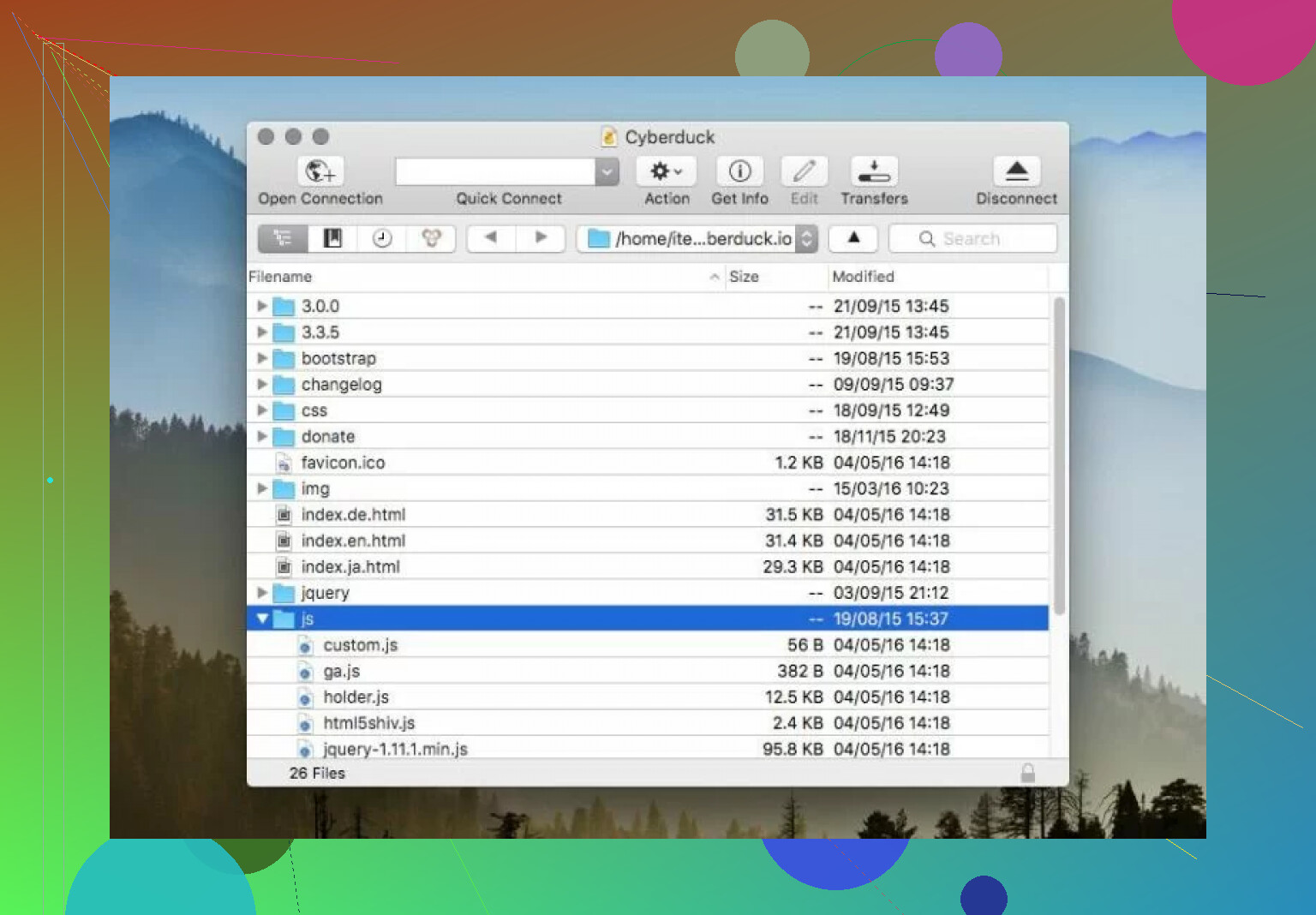
The part I noticed fast was service support. It talks to S3, Google Drive, and normal SFTP servers without making each one feel like a seperate app. Once I was connected, the flow stayed close enough across services that I didn’t need to re-learn anything every time I switched targets. Small thing on paper. In daily use, it saves time.
I also like that it’s open-source. There aren’t many file transfer tools left in this lane which are maintained, work across platforms, and aren’t pushing some sales pitch in your face. Cyberduck feels more like a plain utility. For me, that helped.
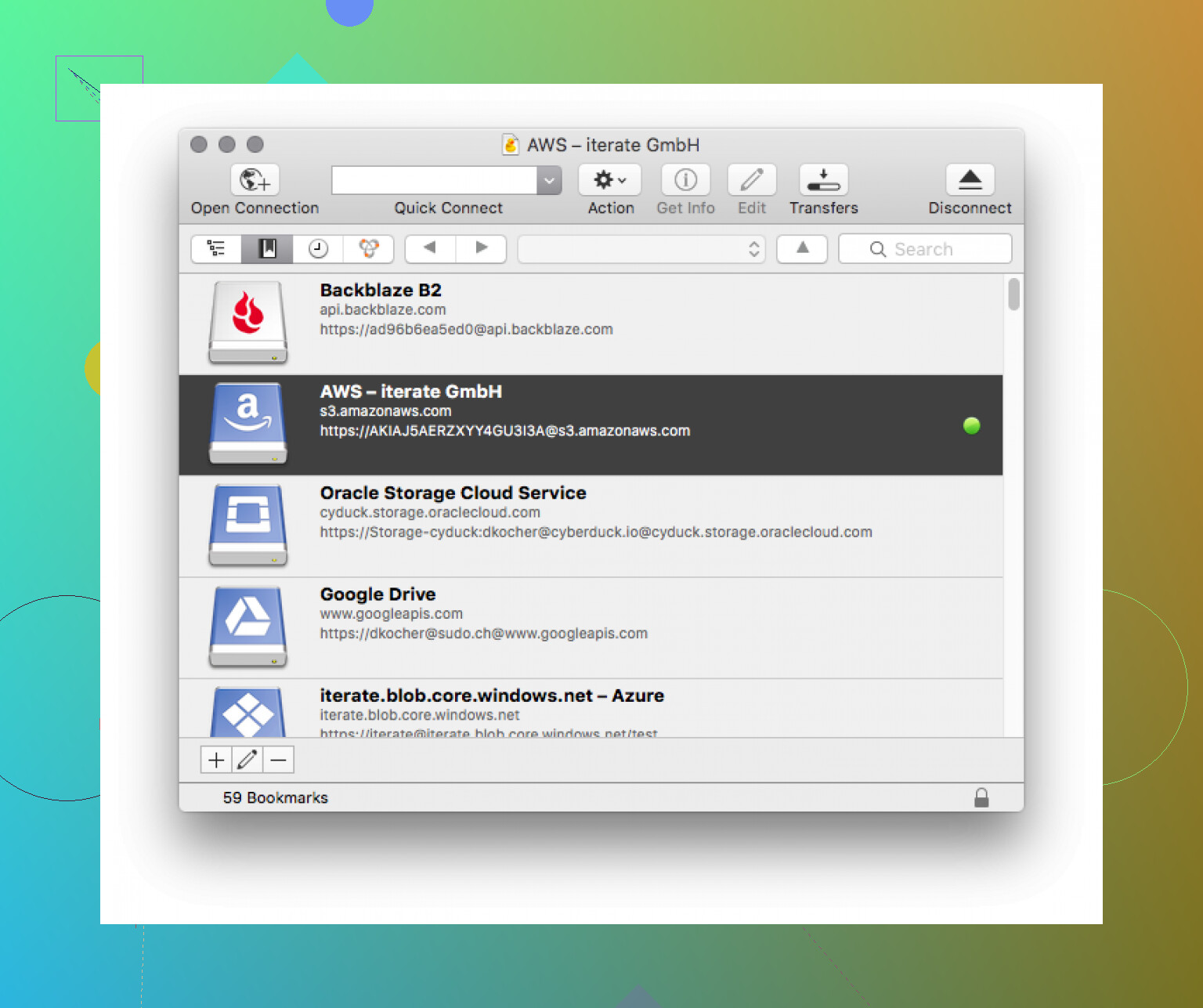
The interface is clean. I didn’t have to hunt for the basic actions. Uploading, downloading, browsing folders, all of it stays easy to read. If you want something quiet and direct, this part lands well.
👎 Where it starts slowing me down
The biggest issue in my routine is the missing dual-pane layout.
Cyberduck shows the remote side only. Your local files sit off in Finder or Windows Explorer, so you end up bouncing between windows over and over. For one upload, who cares. For repeated edits, folder cleanup, or moving batches around, it gets old kinda fast.
Side by side file views make a real difference. When both locations are visible at once, you compare folders faster, drag files with less guesswork, and make fewer dumb mistakes. Without that setup, simple jobs take extra clicks and extra attention.
So to me, Cyberduck feels more like a transfer app than a full file management setup.
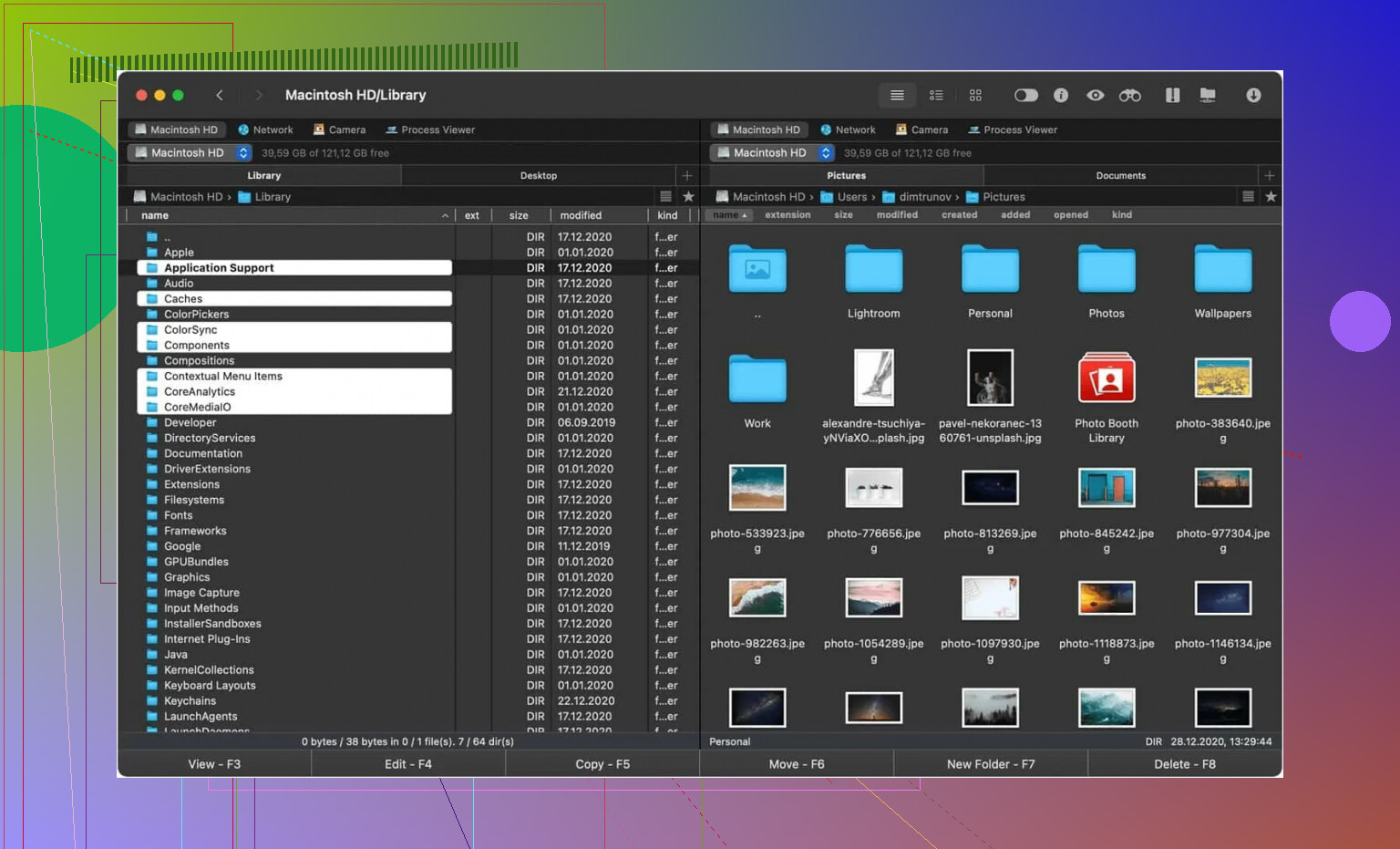
Because of that, I sometimes move over to Commander One on macOS. It starts as a dual-pane file manager, then adds FTP and server access on top. For this specific problem, I found its layout easier to live with.
Having local files on one side and the server on the other removes a lot of window flipping. Bulk changes are easier. Folder reorg is easier. Even boring cleanup work feels less annoying when both sides stay in front of you.
It feels closer to working in a file workspace than opening a one-off connection tool.
⚖️ My take after using it
I’d put Cyberduck in the reliable, low-noise category. If you need a clean way to connect, upload, download, or poke around cloud storage once in a while, it does the job without wasting your time.
If your work leans heavier on sorting directories, comparing folders, or pushing frequent updates, the single-pane design becomes the main compromise. That was the point where I started reaching for a dual-pane tool instead.
54 Likes
My honest take, Cyberduck is solid, but limited.
Reliability, good. I used it for SFTP, WebDAV, Backblaze B2, and S3. Connections stayed stable. Failed transfers were rare. Resume support helped on larger files. I had more issues with server perms than with Cyberduck itself.
Speed, fine, not top tier. On gigabit, it never felt like the fastest client I’ve used. It moved files at normal rates, but big folder sync type jobs felt slower than tools built for bulk work. For one-off uploads and downloads, no probllem.
Security, good enough for serious use. It supports key-based SSH, TLS, and file encryption with Cryptomator. Open source matters here. Fewer black box vibes.
Ease of use, mixed. Cleaner than many FTP apps. Easier to hand to a non-tech person. But I slightly disagree with @mikeappsreviewer on the layout being the main issue. For me, the bigger pain was batch workflow. If your job is drag, drop, done, Cyberduck fits. If your job is compare folders, rename a lot, move stuff around all day, it gets annoying fast.
If you want cloud plus file management in one workspace, Commander One makes more sense on macOS. Dual pane saves time. Less window flipping, fewer dumb mistakes.
My short version:
Cyberduck is good for transfers.
It is not great for heavy file management.
Try it if your workflow is simple. Skip it if your workflow is constnat.
I’ll be a little contrarian to @mikeappsreviewer and @cazadordeestrellas here: I don’t think Cyberduck’s biggest problem is just the single-pane layout. That’s annoying, sure, but the real issue is it sits in an awkward middle zone.
For reliability, it’s solid. SFTP and S3 connections were stable for me, and I don’t remember many crashes. Security-wise, it checks the boxes most people care about: SSH keys, TLS, decent reputation, open-source, no sketchy “trust us bro” vibe. So on that front, yeah, it’s legit.
Where I got less impressed was speed and workflow. Not terrible, just kinda average. Small transfers? Fine. Random server access? Fine. But when I had to deal with lots of files, repeated uploads, reorganizing folders, or cloud storage that I touch every day, it started feeling clunky. Not broken, just not very efficient.
Ease of use is mostly good if your needs are basic. That’s the key. Cyberduck is easy in the same way a plain screwdriver is easy. If the job matches, great. If not, you start wishing for a whole toolbox.
If you mainly want a simple transfer client, Cyberduck is honestly worth trying. If you want actual file management too, especially on macOS, Commander One feels more practical day to day. Less alt-tabbing, less fiddling, fewer “wait, which folder am I in?” moments. Kinda boring answer, but that’s my real take.
My non-sponsored take: Cyberduck is one of those apps I trust more than I love.
I agree with parts of what @cazadordeestrellas, @nachtschatten, and @mikeappsreviewer said, but I’d push back a bit on the “limited” label. It’s limited only if you expect it to be a full file manager. If you treat it like a transfer client with cloud support, it’s actually pretty good.
My real-world take:
- Reliability: strong. I’ve seen it behave well with SFTP and object storage. Not many crashes, and queued transfers usually complete without babysitting.
- Speed: acceptable, but not exciting. It’s fine for normal work, less ideal if you’re pushing huge trees of files every day.
- Security: one of its stronger points. Open source, supports proper auth methods, doesn’t feel shady.
- Ease of use: depends on your habits. For occasional transfers, it’s cleaner than a lot of old-school FTP apps. For constant file shuffling, it gets awkward.
My biggest gripe is not just the single-pane thing. It’s that Cyberduck can feel detached from the rest of your workflow. Great at connecting. Less great at helping you stay organized while moving fast.
That’s where Commander One makes more sense for some people, especially on macOS.
Commander One pros:
- Dual-pane layout is faster for local/remote work
- Better for comparing folders and bulk moves
- Feels more like an actual file workspace
Commander One cons:
- More “file manager” than “simple transfer app,” which some people won’t want
- Interface can feel busier at first
- If you only upload a few files now and then, it may be overkill
So the honest verdict:
- Cyberduck: reliable, safe, simple, a bit slow for heavy duty workflows
- Commander One: more efficient for daily file management, but less minimal
If your job is “connect, upload, disconnect,” Cyberduck is easy to recommend.
If your job is “manage files all day,” I’d look at Commander One first.
A simpler option is to skip a dedicated transfer app.
Use your cloud provider’s web dashboard for occasinal uploads, downloads, sharing, and folder management. For SFTP, use your system’s built-in terminal with the sftp command. Save connection details in your SSH config, then connect with one short command.
This setup avoids extra software, licensing, and seperate file manager windows. It works best if you move a few files at a time. For repeated large transfers, use rsync over SSH. It resumes interrupted jobs and copies only changed files, which saves time and bandwidth.
Expect Cyberduck to cost you something even though it’s open source. The free download nags you for donations constantly, and the paid version from the app stores just removes that. Worth knowing before you commit, since @brightbuilder’s terminal route sidesteps that entirely if you’re only moving a few files.