Hey there,
Sorry to hear about your video trouble. Don’t panic just yet—there might still be a way to get your videos back. Here’s a breakdown of some steps and tools you can try:
-
Check for Backup: This might be a long shot, but have you checked if your videos were backed up to any cloud services like Google Photos, iCloud, or another service you use? Sometimes, these services automatically back up your media files.
-
Google Photos: If you use it, open the app and go to the “Library” section. You might find your deleted videos there. Also, check the trash folder since items remain there for 60 days before they’re permanently deleted.
-
iCloud: For iPhone users, log into iCloud.com and check the Photos section. Sometimes your photos and videos might still be in the “Recently Deleted” album.
-
-
Local Recycle Bin/Trash: Since you mentioned you already looked but didn’t find them, just make sure you didn’t miss any other folders named similarly, sometimes apps use their own trash folders.
-
Third-Party Recovery Tools: If backups didn’t work out, you could try using a recovery tool. Disk Drill
is one of the most popular choices for this purpose. It’s designed to recover lost data from your device, including videos. Here’s a brief rundown on how to use it:-
Download and Install: Head over to Disk Drill and download the appropriate version for your operating system.
-
Connect Your Device: Connect your smartphone to your computer. Make sure your computer recognizes it as a storage device (you might have to select “File Transfer” on your phone).
-
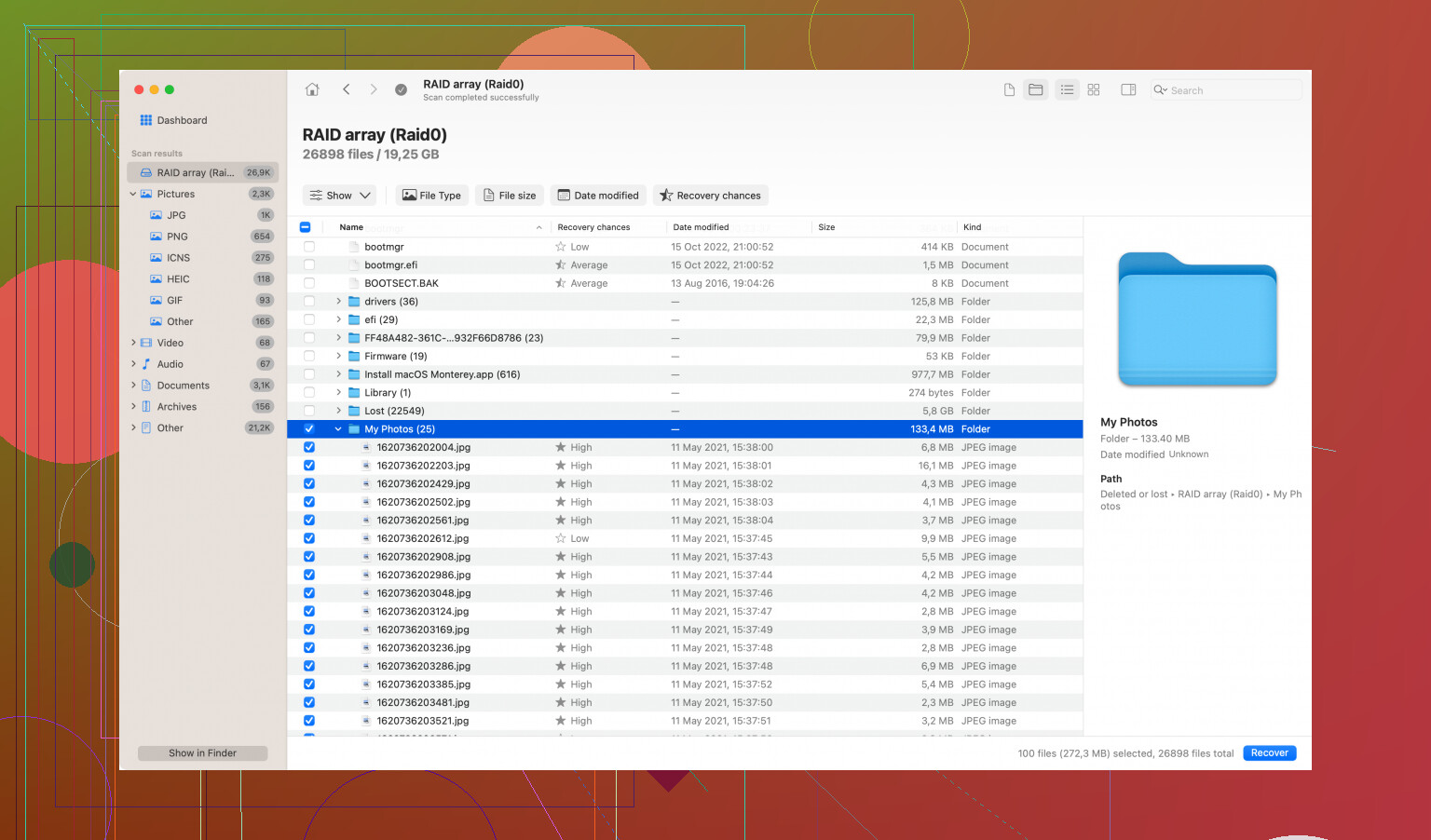
Run a Scan: Open Disk Drill and select your connected device. Run a scan for lost data. The software will search for recoverable files.
-
Preview and Recover: After the scan, you can browse through the results. Preview your videos to ensure they’re the ones you lost, then select them and hit the “Recover” button.
-
-
Professional Data Recovery Services: If the above methods don’t work, you might want to consider reaching out to a professional data recovery service. These services have specialized tools and techniques to recover lost data that DIY methods can’t always handle. But keep in mind that this option can be pricey.
-
Prevention Measures: Once you recover your videos, consider setting up automatic backups to avoid similar issues in the future. Also, regularly save important files to cloud services or external drives.
Hope this helps you out. Good luck!