My old iPad has gotten really slow, apps keep lagging, and basic tasks like browsing and streaming take forever. I’ve already cleared some storage and updated what I could, but it still feels almost unusable. I need help figuring out if there’s anything else I can do to make it faster or if it’s simply too old to keep up anymore.
My old iPad got to the point where opening Notes felt slower than it should. I figured the battery was cooked or the hardware was done. Turned out a few boring fixes helped more than I expected.
First thing I did, restart it
Yeah, obvious. I still skipped it for too long. If your iPad stays on for days or weeks, little background tasks stack up, memory gets messy, and the whole thing starts feeling sticky. A full shut down, then boot it back up. I’d do this before touching anything else.
Three settings I changed right away
Disable Background App Refresh
Go to Settings > General > Background App Refresh and turn it off.
Older iPads waste too much effort updating apps you are not even using. News apps, shopping apps, random junk, all phoning home in the background. Notifications still show up. What stops is the constant behind-the-scenes churn.Turn on Reduce Motion
Go to Settings > Accessibility > Motion and enable Reduce Motion.
This one surprised me a bit. The fancy zooming animation when you open and close apps looks nice on newer devices. On older ones, it drags. With Reduce Motion on, the transitions get simpler, and the whole interface felt less sluggish to me.Clear Safari data
Go to Settings > Safari > Clear History and Website Data.
If browsing feels worse than everything else, start here. Safari hangs onto a lot of site data over time. Mine had years of it. After clearing it, pages stopped feeling so bloated and weirdly delayed.
Then I checked iPadOS updates
Open Settings > General > Software Update. I’ve seen slowdowns after an update where the fix came in the next patch. So before chasing ghosts, make sure you are on the newest version your iPad supports.
The part most people miss, storage
This was the big one for me. When an older iPad gets close to full, performance drops in a gradual, annoying way. Not one huge failure. More like everything gets a little slower each month. iPadOS needs free space for temp files, caching, and routine system stuff. If your storage is packed, the device starts tripping over itself.
You can clean it by hand, and I did some of that first. Screenshots, old screen recordings, duplicate vacation photos, giant forgotten videos. It works, but wow, it eats time.
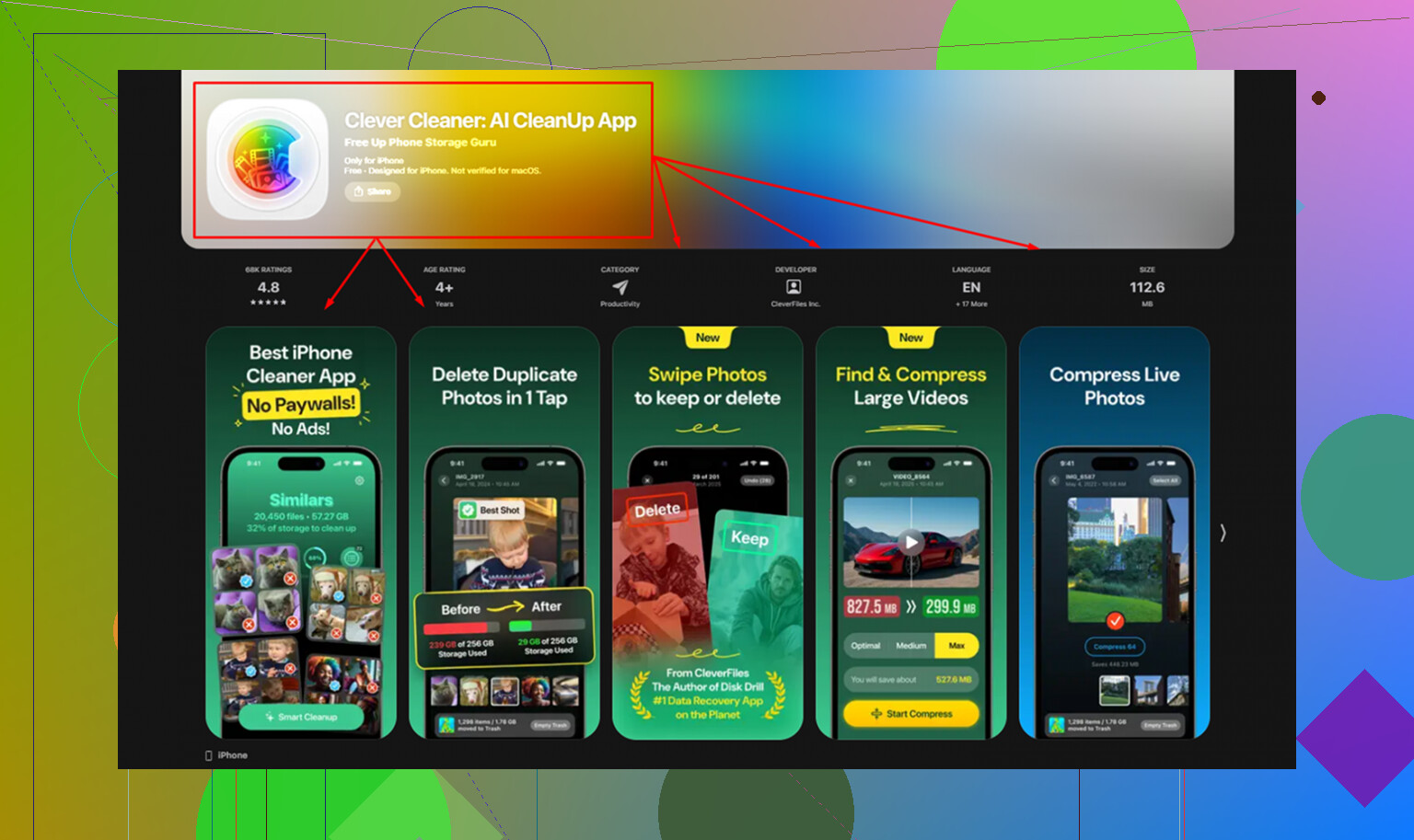
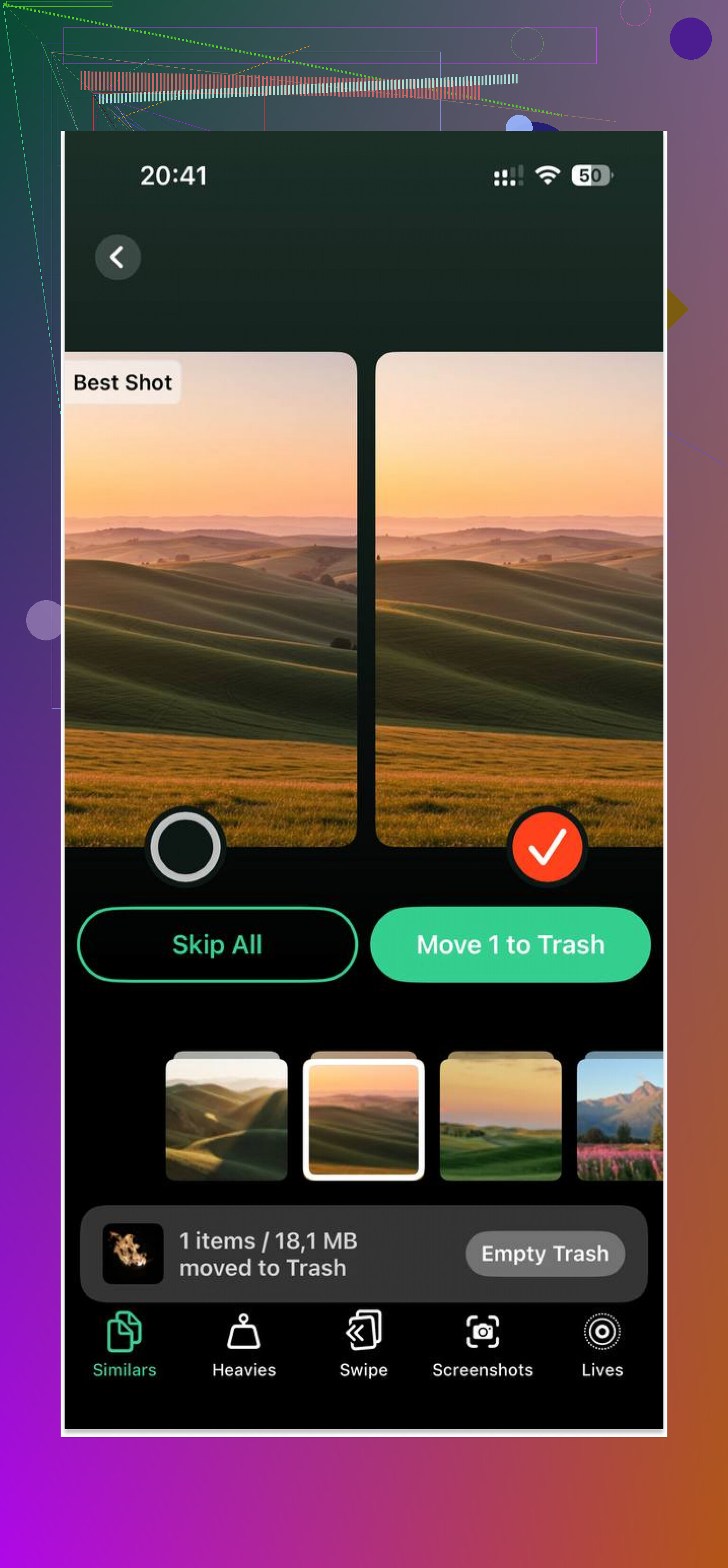
I ended up using Clever Cleaner because sorting a huge photo library manually was getting old fast. The Heavies section puts the largest files at the top with their exact size, which made it easy to spot a couple old videos taking up multiple gigabytes. The Similars section grouped near-duplicate shots together and marked a Best Shot, so cleaning up burst photos took less effort. It runs on-device, which I preferred. After I freed about 5GB, the iPad felt snappier. Not new, no. But less painful, yep.
Replace it, or try to save it?
I’d try all of the above first. The settings changes take a few minutes. Storage cleanup matters more than people think. If it still runs badly after that, the last step is a full reset.
Go to Settings > General > Transfer or Reset iPad > Erase All Content and Settings.
Back it up to iCloud first. Setup afterward is annoying, no point sugarcoating it. Still, on older iPads, a factory reset has fixed more slowdown than I expected. If you want one last shot before spending money, this is the step.
9 Likes
If your iPad is old enough, the issue is often the chip, not your setup. A9 and older iPads feel rough on modern sites, streaming apps, and ad-heavy pages. No cleanup fixes slow silicon.
A few things I’d check that @mikeappsreviewer didn’t hit.
First, battery health. Apple does not show it on most iPads, which is annoying. If the battery is worn out, iPad performance drops under load. Best test is Apple Support diagnostics or a repair shop. If the iPad gets hot fast and drains fast, that’s a clue.
Second, kill widget clutter. Remove Home Screen widgets you don’t need. Weather, news, stocks, all keep pulling data. Older iPads hate background polling.
Third, stop using Chrome or Firefox on it. Stick to Safari. On iPadOS they all use WebKit anyway, but Safari tends to run smoother and use less memory on old hardware.
Fourth, check your network before blaming the iPad. Streaming “lag” is often bad Wi-Fi, old router hardware, or crowded 2.4 GHz. Test the iPad next to the router. If YouTube still stutters at 480p, then yeah, the iPad is struggling.
I disagree a bit with the “update first” idea. On some old iPads, the newest supported version feels worse than the one before it. Too late now if you already updated, but people should know this.
If photos and videos are eating space, Clever Cleaner is worth a look. Also, this Clever Cleaner review for freeing up iPhone and iPad storage fast explains the duplicate cleanup stuff in plain english.
If your iPad is 2017 or older and still lagging after all this, replacement is the honest answer. At some point the hw is cooked, sad but true.
If it’s already slow after clearing storage and updating, I’d stop treating it like a software problem only. @mikeappsreviewer covered the usual cleanup stuff, and @stellacadente is probly right that age matters a lot here, but I don’t fully agree that “2017 or older = automatic replacement.” Some old iPads are still fine for light use if you change how you use them.
A few things I’d try that are different:
- Turn off Low Power Mode if you keep it on all the time. Sounds backwards, but on an old iPad it can make everything feel extra sluggish.
- Check app-specific bloat. Delete and reinstall the worst offender apps. Streaming and social apps can get bloated with cached junk.
- Disable location access for most apps. Constant GPS/background checks can drag older hardware down.
- Use fewer tabs and fewer apps installed overall. Old iPads choke on modern RAM demands more than people think.
- Test it offline-ish. If local apps are slow too, it’s the device. If only web/streaming is bad, some of that is just today’s heavier internet.
Also, if the iPad is heating up a lot, that’s a bad sign. Heat + lag + fast battery drain usually means the hardware is just tired.
One thing I would still consider is a full wipe and set up as new, not restoring every old setting backup. Restoring old cruft sometimes brings the mess right back.
If photos/videos are a big part of your storage mess, Clever Cleaner is actually useful for trimming duplicates and large files fast. And if you want a plain-English thread on it, this is decent: see what Reddit users say about Clever Cleaner for freeing up iPhone and iPad storage.
Blunt answer: yes, you might make it less awful. But if basic browsing and streaming are still miserable after all that, the iPad is probly just too outdated now.