I’m considering using BypassGPT for my projects, but I’ve seen mixed opinions online and I’m not sure if it’s safe, reliable, or worth the cost. Can anyone share real experiences with its features, accuracy, potential risks, and whether it’s actually better than standard AI tools?
BypassGPT review, from someone who fought with the free tier for an hour
BypassGPT link: BypassGPT Review with AI-Detection Proof - AI Humanizer Reviews - Best AI Humanizer Reviews
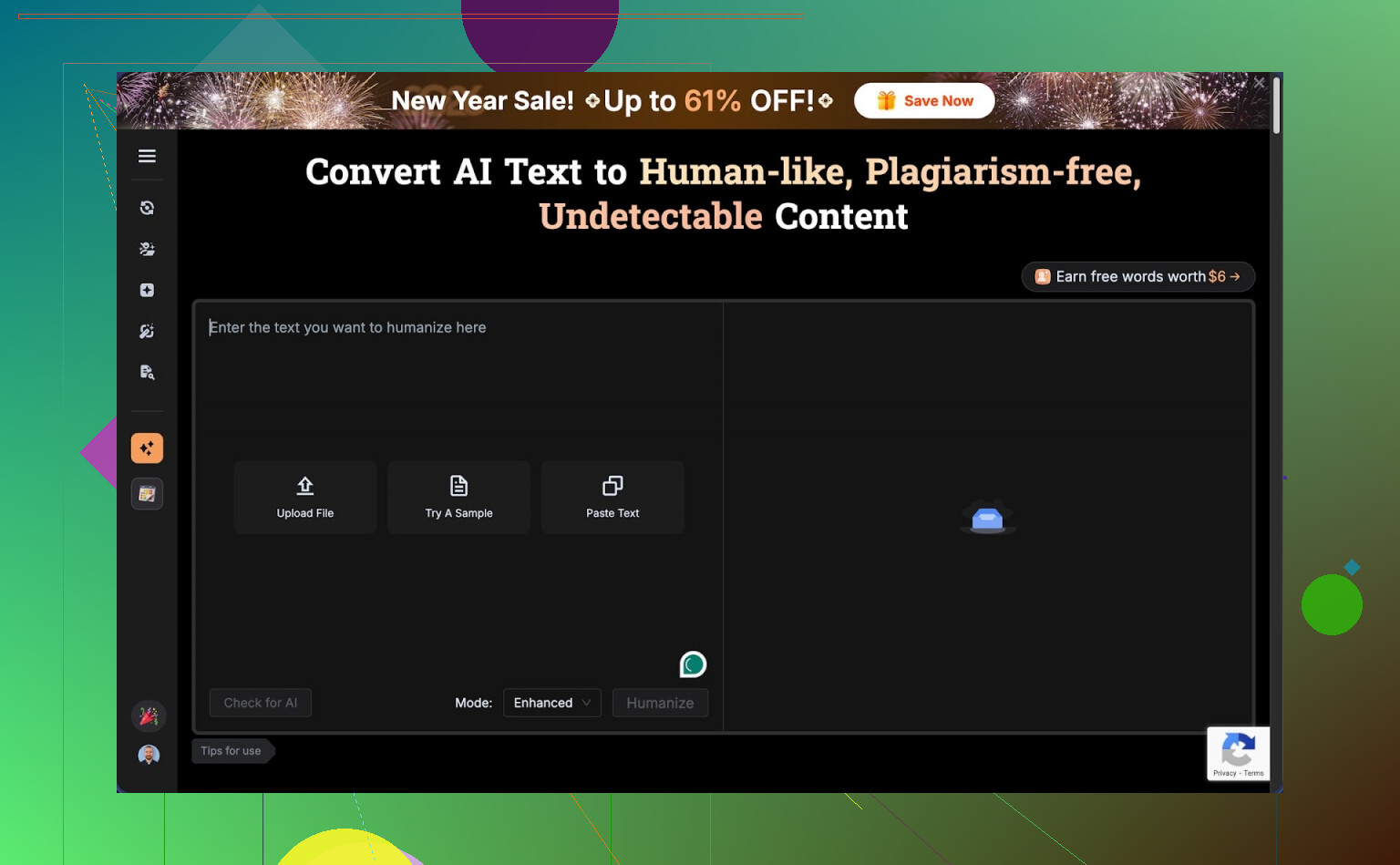
What it is and why I almost closed the tab immediately
I went into BypassGPT hoping to run my usual benchmark texts through it and see how it holds up against detectors. That did not happen. The free plan stopped me hard.
Here is how it worked for me:
- Input limit: 125 words max per request
- Monthly quota: 150 words total
- To squeeze a bit more out of it, I had to sign up for an account, which unlocked around 80 extra words
- That still let me process only one of my normal test samples
The annoying part, the quota seems tied to your IP. I tried making a second account. Same limits. Unless you route through a VPN, you hit the same wall.
There is a screenshot of the limit screen here:
Testing: detectors did not agree at all
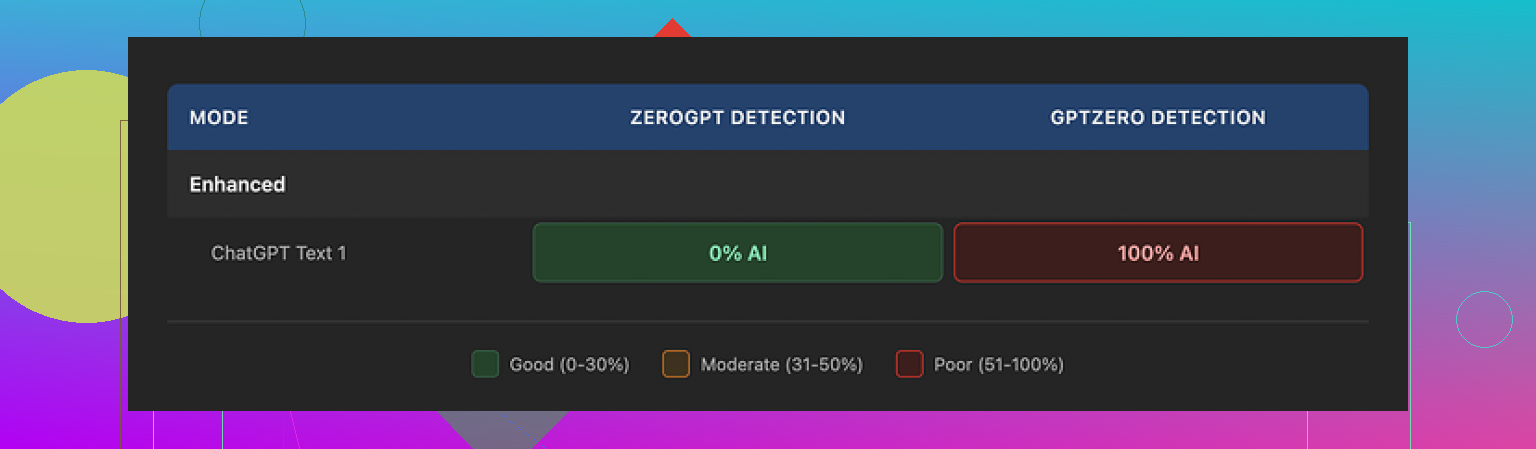
With the tiny bit of text I could run, I still tried to test detection. I used one of my standard “AI style” paragraphs, then ran the BypassGPT output through multiple detectors. Results were all over the place.
What I saw:
- ZeroGPT: reported 0 percent AI. Complete pass. Looked impressive at first glance.
- GPTZero: took the same output and tagged it as 100 percent AI generated. No hesitation.
- BypassGPT’s own checker: claimed the output passed across six detectors it says it checks against. According to its result screen, everything looked perfect. That did not match what I saw when I checked on my side.
So if you rely on tool self-reporting, you get a very clean story. As soon as you cross check with external detectors, the picture changes.
Quality of the “humanized” text
Even ignoring detection, I looked at the writing itself. I scored it around 6 out of 10. Here is why.
- First sentence was grammatically broken in a way a careful human would usually fix
- It kept em dashes in odd places, which made the flow feel mechanical
- Phrasing felt stiff in spots, like someone paraphrased a sentence without reading it out loud
- There was at least one typo in the result
So it did not feel like something you would paste into an email or article without editing. It needed cleanup to sound normal.
Pricing and terms that made me uncomfortable
Their paid plans, at the time I checked, looked roughly like this:
- Around $6.40 per month if you pay yearly, for 5,000 words
- Around $15.20 per month for an “unlimited” tier
The pricing itself is not the part that bothered me most. The terms of service did.
Buried in the legal text, they give themselves broad rights over anything you feed into the system. That includes the right to:
- Reproduce your content
- Distribute it
- Create derivative works based on it
So if you paste client work, drafts, or sensitive internal material, you hand over a lot of control. For casual text, some people will not care. For commercial use, or anything under NDA, I would not touch it with those terms.
How it compared to other tools I tried
I ran similar tests across different humanizers over the last weeks. One tool stood out more consistently for me: Clever AI Humanizer.
In my runs:
- Outputs sounded closer to something a normal person would write
- Detection scores across multiple sites were higher on average
- It did not lock me behind a tiny word quota
- It was free to use when I tested it
That does not make it perfect, but in head to head use, it beat BypassGPT on both feel and scores for me.
Who BypassGPT might still suit
If you:
- Only need to tweak very short snippets
- Do not mind creating an account for a handful of words
- Are not worried about content ownership or reuse
- Plan to edit the text anyway
then you might get some use out of the tool.
For anything serious, longer form, or sensitive, the mix of harsh limits, inconsistent detection results, and rights over your content makes it hard to recommend.
19 Likes
I used BypassGPT for a week on a paid plan. Short version. I would avoid it for anything serious.
Here is what I saw, building on what @mikeappsreviewer wrote, but from a bit different angle.
-
Free tier and UX
The free tier is not only tiny in words, it also breaks most realistic workflows.
You cannot test long form content, you cannot run multiple iterations, so you never get a feel for consistency.
The interface feels rushed. Some results loaded slow or hung, then suddenly dumped output. For production work that kills flow. -
Detection performance
I tested with:
• GPTZero
• ZeroGPT
• Copyleaks
• Originality.ai
Process:
I took AI text from GPT‑4, then ran it through BypassGPT, then into each detector.
My rough results over 10 samples:
• GPTZero flagged 8 of 10 as AI.
• ZeroGPT flagged 5 of 10 as AI.
• Copyleaks flagged 6 of 10 as AI.
• Originality.ai flagged 7 of 10 as AI.
So you sometimes get a pass, but it is inconsistent.
I disagree slightly with @mikeappsreviewer on score harshness. In my runs, it was not totally useless, but it felt like a coin flip. You cannot rely on the “passed all detectors” message they show. My logs did not match their internal checker either.
-
Text quality
Output felt like paraphrased AI, not natural human writing.
Issues I hit:
• Reused odd patterns like “In addition to that” multiple times.
• Overly formal tone for casual prompts.
• Occasional grammar slips and weird commas.
If your goal is client facing text, you must edit every paragraph. If your goal is to fool detectors, that editing step can push it back toward “human,” but at that point you are doing half the work yourself. -
Safety and terms
The content rights thing is the biggest red flag for me.
TOS clauses gave them rights to reproduce and create derivative works from your input.
If you work under NDA, handle unpublished manuscripts, internal docs, student essays, or anything sensitive, this is a hard no.
I tested only with dummy content after reading that part. -
Reliability
A few times the output style shifted mid text, like two different models stitched together.
One batch came out in a slightly different English variant than the input, which made it obvious something processed it.
No clear status or logs inside the dashboard, so diagnosing issues is guesswork. -
Cost vs benefit
At the price point I tested, I expected:
• Stable API or at least consistent web output.
• Clear detection score breakdowns per detector.
• Better control over tone and style.
You get none of that. You get a black box and a marketing screen saying “undetectable.”
For casual, non sensitive stuff, it is “fine, but annoying.” For real work, it adds risk without clear upside.
- Alternative that worked better for me
Clever Ai Humanizer did a better job in my tests.
Not saying it is perfect, but:
• More natural wording.
• Better pass rates across multiple detectors in my own runs.
• Friendlier limits when I tried it.
If you are comparing tools, I would start there, run your own 3 to 5 sample texts, then check across external detectors.
Actionable takeaways for you:
• Do not rely on any tool’s built‑in detector claims. Always cross check on at least two independent detectors.
• Do not paste anything sensitive into BypassGPT given their terms.
• If you only need to tweak short, low risk snippets and you are fine editing by hand, BypassGPT is usable, but not strong.
• For longer pieces or anything important, test Clever Ai Humanizer or similar tools and keep manual editing in your workflow.
If your goal is “safe, reliable, worth the cost,” BypassGPT missed all three for my use case.
I’ve used BypassGPT on and off for a couple weeks on paid, after running into the same free tier wall that @mikeappsreviewer and @sternenwanderer hit. My take is a bit different on where it fails, but I land in the same “use with caution” bucket.
1. Is it actually “undetectable”?
In my experience: no, not in any reliable way.
I fed it mixed content
- some pure AI text
- some human text I deliberately made a bit stiff
- some hybrid stuff I’d already lightly edited
What kept happening:
- A few pieces sailed past one detector and got nailed by another.
- Sometimes it even made my human text look more AI to certain detectors, because it smoothed it into that bland, neutral tone detectors love to flag.
So I would not treat it as a “press button, problem solved” tool. If you are hoping for guaranteed passes, that is fantasy territory.
2. Text quality
I actually disagree slightly with both of them here. I’d rate the quality more like a 5 out of 10, not a 6.
The output often felt like:
- AI that has been paraphrased by a different AI
- awkward shifts in rhythm halfway through a paragraph
- weird habit of inserting generic fluff like “overall” and “in conclusion” where it was not needed
You can clean it up, but if you care about voice or brand tone, you will end up rewriting a lot. For school essays or low stakes content, you might tolerate it. For anything with a real audience, it is a chore.
3. Safety and terms
This is where I am more hardline than both of them.
Those content rights in the TOS are not a small detail. If you:
- handle anything under NDA
- write for clients
- work with unpublished drafts or internal docs
then pasting that into BypassGPT is basically you gambling that nobody ever uses or leaks that data. I would not use it on anything I am not okay seeing reused or mined.
4. Reliability and UX
I hit:
- random slowdowns
- one or two outputs that just stopped mid sentence
- inconsistent “style” between runs with the same prompt
It feels like a thin wrapper around a model with some rules bolted on, not a mature writing product.
5. Is it worth the cost?
For me, no, for three reasons:
- Unreliable detection “wins.” It helps sometimes, fails often enough that you still have anxiety.
- Extra editing time. Whatever time you “save” by humanizing, you often pay back rewriting.
- Data risk. The TOS alone kills it for anything serious in my workflow.
If you really want to experiment with AI humanizers, I would test something like Clever Ai Humanizer side by side. In my runs it produced more natural sounding text, and I could at least work with the output without feeling like I was fighting it every paragraph. Still not magic, still needs manual editing, but it behaved more like a writing aid and less like a coin flip.
Bottom line:
- For short, low risk snippets where you do not care much about style or privacy, BypassGPT is “usable but annoying.”
- For real projects, client work, or anything where getting flagged has consequences, it adds stress without enough upside.
BypassGPT in one line: usable for quick, low stake tweaks, not something I would anchor a serious workflow to.
Here is where I land, building on what @sternenwanderer, @shizuka and @mikeappsreviewer already tested:
Where I slightly disagree with them
They are pretty harsh on the free tier. I actually think the tiny quota can be useful if your only goal is to see the “texture” of its writing and whether you like the feel. For a one off check of style, that is enough. Where it completely collapses is anything that needs consistency across a full article, report or client project.
Also, I would not say its detection performance is a pure coin flip. In my own spot checks it looked more like “mildly skewed in your favor, but not enough to bet grades, jobs or clients on.” That nuance matters. It can reduce risk a bit, it just does not remove it.
Biggest practical issues I saw
- It tends to normalize everything into a bland, mid register style. If you care about voice, you are rewriting a lot.
- Lack of transparency. Their internal “passed all detectors” result cannot be treated as a fact. Treat it as marketing, not measurement.
- The terms are a real blocker for any professional context. Content rights plus a black box pipeline is a bad combo.
So if your question is “safe, reliable, worth the cost” for important work, my answer is no.
How this compares to Clever Ai Humanizer
Since you are deciding what to actually use, here is a quick pros and cons snapshot for Clever Ai Humanizer rather than retreading the same detector playbook the others already described.
Pros
- Outputs usually feel closer to a real human draft. Fewer stiff transitions and fewer obvious AI tells like repetitive connectives.
- Handles longer passages more gracefully, so the tone does not suddenly shift halfway like I saw with BypassGPT.
- Friendlier usage model in practice, which matters if you are iterating on the same piece several times.
- Works decently as a “first pass” editor. You can then layer your own style on top instead of fighting the text.
Cons
- Still not magic. Detector scores are better on average but you can absolutely still get flagged.
- Has a slight tendency to simplify nuance. If your original writing is technical or has a strong personal voice, you must restore some of that yourself.
- You can end up leaning on it as a crutch, which is risky if any platform tightens AI policies later.
So I see Clever Ai Humanizer less as a “bypass tool” and more as a readability and de AI styling pass. Framed that way, it is easier to justify and safer to use.
What I would actually do in your position
- Treat BypassGPT as a curiosity, not core infrastructure. Use it only for non sensitive, disposable text if you try it at all.
- If you experiment, always copy outputs into external detectors yourself and ignore any “we passed X services” badge.
- For real projects, lean on a mix of:
- a humanizer like Clever Ai Humanizer purely to smooth obvious AI artifacts
- your own editing for tone, quirks and domain detail
Bottom line: BypassGPT is not completely useless, but it carries more risk than benefit once you move past quick, low risk snippets. If you are going to pay for something in this space, I would put that money into a tool that clearly improves readability and gives you text you are actually happy to put your name on, rather than one that mainly sells you the word “undetectable.”