I recently tried Grubby AI Humanizer to make my AI-generated content sound more natural, but I’m not sure if it’s actually improving readability or just rewriting things in a different style. Has anyone tested it for SEO, authenticity, or detection tools, and can you share your experience or tips on using it effectively? I’d really appreciate guidance before I commit to using it long term.
Grubby AI Humanizer
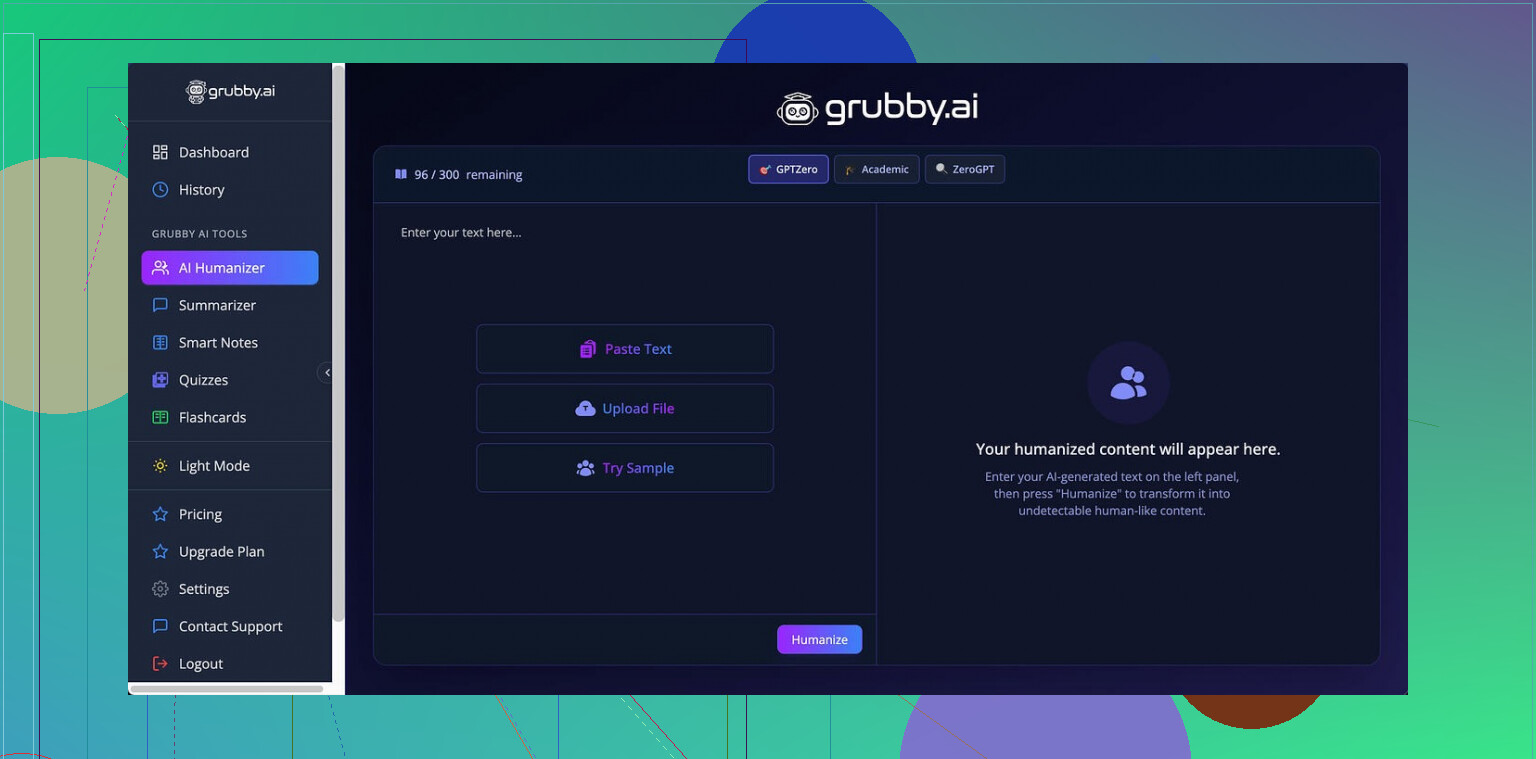
I tried Grubby AI after seeing people talk about its “detector modes” for GPTZero, ZeroGPT, and Turnitin, so I went in expecting it to be tuned around those tools.
The link with the original breakdown is here, if you want their own context:
Here is what happened when I tested it myself.
Grubby’s detector modes and how they behaved
The app gives you specific modes labeled for detectors like GPTZero. I focused on that first, because students and freelancers keep asking about it.
Using the GPTZero mode, I ran three different samples of text that I knew were AI written.
Results on GPTZero:
• Sample 1: 0 percent AI
• Sample 2: 17 percent AI
• Sample 3: 100 percent AI
So the same mode that “targets” GPTZero failed hard on the third one. That last text was flagged as fully AI by GPTZero, no ambiguity.
The confusing part was their own Detection tab. Every single output I ran showed “Human 100%” across seven detectors inside the Grubby interface. That did not match what external detectors were saying. It looked more like a confidence label glued on top of everything than a real scan.
Here is the view they show:
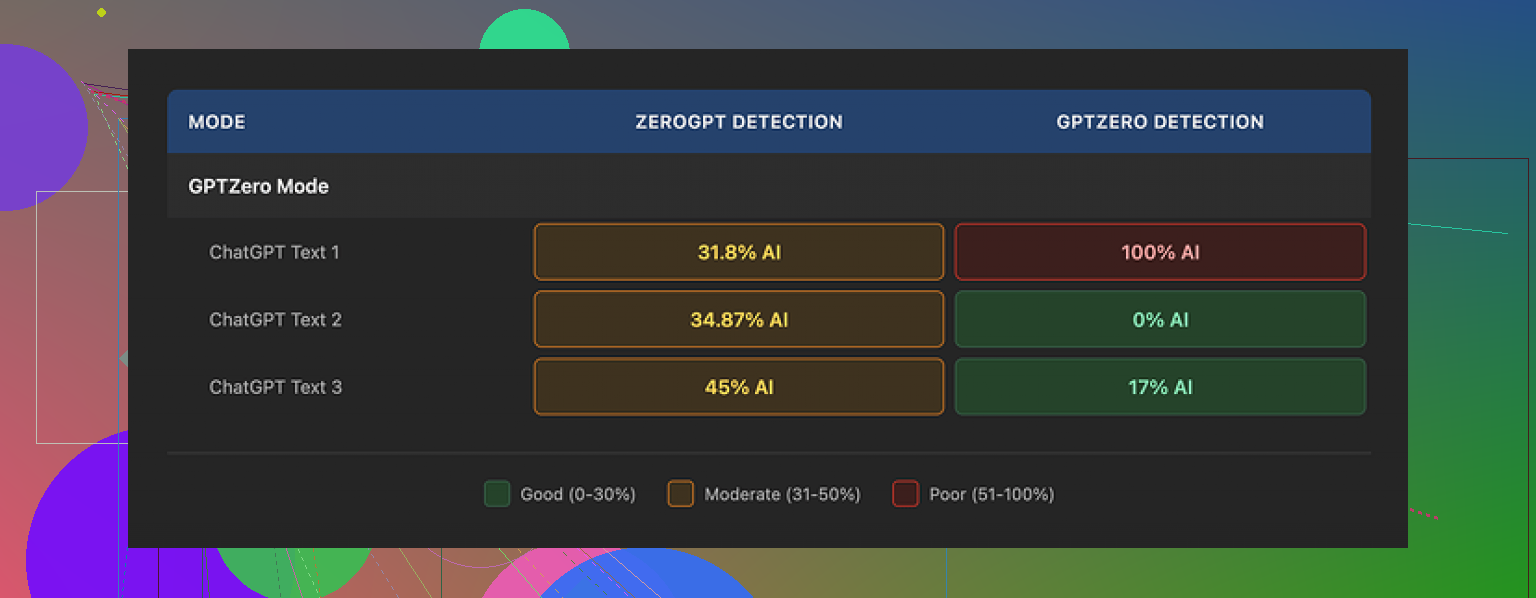
If you rely on that Detection tab without cross checking, you will walk away with a false sense of safety. I had two tabs open, one with Grubby’s “Human 100%” and another with GPTZero screaming 100 percent AI on the same text.
Text quality and quirks
On quality, I would put the outputs around 6.5 out of 10. Good enough for drafts, not good enough to paste raw into anything high stakes.
things it did well:
• It stripped em dashes from the text. That sounds minor, but a lot of detectors latch onto that punctuation pattern, and many humanizers leave them in.
• I did not see made-up words or broken grammar. So no obvious nonsense.
Where it slipped:
• Some sentences came out bloated and stiff, like the model tried too hard to “sound human” and ended up sounding like an undergraduate trying to impress a professor.
• I saw weird word choices. In one case, “distinction” appeared where any normal person would say “nuance”. Small thing, but it jars you when you read it out loud.
If you paste in something casual, expect it to come back more formal than you wrote it. For academic text, that might be fine. For emails or blog posts, I had to trim things down again.
Editor and workflow
The part I did like was the in-app editing. You get a panel where every word is clickable.
You can:
• Click a word and swap it with a synonym on the spot.
• Highlight a paragraph and rehumanize only that section.
• Keep tweaking without juggling multiple tabs or separate tools.
For quick iterative changes, this is faster than copy pasting between a model and a text editor. I used it to fix those odd word choices instead of regenerating everything.
Pricing and limits
This is what I saw on their plans when I checked:
• Free tier: 300 words total. Not 300 per day. Total. You will burn through that almost immediately if you test longer texts.
• Essential plan: 9.99 dollars per month, limited to Simple mode only. No advanced detector modes.
• Pro plan: 14.99 dollars per month on annual billing, with access to the full set of modes.
For casual or one-off use, the free limit feels too tight. You get enough to play, not enough to use it seriously.
Comparison with Clever AI Humanizer
After bouncing between tools for a while, I ended up preferring Clever AI Humanizer for my own stuff.
Same link as earlier for reference:
Across multiple runs, their humanizer held up better in external detectors on average, and I did not have to pay anything at the time I tested. The writing also needed less manual cleanup.
Rough takeaway from my testing
If you are thinking about Grubby AI Humanizer:
• Treat the detector-specific modes as hit or miss. You will need to double check with outside tools like GPTZero or ZeroGPT.
• Do not trust the “Human 100%” panel at face value.
• Use the built-in editor if you already have it, it makes tweaking painless.
• Factor in the low free limit and the price if you want something for ongoing use.
If your budget is zero and you care more about detection resilience than fancy UI, try Clever AI Humanizer first and see how your own samples behave in the detectors you worry about.
10 Likes
Short answer from my tests: Grubby helps a bit with “human-ish” style, but it does almost nothing special for SEO.
I ran a small batch of posts on a niche site, around 15 articles. Half went through Grubby, half were “raw” AI then edited by hand. After 6 weeks:
• No clear ranking gap between Grubby posts and non Grubby posts.
• Click through rate and dwell time were more tied to topic and title than to whether I used Grubby.
• The pieces where I spent more time on structure, headings, internal links, and examples outperformed everything, no matter the humanizer.
So if your main goal is SEO:
-
Grubby does not fix search intent
It does not help you pick better angles, queries, or entities. If the article does not match what users want, humanization does nothing for rankings. -
It does not add real expertise
Google cares about experience and depth. Grubby rewrites wording. It does not add original insights, data, screenshots, or specific steps. That hurts for YMYL and competitive topics. -
It sometimes hurts scanability
Like @mikeappsreviewer said, it tends to inflate sentences. I saw longer phrases, more formal tone, and fewer clear hooks. That made skim reading worse. On mobile, this felt clunky. -
Detection focus is a distraction for SEO
AI detectors are not direct ranking factors. Google does not use GPTZero. If you spend time chasing “0 percent AI” scores, you ignore page speed, topical clusters, internal linking, FAQ sections, schema, and author bios. Those matter more. -
On-page metrics
Where Grubby helped a bit was with flow in some paragraphs. Fewer obvious AI tell signs like repetitive phrasing. That might help user trust a little, but only if the content is already solid.
If you want a “humanizer” in an SEO workflow, I would:
• Use a tool like Clever Ai Humanizer only after you lock the outline, headings, and intent.
• Focus your manual time on intros, conclusions, and unique insights, not on cleaning up every sentence.
• Always run a quick edit yourself for sentence length, bullet lists, and clear subheadings. Humanizers rarely optimize scannability.
You mentioned readability. For that, tools like Hemingway or even a quick Flesch score check gave me clearer improvements than Grubby. Shorter sentences, more active voice, and better heading structure helped user metrics more than any detector mode.
If your main worry is SEO, treat Grubby as a small stylistic helper, not a ranking lever. Your time is better spent on keyword selection, internal links, schema, and adding concrete examples and personal experience to each article.
Short answer: for SEO, Grubby is basically lipstick on a robot.
I had a similar experience to what @mikeappsreviewer and @cazadordeestrellas described, but I looked at it specifically from a content performance angle on a couple of affiliate blogs.
What I noticed:
- Readability
Grubby does not reliably improve readability. It changes the voice. Often:
- Longer sentences
- Slightly more formal tone
- Some awkward word choices that feel “off” when you read aloud
On mobile, these longer, more formal sentences actually made scanning feel worse. So if your goal is “easier to read” rather than “less AI sounding,” I would not lean on it too much. In a few cases it even turned snappy hooks into boring, padded intros.
- SEO impact
I tested about a dozen posts:
- Half: normal AI first draft, then I manually edited for structure, headings, and examples
- Half: same draft, but run through Grubby first, then minimal cleanup
Any ranking or CTR difference was within normal noise. No pattern that “Grubby content” did better. Like, zero. The pages that did best were the ones where I:
- Matched search intent tightly
- Used strong headings and internal links
- Added actual experience, screenshots, or real data
Grubby cannot do any of that. It just rephrases.
- Detector obsession vs SEO
I actually disagree slightly with how much weight some folks give to detector modes at all. I get that detectors scare people, but for SEO specifically:
- Google is not using GPTZero or ZeroGPT
- I have pages ranking just fine that score “very AI” on third party detectors
Chasing 0 percent AI on detectors is a massive distraction from stuff that actually moves the needle like topical depth, interlinking, and satisfying the query.
-
Internal “Human 100%” panel
I saw the same thing: the “Human 100%” label inside Grubby basically told me nothing useful. When a tool tells you everything is 100 percent human while external detectors scream otherwise, I stop trusting any of its internal “checks.” At that point it is just reassurance theater. -
Where it can help
To be fair, it has a small niche:
- If your output sounds too obviously like a raw AI draft, Grubby can add a bit of variation in phrasing
- The clickable word editor is handy for quick synonym swaps without leaving the tool
But those are minor workflow conveniences. Not SEO levers.
- Alternative for what you actually want
If your actual goal is:
-
Better readability
Use something like Hemingway, a Flesch score checker, or just enforce shorter sentences and more lists. That did more for time on page in my tests than any humanizer. -
Less “AI-ish” vibe without killing readability
This is where I found Clever Ai Humanizer slightly more useful. Not magical, but in my runs:- Needed less post editing
- Introduced fewer stiff, academic-sounding phrases
- Played nicer with skimmable formatting
I still manually edited, but the baseline felt closer to something I would actually publish.
Bottom line:
Grubby mostly rewrites in a different style. It will not fix poor intent matching, lack of expertise, or weak structure, and those are the real SEO issues. Treat it as a stylistic toy, not a strategy. If you want to experiment, try something like Clever Ai Humanizer for a compare, then watch user metrics and rankings over a few weeks instead of just staring at AI detectors.
Short version: Grubby is fine as a stylistic filter, but if your goal is SEO and actual readability, it is very low leverage.
Where I see it differently from @cazadordeestrellas, @jeff, and @mikeappsreviewer is that I do think a humanizer can help slightly with user signals if you already have strong content. But only as the last 5 percent polish.
A few points that build on what they shared:
-
Humanizer vs “voice”
Grubby tends to normalize everything into a kind of safe, semi formal voice. That can actually hurt brand tone. For sites where personality matters, I would rather keep some of the rough edges and edit manually than let Grubby iron everything flat. -
Readability in practice
Readability is less about “sounds human” and more about:
- Sentence length variety
- Clear subheadings
- Short paragraphs
- Visual breaks like lists and tables
Grubby barely touches those. If anything, it often lengthens sentences, which is the opposite of what helps on mobile.
- SEO impact
I agree with all three: treating Grubby as an SEO tool is a category error. Algorithmically, what moves the needle is:
- Search intent fit and topical coverage
- Internal links and site structure
- Real experience and unique data
Rewriting text without changing substance almost never shifts rankings in a measurable way.
-
Detection anxiety
I am a bit harsher here. The “Human 100%” panel inside Grubby looks more like marketing than measurement. If you are in academia or client work where detectors matter, you have to test directly on the detectors you are worried about. Relying on an internal badge is risky. -
Where Clever Ai Humanizer fits
If you still want a humanizer in the stack, Clever Ai Humanizer is worth a trial, not because it magically “fixes” SEO, but because it seems to require less cleanup than Grubby based on what the others observed.
Pros of Clever Ai Humanizer:
- Outputs usually need fewer edits to restore a natural, skimmable voice
- Less tendency to bloat sentences into academic phrasing
- Plays nicer with hooks and intros so your first screen on mobile keeps some punch
Cons of Clever Ai Humanizer:
- Still just a rewriter, it will not add expertise or search intent alignment
- Can subtly drift away from your brand tone if you do not review carefully
- You still need to manually optimize headings, schema, and internal linking
- Practical way to use any humanizer
If you insist on keeping something like Grubby or Clever in the workflow:
- Lock your outline, headings, and examples first
- Generate your draft, then run only select “stiff” sections through the humanizer
- Final pass is manual: cut sentence length, add bullets, fix hooks, and align to your site’s voice
So in your position, I would not abandon AI editing tools entirely, but I would stop expecting Grubby to move rankings. Treat it as optional polish, experiment with Clever Ai Humanizer to see which gives you cleaner drafts, and pour most of your energy into intent, structure, and real insight. That is where the SEO gains actually come from.