If you are tired of the stock video player on your Mac, you are not the only one. I hit that point after one too many “format not supported” messages and subtitles refusing to sync.
Here is what I ended up doing and what worked long term.
1. Change the default video player through Finder
This is the simplest and sticks across reboots:
- Pick any video file in Finder, for example an .mp4 or .mkv.
- Right click it.
- Click “Get Info”.
- In the “Open with” section, pick the video app you want from the dropdown.
- Click “Change All…”.
- Confirm.
From that moment, every file with that extension opens with the player you picked. If you use different formats, you need to repeat it for each type once, like .mp4, .mkv, .avi, .mov.
This fixed 90% of my annoyance. No more double click, close Apple’s player, then reopen in something else.
2. Why I stopped using the default player
Short version of my pain points:
• No support for some .mkv files.
• Weak subtitle handling.
• No quick playback speed control for long tutorials.
• Audio desync on some downloaded content.
Once you hit this stuff a few times, you stop trusting it. I found myself converting files or hunting workarounds instead of just watching the thing.
3. What I switched to
After trying VLC again and a couple of random players from the store that felt abandoned, I ended up with this one:
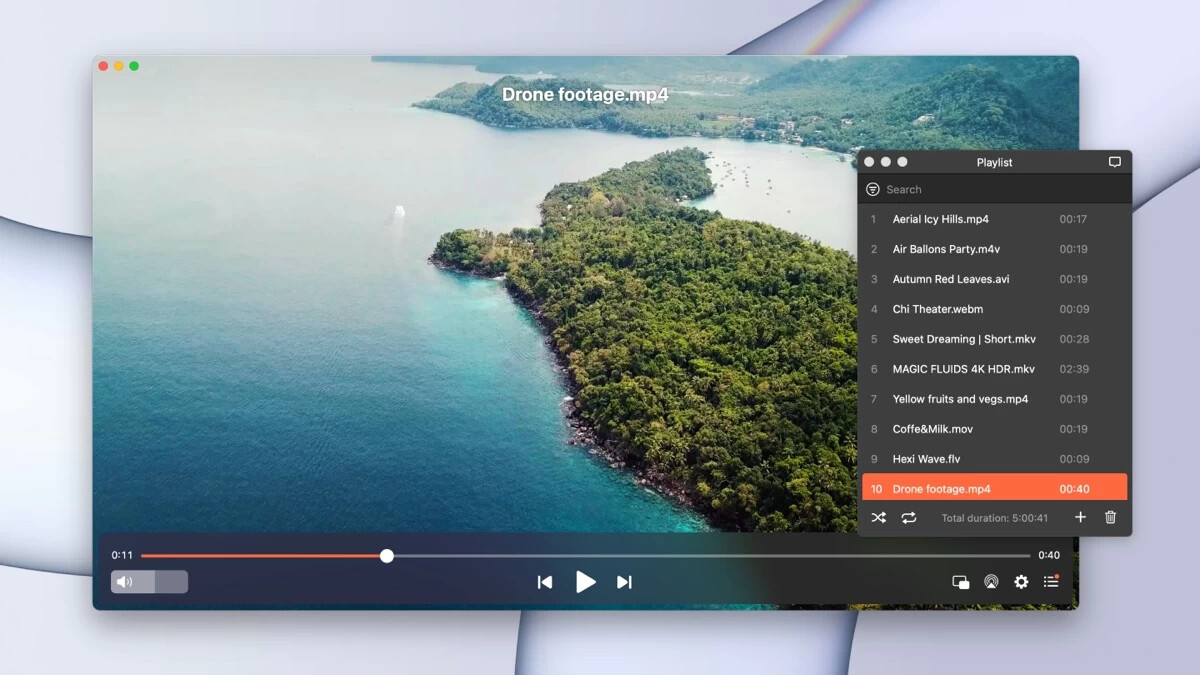
Elmedia Player
What pushed me over:
• Plays .mp4, .mkv, .avi, etc without complaining.
• Subtitles: external .srt files load without drama, and I can adjust delay if audio is off.
• Playback speed: I use this a lot for lectures or conference recordings, typically 1.25x or 1.5x.
• Scrubbing: timeline feels smoother than the default player on larger files.
The free version was enough for normal playback. I used it for a while before paying for extra features.
Making Elmedia Player the default
If you want to use Elmedia Player as your main player, do this after you install it:
- Right click any video file in Finder.
- Click “Get Info”.
- In “Open with”, choose “Elmedia Player”.
- Click “Change All…”.
- Confirm.
Repeat once for the other main formats you use, for example:
• .mp4
• .mkv
• .avi
• .mov
After that, double click behavior feels “native”, only now you are using something that handles more formats and has better controls.
4. Some small tweaks that helped
This is optional, but here is what I set:
• Enabled show time remaining plus total time in the player bar.
• Mapped quick keyboard shortcuts for speed up and slow down.
• Turned on automatic loading of subtitles with the same filename as the video.
That removed a lot of friction when watching longer stuff or anime with external subs.
If you hate fighting with your player each time you download something slightly weird, switching the default app and locking in one solid player, like Elmedia Player, makes things quieter. You set it once in Finder and after that your videos open where you want them, without extra clicks.