I need to make a locally connected USB license dongle available to a remote render node, but the node does not detect it. What is the best way to forward the USB dongle securely so the rendering software can validate its license?
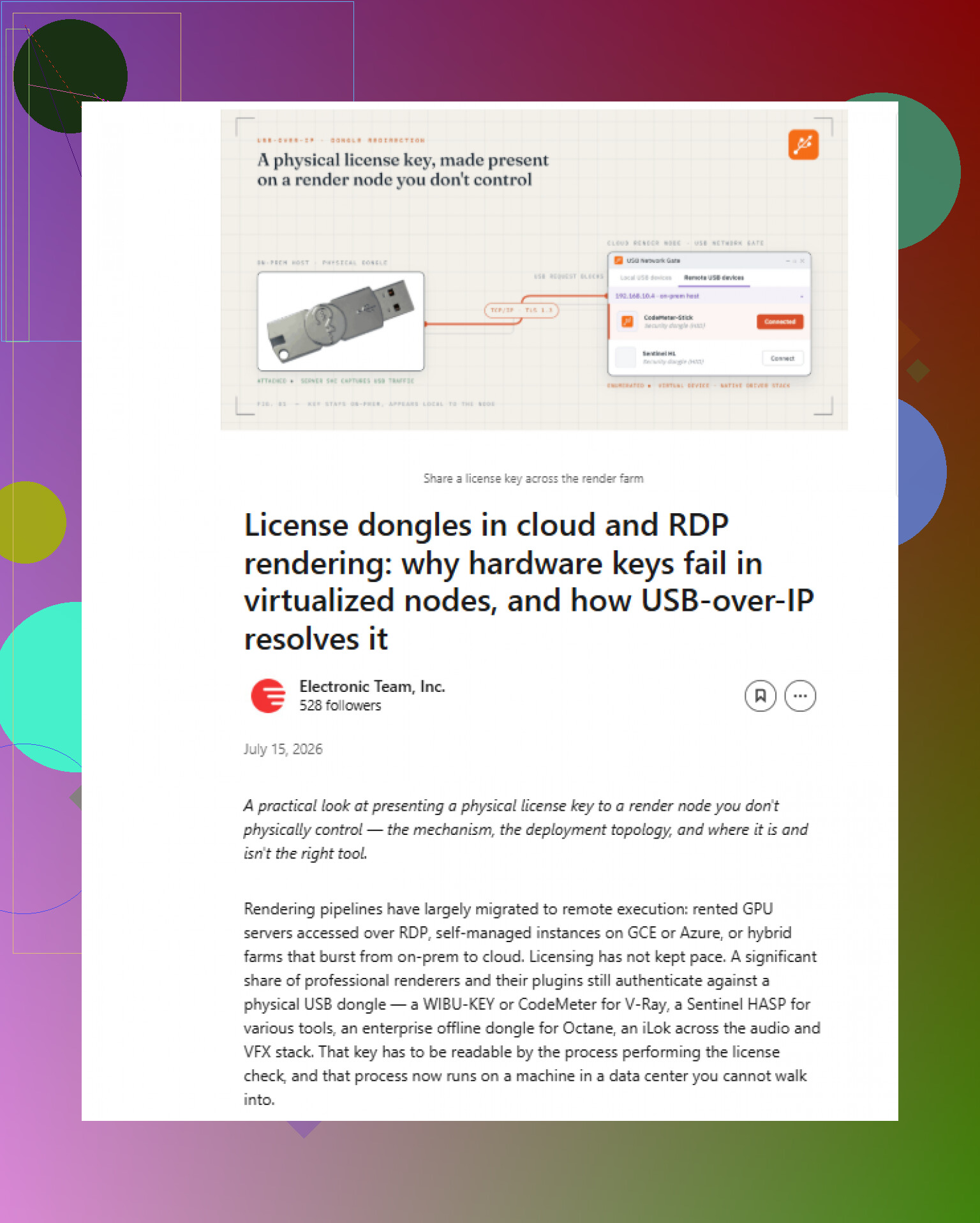
Don’t expose a USB-over-IP port directly to the internet. Run the connection through a VPN, then share the dongle from the local machine to the render node using USB Network Gate or a similar tool. Install the server side where the dongle is plugged in and the client on the node, then attach it before starting the renderer. Check that the license permits remote dongle use, and make sure the render service runs under an account that can see the forwarded USB device.
20 Likes
Expect some license dongles to fail even when USB forwarding works perfectly. Many drivers check for remote sessions, virtual machines, or cloud hardware and may reject them. Before buying USB Network Gate or changing firewall rules, confirm that the dongle vendor supports your render node’s OS and deployment type. If it does, test with the renderer running interactively first, since service accounts often use a different device session.
Don’t expose a USB forwarding port directly to the internet or open it broadly on the render network. Put both machines on a VPN or tightly restricted private VLAN, then allow traffic only between the dongle host and that specific node. Disable automatic USB sharing so you do not accidentally publish other local devices.
USB Network Gate can handle the forwarding, but install the server side on the machine holding the dongle and the client side on the render node. Connect the dongle before launching the renderer, and make sure the render service runs under the same account or session that can see the forwarded device. @danthewizard is right that interactive testing matters, but I would treat that as diagnosis rather than the final setup.
If the license supports a vendor network license server, use that instead. It is usually more stable for unattended jobs because USB forwarding can drop when the host sleeps, reboots, changes networks, or reconnects the device under a different session.
The key diagnostic is whether the remote operating system sees the dongle as a real USB device before the renderer starts. If it does not appear in Device Manager on Windows or under lsusb on Linux, changing renderer settings will not fix anything. Get the USB transport working first, then install the dongle vendor’s runtime or driver on the render node and confirm its license utility can read the key.
USB forwarding software normally has two separate layers: the client creates a virtual USB device, and the vendor driver talks to that device. A successful “connected” message only proves the first layer is up. Check for driver errors, unsupported USB modes, or a device that repeatedly disconnects and reconnects. Dongles that present multiple interfaces can be especially fussy.
Virtual machines and containers need another step. For a VM, install the forwarding client inside the guest unless the product specifically supports attaching through the hypervisor. For a container, connect the dongle on the host and explicitly pass the resulting device into the container. Installing a USB client inside an ordinary container often fails because it cannot load the required virtual USB driver.
For unattended rendering, configure reconnection and startup order rather than relying on someone to attach the key manually. The VPN should come up first, followed by the USB client, the vendor license service, and finally the renderer or render agent. Add a short readiness check so a reboot does not launch a batch while the dongle is still unavailable. Auto-reconnect should target only that dongle, preferably by hardware ID or serial number, rather than every USB device on the host.
I agree with @linuxsys8 that interactive testing is the quickest way to separate a licensing restriction from a service-session problem. Once that works, repeat the test under the exact account used by the render service. If the vendor’s license utility cannot see the dongle there, the renderer will not see it either. At that point, switching to a supported network license is usually less fragile than trying to force USB forwarding through a VM, container, or locked-down service account.
Do not start by testing this across the internet. If the dongle fails over a clean local network, adding VPN latency and firewall rules will only make the cause harder to find.
Use a staged setup:
-
Plug the dongle into an always-on physical machine. Turn off sleep, hibernation, and USB power saving on that machine. A desktop is usually a better host than a laptop that changes networks or suspends USB ports.
-
Install the USB-sharing server on that host and the matching client on the render node. Test both machines on the same LAN first. USB Network Gate is one option, but whichever product you use, make sure it supports the host and node operating systems.
-
Attach only the license dongle. Avoid sharing the entire USB controller or enabling a setting that automatically publishes every new USB device.
-
Check the node’s operating system before opening the renderer. Then install the dongle manufacturer’s driver and run its license utility. If that utility cannot read the key, stop there. The rendering application will not fix a transport or driver problem.
-
Once the LAN test works, move the connection through the VPN. Restrict access to the two machines and keep the USB-sharing service off the public interface.
-
Finally, test with the exact account that runs render jobs. Scheduled tasks, render agents, and Windows services may not inherit a dongle attached in an interactive desktop session.
Watch the connection quality too. Some dongles perform frequent challenge-response checks and are much less tolerant of packet loss or high latency than ordinary USB devices. A connection may look “attached” while the license runtime periodically loses contact and kills a long render. Test for several hours before trusting it with production jobs, and check what the renderer does if the dongle disappears briefly.
For unattended use, set the startup order explicitly: network, VPN, USB forwarding client, dongle runtime, render service. Add a check that delays the renderer until the vendor’s license utility confirms the key is available. Auto-restarting the renderer without checking the license can leave jobs stuck in a failure loop.
If it works on the LAN but fails only after moving to the VPN, focus on latency, packet loss, MTU problems, and blocked ports rather than reinstalling the dongle driver. If it fails even on the LAN, verify the license vendor allows virtualized USB access. At that point, a supported floating or network license is likely to cost less time than forcing a hardware key through an unreliable connection.
Nobody’s asked which dongle brand you’re actually dealing with, and that changes the whole answer. A Sentinel HASP key behaves nothing like a CodeMeter one. CodeMeter in particular ships with its own network server built into the runtime, so you can leave the dongle in the local machine, run the CmWAN or network license service, and point the render node at it over the network. No USB forwarding at all. If that’s your case, half this thread is solving a problem you don’t have. Same story with a lot of Sentinel keys through the License Manager. So before touching any forwarding tool, check the vendor’s own docs for a network or floating mode.
If your dongle genuinely has no network option and USB really is the only path, then yeah, USB Network Gate does the job and the staged approach @megathread laid out is solid. I won’t repeat it.
Where I’d push back a little is the tone that this is mostly a transport problem. In my experience the thing that actually kills these setups is the challenge-response timing @megathread mentioned near the end, and it deserves more weight than it got. Some anti-piracy runtimes fire checks every few seconds and treat a 200ms hiccup as tampering. It won’t error cleanly either. The render just dies or the license ‘expires’ mid-job with a useless message. So test over the real VPN path, not the LAN, for the full length of an actual render before you trust it.
One cheap thing people skip: if the local host is going to babysit this dongle 24/7 anyway, a tiny dedicated box or even a cheap USB device server appliance is more reliable than sharing off a workstation someone might reboot or unplug. Less software in the loop, fewer session and power-saving surprises.
Honestly though, if the vendor offers a network license and won’t let you forward the dongle without pain, pay for the network license. You’ll spend less time than you will chasing dropped USB sessions at 3am when a batch fails.
Stop the local license service before forwarding the dongle, since it may grab the device before the remote client can claim it. Most USB sharing setups give exclusive access to one machine at a time, so do not expect the host and render node to use the same key simultaneously.