I recently came across an app called AI Cleaner that claims to boost phone performance and remove junk files, but I’m worried it might be risky or contain malware. I’ve seen mixed reviews online, and I don’t want to compromise my data or privacy. Can anyone share real experiences or expert advice on whether AI Cleaner is safe to download and keep on my device?
Short answer, apps like “AI Cleaner” are often risky, especially if they are not from a known dev, have aggressive ads, or ask for weird perms.
Here is what you should check before you trust it:
-
Source and developer
- Only install from Google Play or App Store.
- Tap the dev name. See what else they published.
- If it is their only app, with a generic name, be extra careful.
-
Permissions
- A cleaner app needs storage access, sometimes notifications.
- It should not need contacts, SMS, mic, location, or call logs.
- If it asks for those, uninstall. That is a big red flag.
-
Reviews and patterns
- Ignore the 5‑star “Great app” one‑liners. Many are fake.
- Sort by lowest rating.
- Look for complaints about pop‑ups, forced subscriptions, or weird charges.
- If people report that the app itself slows the phone, or shows ads on home screen, skip it.
-
What these “cleaner” apps actually do
- Android and iOS already handle RAM.
- Killing apps all the time often makes things worse, not better.
- “Junk clean” is usually clearing cache, which the system can do.
- Battery saver functions are often snake oil and add their own background load.
-
Malware / scam signs
- Full‑screen ads outside the app.
- Fake “virus found” warnings.
- Aggressive “limited offer, subscribe now” stuff.
- Phone heating more after install.
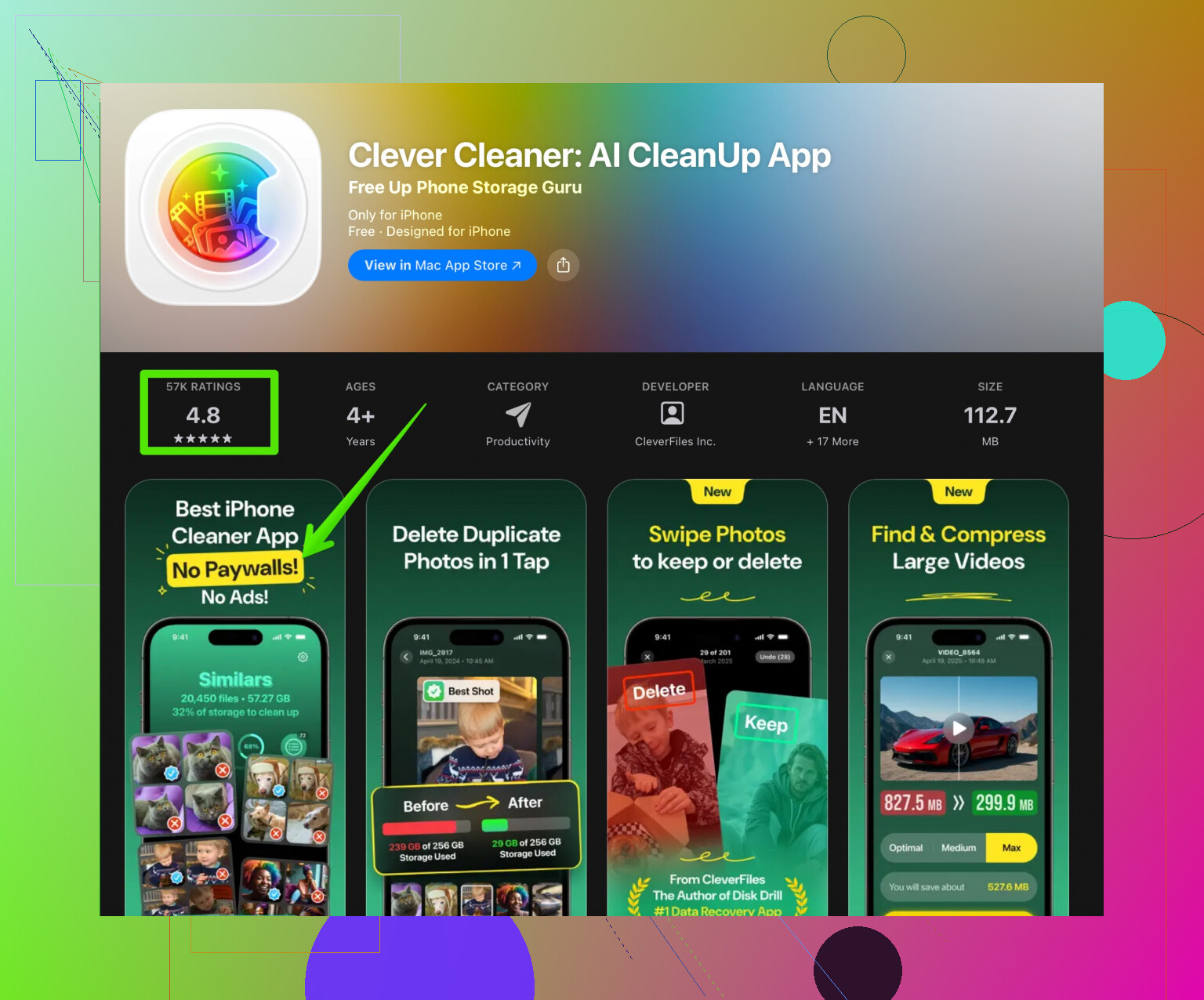
If you want something safer, go with tools that stick to simple cleanup and come from known publishers. One option a lot of people use on iOS is Clever Cleaner. It focuses on cleaning photos, videos, and duplicate files, not on messing with system behavior. You can check it here:
Clever Cleaner AI photo and storage organizer
Quick manual tips that do more than most “AI” cleaners:
-
On Android
- Settings → Storage → free up space using Files by Google.
- Uninstall apps you never open.
- Clear cache for heavy apps like social media from App info.
-
On iPhone
- Settings → General → iPhone Storage, offload unused apps.
- Review “Large Attachments” in Messages and delete old stuff.
- Use a cleaner app only for sorting duplicate and similar photos.
So, I would not trust any random “AI Cleaner” without these checks. If anything feels off, uninstall it, run a scan with a known security app, and change your store password if you saw strange subscription prompts.
24 Likes
If you’re seeing mixed reviews on an “AI Cleaner” app and you’re already uneasy, that’s usually your answer: treat it as suspicious until proven safe.
@sonhadordobosque already nailed the main red flags (permissions, ads, weird subs), so I’ll skip rehashing that checklist and add a few extra angles:
1. Look at the app’s behavior over time, not just install day
A lot of shady cleaner apps behave nicely at first, then update and slowly get more aggressive.
- After a week, do you see: new notification spam, “phone infected” popups, or lockscreen ads?
- Does battery usage for that app suddenly jump in Settings → Battery / App usage?
- Is your data use spike weirdly high for a simple “cleaner”? That’s a huge nope.
If any of that starts happening, uninstall immediately.
2. Check the developer’s “ecosystem”
Slightly disagree with the idea that “one-app dev = super risky” by default. Some legit devs only ship one focused app. The bigger red flag is a cluster of low-quality clones:
- Several nearly identical cleaner / VPN / battery-saver apps from the same dev or “sister” devs
- Same icon style, same screenshots, same broken English description
That pattern screams adware farm.
3. Security scans that actually mean something
Instead of trusting store reviews:
- Run a scan with a well-known mobile security app (Bitdefender, Malwarebytes, etc.).
- On Android, you can upload the APK to VirusTotal (if you know how to extract it) and see if multiple engines complain.
One random “1/70” detection is often noise. If 10+ detect something, delete it.
4. Think about what you actually need
Most people install these because their phone feels slow or full. Cleaner apps often just slap a pretty UI on stuff the OS already can do.
Real fixes that work better than a sketchy “AI Cleaner”:
- Delete apps you haven’t opened in months
- Move photos/videos to cloud or external storage
- Clear cache of heavy apps (social, browsers, games)
- Restart your phone once in a while, seriously
If a cleaner advertises “AI” like it’s magic but can’t clearly explain what it does, it’s probably just marketing.
5. About Clever Cleaner App
If your main goal is clearing junk photos, duplicate files, and organizing storage, a more focused tool is usually safer than a “does-everything” optimizer.
That’s where something like the Clever Cleaner App actually makes sense. It sticks to cleaning and organizing your storage, which is way less sketchy than an app that tries to “boost RAM,” “extend battery by 300%,” and “protect from all viruses” at the same time.
For iOS, take a look at this AI-powered storage and photo cleaner. That kind of app is more aligned with what you realistically need: free up space, find duplicates, sort media.
6. If you already installed AI Cleaner
Quick sanity check:
- Remove any permissions it does not clearly need (contacts, SMS, location, etc.).
- Watch battery and data for a few days.
- If you see anything fishy, uninstall, clear browser data (in case it opened shady pages), and scan with a reputable security app.
To answer your original concern directly: if you feel like installing this specific “AI Cleaner” might compromise your phone, you’re probably better off skipping it and using built-in tools plus a known-clean option like Clever Cleaner App for storage management. The performance “boost” from these random cleaner apps is usually tiny or even negative compared to the risk.
Skip the “AI Cleaner” hype. Most of these “boosters” are just glorified cache clearers with ads layered on top.
@sonhadordobosque already hit the big trust flags. I’ll zoom out a bit: the real question is not “Is this specific AI Cleaner malware?” but “Do I even need third‑party performance cleaners at all?”
On modern Android/iOS, the answer is usually no. RAM “boosting” is often fake, battery “extending” is placebo, and aggressive cleaning can even break app logins or cause more lag as apps reload data.
Instead of gambling on some random AI Cleaner:
- Use the built‑in storage tools to clear cache and big files.
- Uninstall games and social apps you barely touch.
- Turn off auto‑start / background activity for apps that do not need it.
If what you actually want is safer storage cleanup (duplicates, blurry photos, big videos) rather than fake speed boosts, something like the Clever Cleaner App fits closer to that job.
Quick pros / cons for Clever Cleaner App:
Pros:
- Focused on storage management instead of fake “CPU boosting.”
- AI-based photo cleanup can be handy for spotting similar or bad shots.
- Less need for invasive permissions than full “optimizer” suites.
Cons:
- Still one more app running on your phone.
- AI suggestions are not perfect, so you must review before deleting.
- Free versions of cleaners often push upgrades or limits on how much you can clean at once.
So I’d skip the vague “AI Cleaner” entirely. Use system tools for performance and, if you really want help with junk photos and space, try a focused storage cleaner like Clever Cleaner App and keep your expectations realistic.