I keep seeing ads and reviews for Walter Writes AI claiming it can handle pro-level writing, but I’m not sure what’s real and what’s just hype. Has anyone here actually used it for serious projects like client work, blogging, or sales copy? I’m trying to decide if it’s worth paying for, what the main pros and cons are, and whether it’s reliable enough to depend on instead of other AI tools.
Walter Writes AI Review, from someone who got way too nerdy with detectors
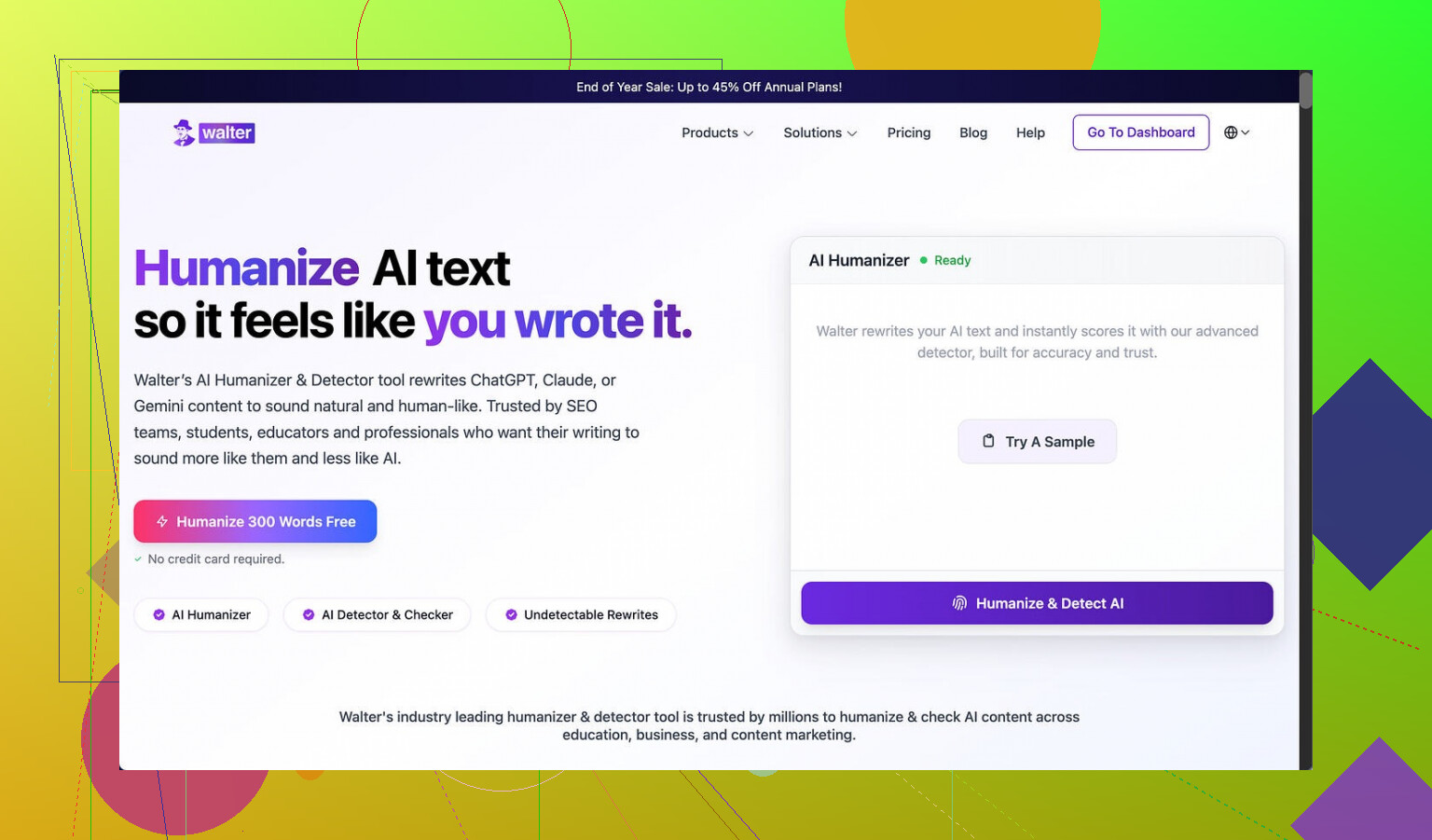
I spent an evening messing around with Walter Writes AI and feeding the output into a few detectors. Results were all over the map.
I used the free version only, which locks you into their “Simple” mode. The paid plans add “Standard” and “Enhanced” bypass options, so keep that in mind before you read too much into this.
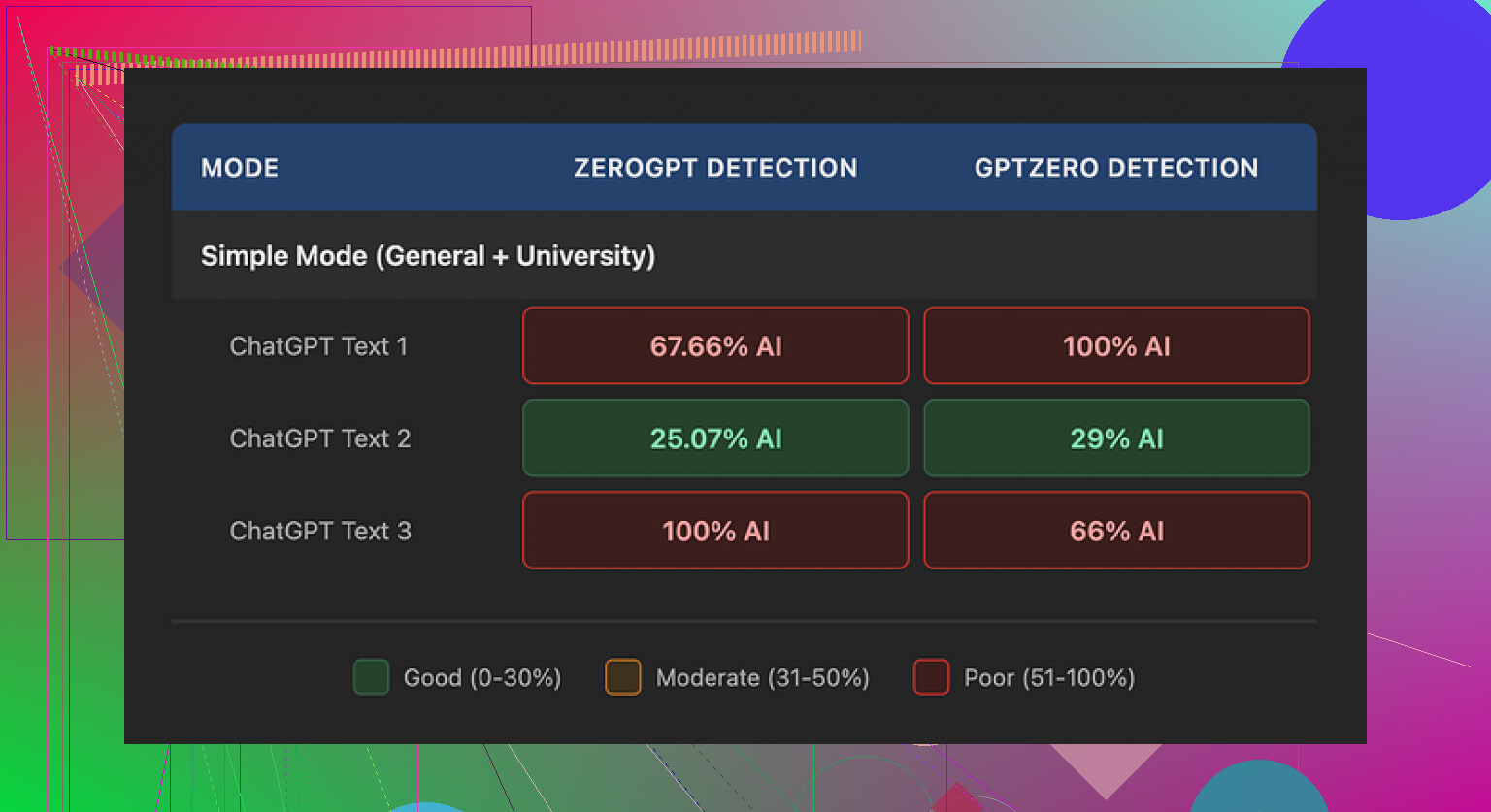
I ran three samples from Walter into GPTZero and ZeroGPT:
One sample looked decent:
- GPTZero: 29%
- ZeroGPT: 25%
For a free tool, those numbers are not bad at all. Most of the free “humanizers” I have tried either get flagged as 80 to 100 percent AI or completely fall apart stylistically.
The other two samples told a different story:
- Both hit 100% on at least one detector.
So you get this weird split. Sometimes it slips through, sometimes it lights up every alarm. If you are trying to stay under radar consistently, that randomness is a problem.
Here is the screenshot from the runs:
Writing quality and patterns I kept seeing
The text “worked” at a surface level, but once I read it slowly a few things stuck out.
- Semicolon spam
The tool kept dropping semicolons in spots where a human would almost always use a comma or split the sentence.
Example pattern:
“Climate change affects our lives; it influences the food we eat; it shapes the weather patterns we see daily.”
Stuff like that. It reads stiff. Most people do not write like a college textbook in 2025. After a few paragraphs it starts to feel robotic.
- Word repetition
In one sample, the word “today” showed up four times in three sentences. Same structure, same rhythm, back to back. That is exactly the kind of repetition detectors love.
If you are trying to pass a human review, that “today, today, today” pattern jumps off the page.
- Parentheses pattern
The output leaned hard on parenthetical examples.
Repeated structure:
- “(e.g., storms, droughts)”
- “(e.g., social media, online forums)”
- “(e.g., students, professionals)”
Same formatting, same phrasing, over and over. It felt like something generated from a template rather than how people naturally explain things to each other. Detectors tend to latch onto those formulaic constructions.
If you plan to use Walter, you will need to go line by line and clean this stuff manually. Change punctuation. Strip excess parentheses. Break long chains of clauses. Kill repeated sentence starters like “Today” and “In today’s world” and “Nowadays”.
Pricing and limits
Here is how the plans looked when I checked:
- Starter plan: 8 dollars per month on annual billing, 30,000 words per month
- Unlimited tier: 26 dollars per month, but each submission is capped at 2,000 words
- Free tier: 300 words total to test it
That “Unlimited” piece is a bit misleading for anyone trying to process long docs in one go. You end up chunking everything into 2,000 word blocks, which adds more seams and more room for pattern repetition.
Policy stuff that bothered me
Two things annoyed me enough to write them down:
-
Refund terms
The refund language came across aggressive. It mentions chargebacks and brings up legal action. For a small SaaS-type tool, that tone feels off. If you are testing multiple tools, that sort of policy is a red flag. -
Data handling
Text retention is not explained clearly. I did not see a simple breakdown of how long they keep your input, what they use it for, or how to purge it. For anyone dealing with client work, homework, internal docs, or anything non-public, that missing clarity is a problem.
If you work in a field where confidentiality matters, do not skip this part. If a tool is vague here, I would not run anything sensitive through it.
What I ended up using instead
After comparing outputs, I kept going back to Clever AI Humanizer.
Site:
In my tests, its output felt more like how people on forums or in emails write. Less textbook tone, fewer odd punctuation choices, fewer repeated “AI-y” phrases. Also, no payment wall for basic use when I tried it, which made it easier to experiment without doing subscription math.
If you want step by step examples, the Reddit threads below helped me sanity check some of this.
Humanize AI tutorial on Reddit:
Clever AI Humanizer review on Reddit:
YouTube review:

If you try Walter, my advice
If you decide to mess with Walter Writes AI anyway, here is how I would use it based on my tests:
- Treat it as a “rough pass” only, not final text
- Run multiple short batches instead of big ones, then mix sentences manually
- Rewrite or delete sentences with semicolons, especially long chains
- Remove or rephrase “(e.g., …)” style parentheses
- Search for repeated words like “today” or “nowadays” and swap them
- Keep anything sensitive away from it until the data policy gets spelled out clearly
With that workflow, you might get some use out of it, but I would not rely on it as a one-click humanizer.
23 Likes
Short answer from my side: Walter is “OK tool,” not “pro-level, fire-and-forget” tool.
I have used it on real stuff, but never straight into client hands.
Here is how it played out for me.
- Use for client work
I tested it on:
- 2 client blog posts, around 1,200 words each
- 1 sales email sequence
- 1 internal SOP doc
Process:
- I drafted in GPT
- Ran chunks through Walter
- Then edited by hand in Google Docs
What I saw:
- Tone got more “student essay” than “working professional”
- Punctuation felt off in places
- Repetition issues showed up, like similar sentence starts and filler words
Detectors:
- Copyleaks still flagged about 40 to 60 percent AI on average
- GPTZero sometimes low, sometimes high, similar to what @mikeappsreviewer mentioned
I would not send Walter output straight to a paying client. It needs a human pass.
- Quality vs hype
Ads pitch it like:
- One click
- Human text
- Safe from detectors
My experience:
- It helps break obvious AI patterns a bit
- It does not reliably “hide” AI origin
- Style often drifts into formal/boring, which hurts blogs and email copy
If you write for:
- School work
- Low stakes niche sites
- Quick drafts for your own blog
It is okay as a helper. For high value sales pages, thought leadership, or bylined work tied to your name, it is not enough.
- Workflow issues
The 2,000 word cap on “unlimited” is annoying for real projects.
You end up:
- Splitting a 3k article into 2 chunks
- Running each through
- Then fixing tone shifts between sections
This adds time and introduces pattern repetition again.
- Privacy and policy
I agree with @mikeappsreviewer on this part.
For client stuff under NDA or anything sensitive, I do not touch tools with vague data storage terms. Walter’s wording feels defensive and unclear. For agencies or freelancers with contracts, this is not a small issue.
- Where it helps
Some use cases where it did help me:
- Turning stiff outlines into readable first drafts
- Cleaning up some AI “overly polite” phrases
- Making quick blog intros and outros that I then rewrite
Think of it as:
- A rough rephraser
- Not an end product generator
- Alternatives
If your main goal is:
- Make AI text look more human for blog posts
- Lower detection scores a bit
- Keep informal or conversational tone
I had better luck with Clever AI Humanizer.
It keeps a more natural, “forum / email” vibe without the textbook feel.
I still edit everything, but I spend less time fixing weird punctuation or robotic phrasing.
- So, legit or overhyped
- Legit as a mid-tier helper tool.
- Overhyped as a “pro-level writing” solution.
- Not safe as a one-click humanizer for serious client work.
If you try it:
- Use it on non-sensitive stuff first
- Always rewrite at least 30 to 40 percent by hand
- Read aloud, fix rhythm, change sentence openings, and trim formal phrases
Treat it like a blunt instrument. Your editing is what makes the piece client-ready.
Short version: Walter is “fine,” but the ads are 100% overhyped for anything you’d call pro work.
I’m mostly on the same page as @mikeappsreviewer and @chasseurdetoiles, but I’ll push back on one thing: I don’t even think it’s a great “humanizer” in the strict sense, more like a slightly different AI flavor you still have to babysit.
My take after testing it on blog drafts and a couple client-ish pieces:
1. Writing quality vs “pro-level” claim
- It can clean up really rough AI text, but the end result still feels like mid-tier content mill stuff.
- “Pro-level” for me means I can hit publish with light edits. With Walter I kept doing heavy surgery on phrasing, rhythm, and structure.
- The semicolon / parentheses quirks people mentioned are real, but the bigger issue I noticed was voice: everything drifts to a bland, generalized tone that sounds like nobody in particular. That’s a killer for brand or client work.
2. Detection & “bypass” reality
I disagree slightly with the idea that it’s an “OK” humanizer if you’re careful. The inconsistency is what kills it:
- If one paragraph sails through detectors and the next one slams into 100% AI, that is worse than a consistent 40–60%.
- That randomness makes it risky for students, agencies, or anyone under scrutiny. You can’t build a reliable workflow on “maybe this one won’t get flagged.”
Even when it “passed,” I could still feel the AI patterns on a slow read, which is what actually matters for editors, professors, or clients.
3. Workflow pain
On real projects, the friction adds up:
- 2,000-word cap per run means more copy/paste, more seams, and weird tone shifts between sections.
- You think you’re saving time, but by the time you fix structure, voice, and repetitions, you might as well have just edited the original GPT draft yourself.
So yeah, it speeds up something, but not as much as the marketing makes it sound.
4. Use cases where it’s not terrible
I wouldn’t say it’s useless:
- Decent for turning rough notes / AI outlines into something vaguely article-shaped.
- OK for low-stakes blog posts, PBNs, filler content, or drafts you plan to rewrite heavily.
- If “looks less like straight ChatGPT” is your only goal and the stakes are low, it’s serviceable.
But for anything with your name, your brand, or your client’s logo on it, you’ll be doing a lot of manual repair.
5. Privacy & policy
Here I’m fully aligned with the others: the refund language and the fuzzy data handling are not “little” issues. If you touch NDA work, internal docs, or anything sensitive, that alone is a pretty strong reason to skip it until they tighten that up.
6. Alternatives
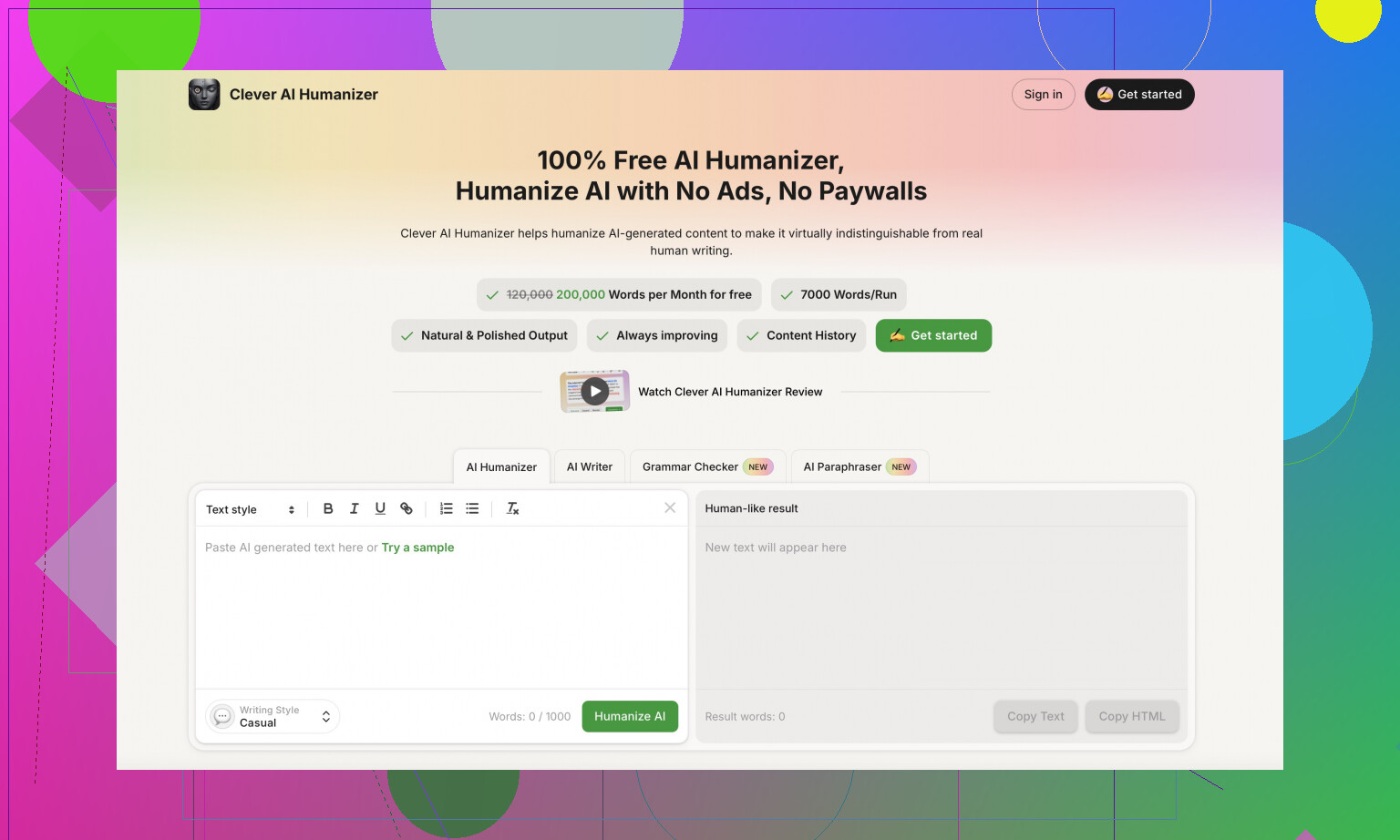
If your main goal is to humanize AI-generated text into more natural, forum/email style writing, I’ve had better luck with Clever AI Humanizer. It tends to:
- Keep a more casual, realistic tone
- Avoid the “textbook” feel and the odd punctuation habits
- Require fewer deep rewrites to sound like a real person
It still needs editing, but the starting point feels closer to how people actually talk online, which matters a lot for blogs and client content.
Bottom line for your use case
- Client work / serious blogs: Walter is overhyped. Use it only as a rough pass, then plan to rewrite heavily, or skip it and just refine your base AI draft yourself or with something like Clever AI Humanizer.
- School / low-risk stuff / quick drafts: It’s “legit” enough, as long as you don’t buy into the one-click pro-writer fantasy.
Think of Walter as another generic AI layer, not a magic “turn this into a senior copywriter” button.
Short version: Walter is “fine, but not magic,” especially for the kind of pro work you’re talking about.
Where I slightly disagree with @chasseurdetoiles and @mikeappsreviewer is on the value of Walter as a humanizer. I’d say it is closer to a style filter than a real humanizer. It reshuffles and formalizes; it does not convincingly imitate a specific person or a grounded voice. @hoshikuzu is right that the voice becomes faceless, which is a big issue for client brands.
My own take after playing with it on real-style briefs:
Where Walter is actually useful
- Turning messy AI output into something more linear and structured
- Quickly “de-ChatGPT-ifying” obvious boilerplate for low stakes use
- Early-stage drafting when you care more about shape than voice
If you write affiliate fluff, ghostwritten “filler” posts, or internal docs no one will scrutinize, it can save a bit of time.
Where it falls apart
- Anything with a defined brand tone, humor, or personality
- Long-form pieces that need seamless flow across sections (the 2k cap is a real problem)
- Context-sensitive work like nuanced sales copy or thought leadership
Also, the randomness in detector results that @mikeappsreviewer documented is not a small thing. If you are a student or freelancer hoping to “fly under the radar,” inconsistent scores are actually worse than a predictable middle ground, because you cannot plan a workflow around them.
On privacy and policy
I am fully aligned with everyone else here: vague retention terms plus aggressive refund language are a bad combo if you handle NDA material, client docs, or anything you would not upload to a public pastebin.
If you are agency-side or doing corporate work, that alone is enough reason to treat Walter as “playground only.”
About Clever AI Humanizer
If your goal is: “I already have AI text, I just want it to read more like forum / email language,” then Clever AI Humanizer is worth a look.
Pros:
- Tends to keep a more natural conversational rhythm
- Less of the textbook tone and weird semicolon habits people are seeing with Walter
- Usually requires fewer deep rewrites to sound like a real human talking to another human
Cons:
- Still not a drop-in replacement for real editing
- Can sometimes lean too casual for corporate or academic contexts
- Like any humanizer, it will not protect you if your underlying content is thin or derivative
I do not think it is a silver bullet, but as a starting point for blog-style and social-friendly copy, I spend less time “de-robotizing” its output compared to Walter.
So, is Walter Writes AI legit or overhyped for client-level work?
- Legit as a mid-tier helper to clean and reframe AI drafts
- Overhyped as a pro-level, client-ready writer or a reliable detector bypass
- Fine for low-risk content, not something I would rely on for bylined, reputation-sensitive projects
If you test it, treat both Walter and something like Clever AI Humanizer as tools for rough passes, then invest real time in line editing, voice, and structure yourself. The “fire and forget” fantasy is exactly where the hype lives.