I’m looking for a reliable remote app for my TCL Google TV. Ideally, it should let me control the TV easily from my phone, including navigation, volume, and launching apps. Does anyone know which apps work well with TCL Google TVs?
If you are trying to run a TCL Google TV from an iPhone, here is what I ended up doing after getting annoyed with the stock options.
I started with the official route, Google Home. It works, in the sense that the TV responds, but it feels like using a TV through a keyhole. Then I tried a separate app called TVRem and stuck with it.
Link for the app:
YouTube clip the devs share as a demo:

Screens from my setup:
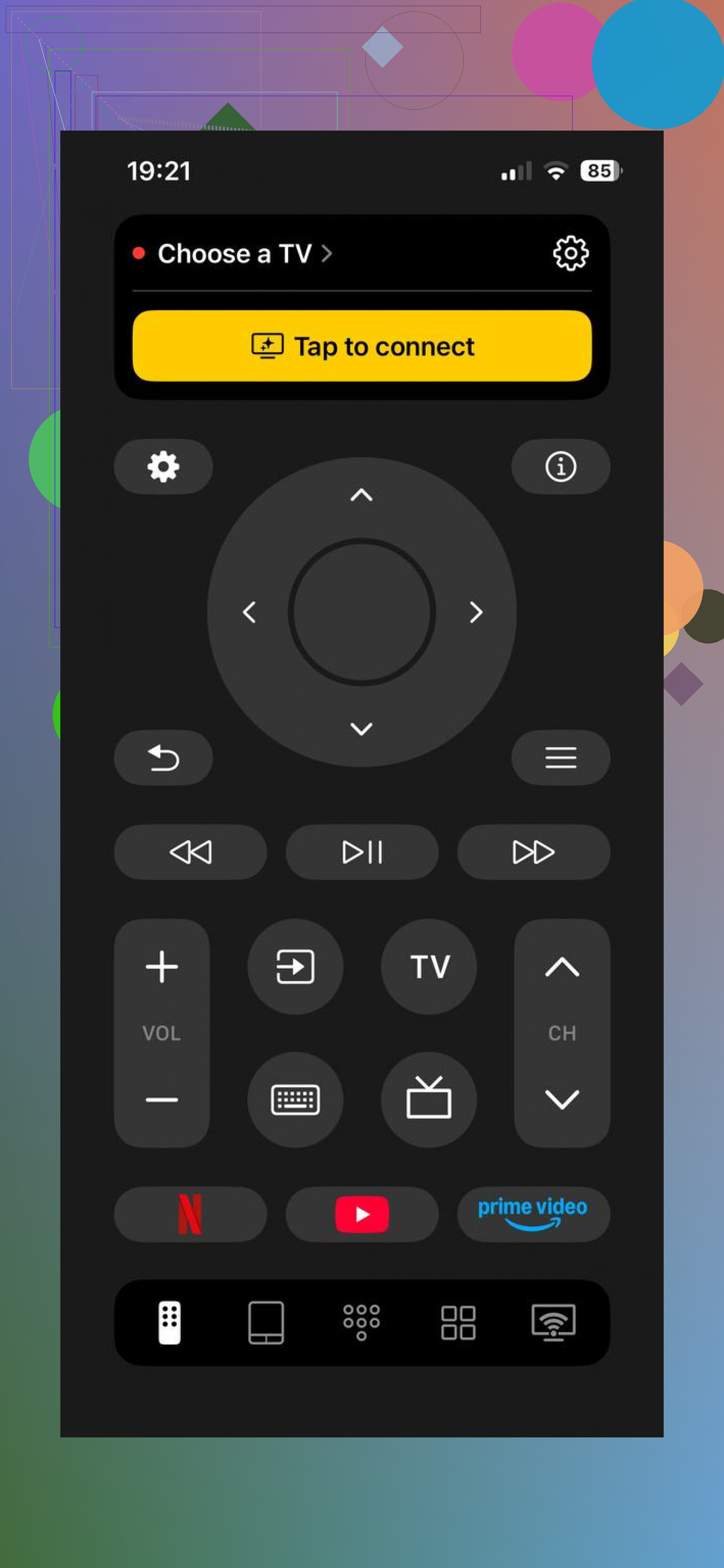
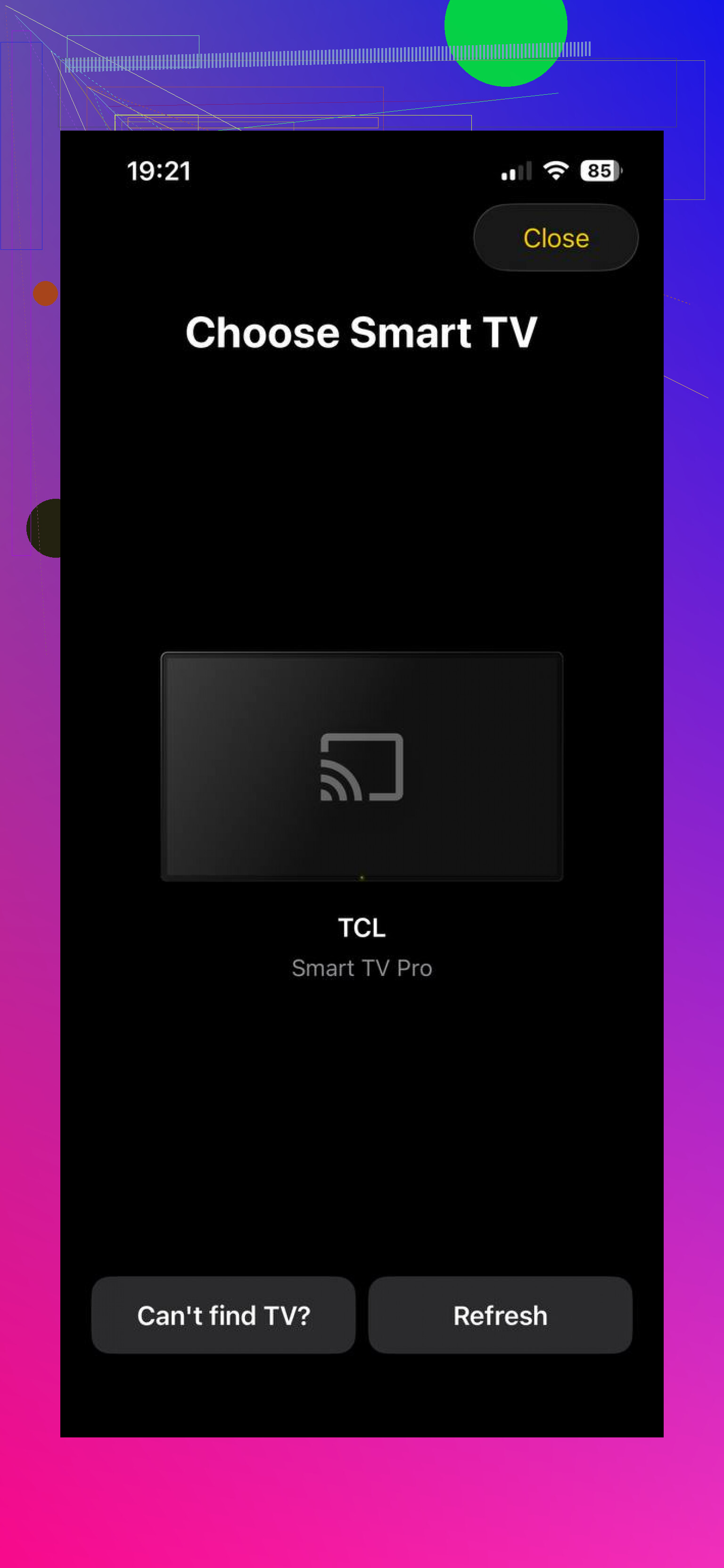
TVRem on iPhone with TCL Google TV
What I noticed after a few evenings of use:
• It talks to Android TV and Google TV without any drama. My TCL Google TV showed up, and so did a Chromecast with Google TV on the same network.
• It also sees other brands in my place: Samsung, Fire TV stick, Roku stick, and an older LG. So if you bounce between screens, you keep one app for all of them.
Once paired, you get:
• Full remote layout on the phone: d‑pad, volume, mute, back, home, playback controls. I stopped hunting for the physical remote once I pinned this to my home screen.
• Touchpad type control: you swipe on the phone to move focus on the TV. It feels closer to using a laptop trackpad than a 4‑way arrow. This helped a lot in apps with big grids, like YouTube.
• Keyboard input on the phone: you tap a search field on the TV, a keyboard appears on the iPhone, you type, it fills on the TV. No more pecking letters one by one with arrow keys.
• Voice input: you hold the mic button in the app, say the show or app name, it sends that as text or search query. It is not perfect, but already better than the tiny mic on my TCL remote.
• App shortcuts: Netflix, YouTube, Prime Video and others show as quick buttons. I hit one and it launches that app on the TV without digging through the home screen.
Money side: on my end there were no subscriptions, no upgrade prompts, no hidden modes. Everything I used was open right away.
So if you want something that behaves like a real universal remote on your phone, this felt closer to that experience.
Google Home / Google TV remote from iPhone
The other method is the official one inside Google Home. This is what I tried first because it is the obvious thing.
You install Google Home on your iPhone, add your TCL Google TV as a device, then use the built‑in remote screen.
Screens from that path:
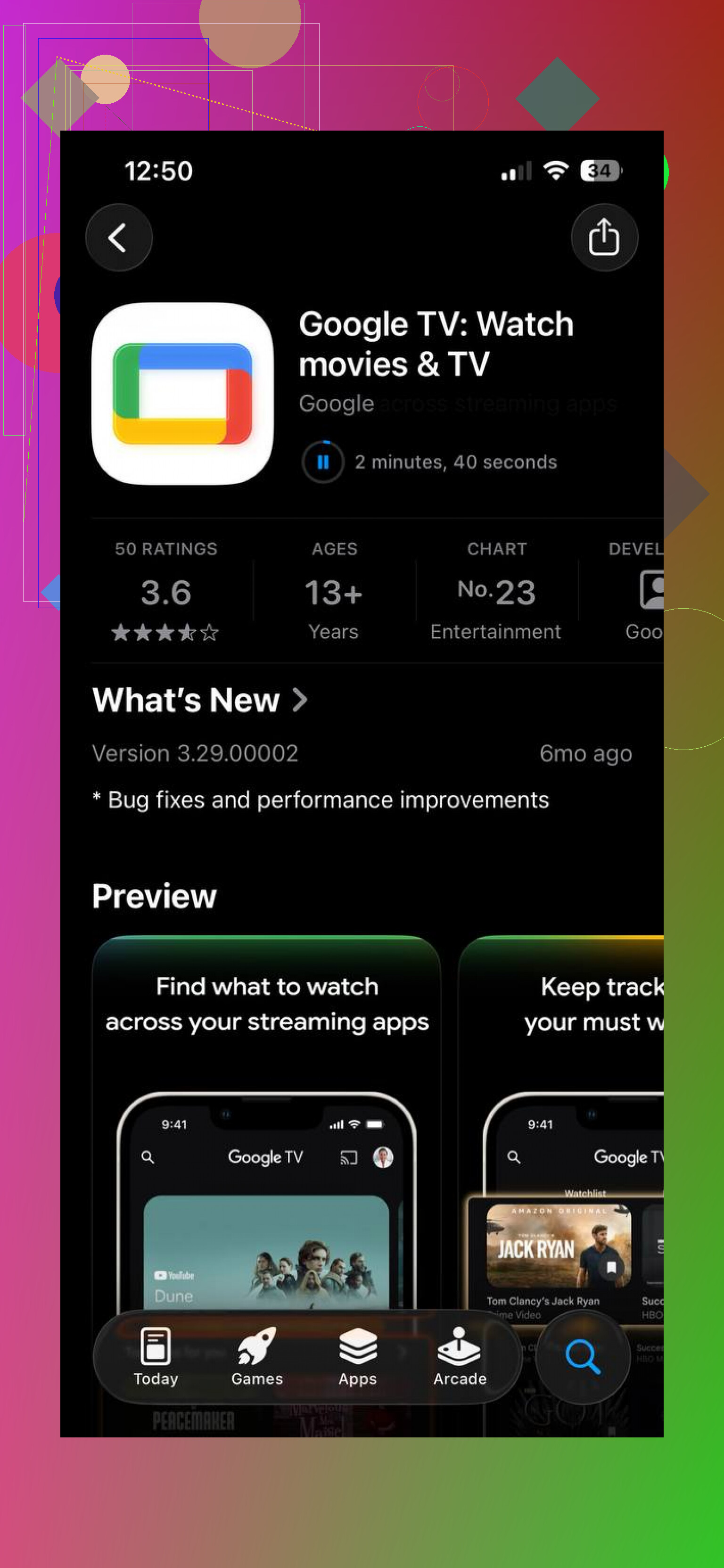
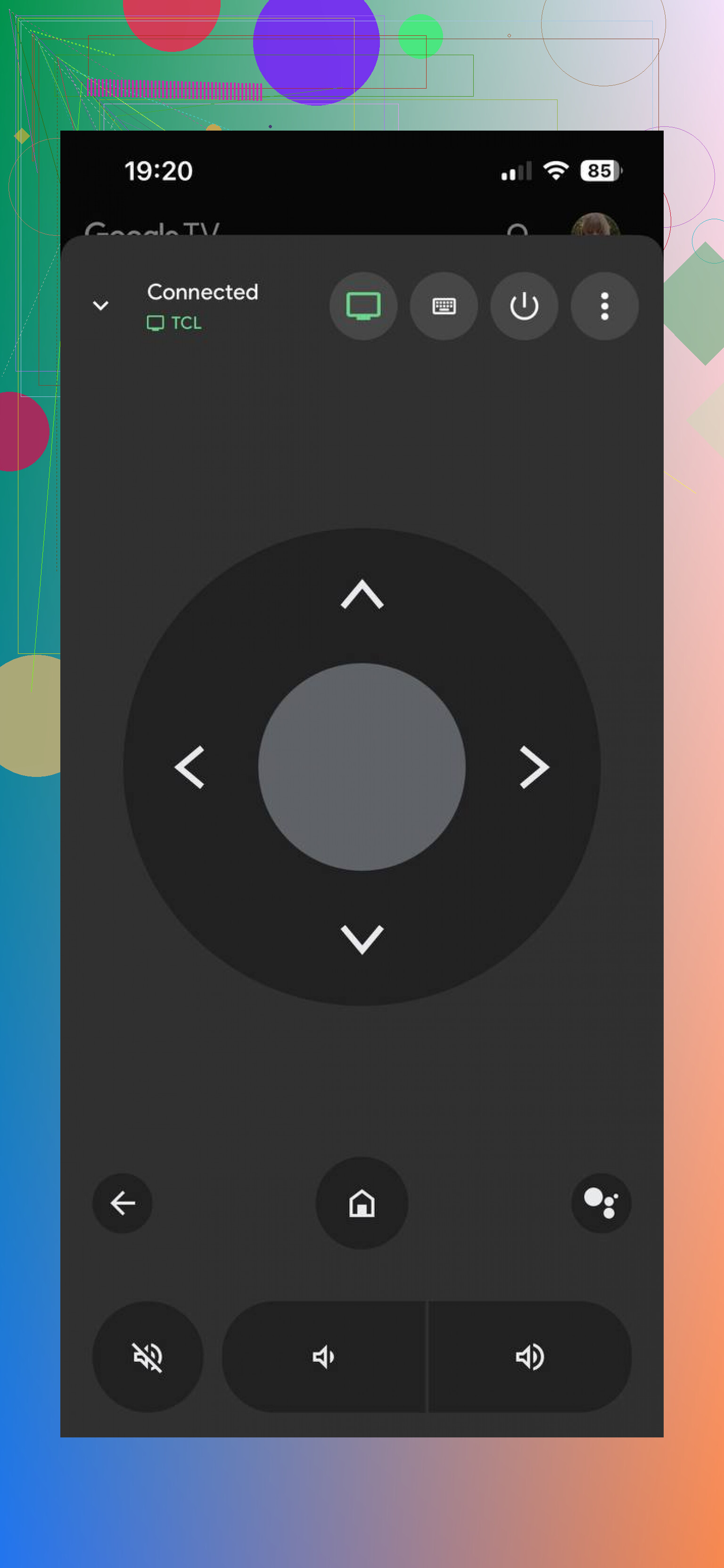
What it gives you:
• Basic directional pad with OK, back, home
• Volume and power for the TV
• Keyboard from the phone for some text fields
Requirements:
• TV and iPhone on the same Wi‑Fi network
• Both signed into the same Google account, or at least the TV added to that account in Home
Limitations I hit:
• It feels like a widget inside a bigger app, not like a remote app built for daily use
• No rich touchpad control, only arrows
• Fewer quick shortcuts, so you still dig through menus on the TV side more often
• If Wi‑Fi glitches for a moment, the remote screen sometimes loses the TV and needs a second to reconnect
So the Google Home remote is fine if you want an official, minimal solution and you do not care about extra comfort. For quick emergency use, it works.
What I ended up keeping
For daily control of TCL Google TV and other screens, I stuck with TVRem:
Main reasons:
• One app handles Google TV, Android TV, Roku, Samsung, LG, Fire TV in my place
• Touchpad control is faster for long sessions
• Phone keyboard and voice entry save time when searching
Google Home stays installed as a backup. TVRem is what I reach for when I actually plan to watch something instead of wrestling with a basic remote UI.
25 Likes
On TCL Google TV you have a few decent paths beyond what @mikeappsreviewer already covered.
If you are on Android:
-
Google TV app
• Acts as the official remote on Android.
• Controls navigation, volume, power, and app launching.
• Keyboard input from your phone.
• You install Google TV, sign in with the same Google account, and your TCL usually pops up under “Connect TV.”
I prefer this over Google Home for Android, feels less cramped. -
TCL Google TV Remote (TCL’s own app, name varies a bit by region)
• Simple layout that mirrors the physical remote.
• Quick app shortcuts for Netflix, YouTube, etc.
• Tends to pair fast with TCL branded sets, no extra setup beyond same Wi‑Fi.
Downsides: UI looks a bit dated and updates are sporadic.
If you are on iPhone and do not want TVRem:
-
AnyMote / similar network IR hybrid remotes
• Works over Wi‑Fi with Android TV / Google TV if both are on the same network.
• Lets you map custom buttons and macros, like “open YouTube, wait 2 seconds, start playback.”
• Better if you like to fine tune everything, worse if you want plug and play. -
Roku app, only if your TCL is a Roku + Google TV combo or you also use a Roku stick
• Not for pure TCL Google TV, but if you swap inputs a lot it gives you one solid remote for the Roku part with keyboard and app launch.
• Does not control the Google TV interface itself, so this is more of a side option.
Some quick tips from messing with multiple TCLs:
• Make sure “ADB debugging” and “Network remote” are on in Developer or Network settings if an app fails to see the TV.
• If the TV does not show up, restart both the set and your router, most “remote not found” issues are Wi‑Fi discovery glitches.
• Turn off any “AP isolation” or “Client isolation” in your router, or your phone and TV will not see each other.
If you want one thing to try first:
• Android phone: Google TV app.
• iPhone: TVRem like @mikeappsreviewer says or AnyMote if you want more custom behavior and do not mind some setup.
You will end up using the phone keyboard and quick app launch the most, so pick the one that exposes those clearly on the first screen, not buried under menus.
If you’ve already looked at what @cazadordeestrellas and @mikeappsreviewer suggested and still want options, here’s a different angle: instead of chasing “one magic” app, treat your TCL Google TV like any other Android device on the network and pick tools by use case.
I’m going to focus on what people usually end up doing most: text entry, app hopping and “I lost the remote again” emergencies.
1. For typing & quick app hopping from a laptop or tablet
If you ever sit with a laptop open while watching TV, a browser‑based remote or a small desktop helper can be better than any phone app:
Pros
- Full physical keyboard for long searches
- Often more stable once paired over the local network
- Easy to script simple “macros” like “open YouTube, go to subscriptions”
Cons
- Setup is more technical
- Not as couch friendly as a phone
This is where an approach similar to how TVRem behaves on mobile can shine on larger screens: one UI that speaks standard Google TV commands and can also talk to other brands. If you like that “universal mindset,” you’ll probably appreciate it here too.
Compared with what @mikeappsreviewer highlighted for iOS, this route is less plug and play but better if your main frustration is typing and multitasking, not casual volume control.
2. For people who constantly switch between multiple TVs / sticks
If your setup looks like: TCL Google TV in the living room, Roku in the bedroom, plus maybe a Fire TV stick, then a universal‑style controller similar in spirit to TVRem is worth considering.
Pros of a universal approach like TVRem‑style tools
- One app can see TCL Google TV, Android TV boxes, and usually Roku / Fire TV / some smart TVs
- Consistent layout, so muscle memory actually works
- Often include touchpad navigation, which @boswandelaar already noted is a big quality‑of‑life upgrade over a pure D‑pad
Cons
- Slightly more overhead than super minimal, single‑purpose apps
Because you mentioned “launching apps” and easy navigation, this universal‑style remote is usually the most “TV first” design. The built‑in tools that @cazadordeestrellas mentioned are nice, but they often feel like add‑ons to a bigger ecosystem, not like a daily driver.
3. Where I mildly disagree with the others
- I would not rely on big, all‑in‑one smart home apps for daily remote use. They work, but they bury the remote several taps deep. That is fine as a backup, not great as your main way of using the TV.
- I think people underestimate how often they will want to type or quickly jump between apps; that is where a remote designed like TVRem or similar really beats “official but basic” options.
4. Pros & cons of the TVRem‑style approach in general
Even without repeating links, the product type itself is worth breaking down because it lines up almost exactly with what you asked for.
Pros
- Full remote layout with D‑pad, back, home, volume and playback on one screen
- Touchpad / swipe‑based control feels smoother for navigating the TCL Google TV interface
- Phone keyboard for search fields, usually with instant text entry
- Voice input that sends text or search terms directly to the TV
- Quick app shortcut buttons so Netflix, YouTube, Prime Video and others are one tap away
- Often no required subscription for basic remote use
Cons
- Needs your TCL and phone on the same Wi‑Fi and network features enabled on the TV
- If your Wi‑Fi is flaky, you will occasionally see disconnects regardless of which app you pick
5. How to decide, in practice
If you mainly:
- Just need a backup when you lose the physical remote → go with the lightest official solution already described by others.
- Spend time searching, typing and jumping between streaming apps → a universal remote app in the style of TVRem is worth the extra install.
- Bounce between TCL Google TV and other platforms → again, TVRem‑like apps pay off because they collapse everything into a single interface.
So: use the minimal official route as a safety net, but for daily comfort with your TCL Google TV, a universal remote app patterned like TVRem is closer to what you are actually asking for: one place for navigation, volume and fast app launching, without digging through a cluttered smart home UI every evening.