I’ve been testing NoteGPT’s AI Humanizer to make my AI-written content sound more natural, but I’m not sure if it’s actually improving readability or just rephrasing things awkwardly. I need real user feedback on how well it works for blog posts and SEO, any drawbacks you’ve noticed, and whether it’s worth using long-term for content creation and rankings.
NoteGPT AI Humanizer Review
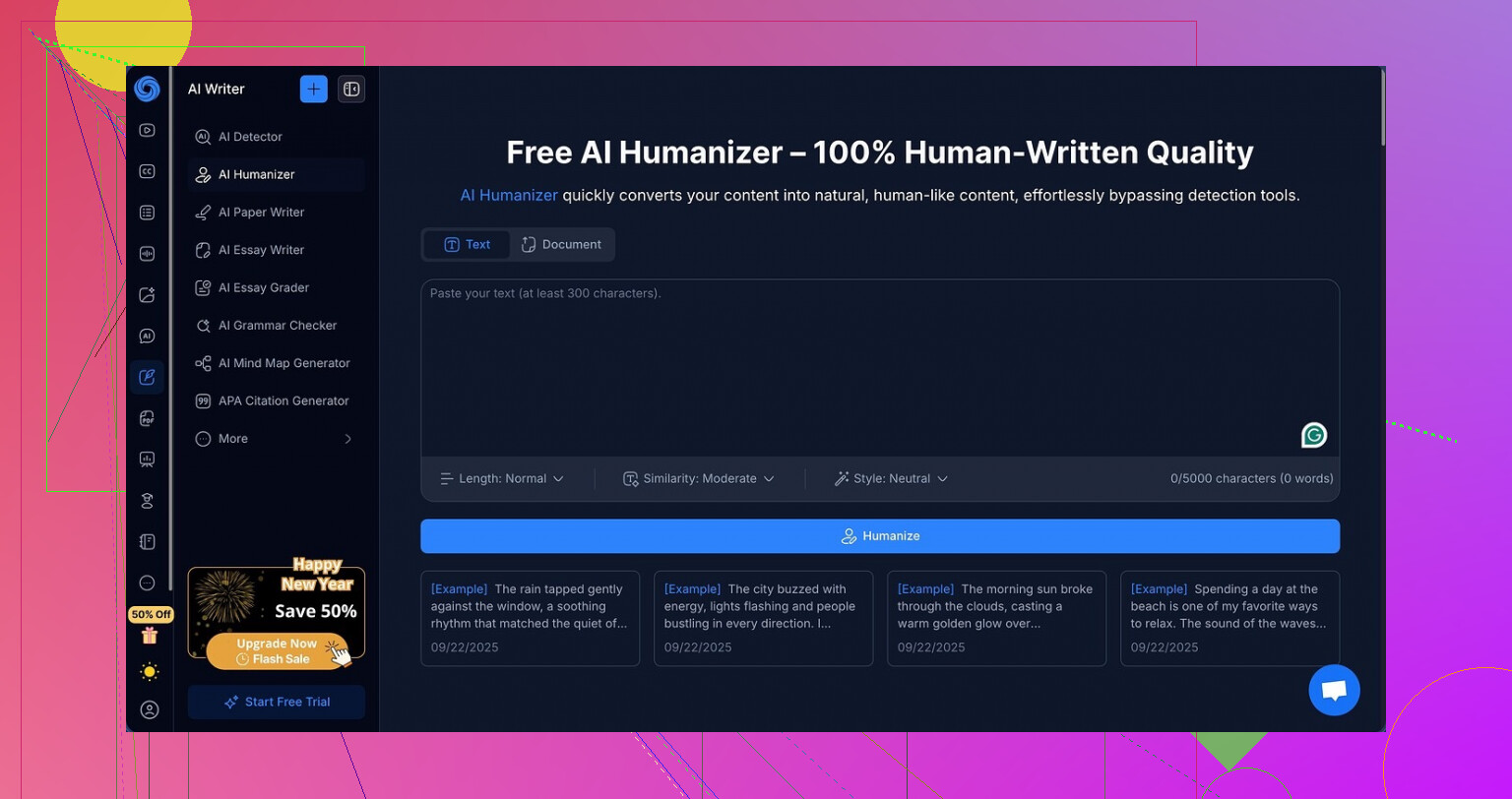
I tried NoteGPT because I needed something for lectures and research notes, not for “AI humanizing” in the first place. It is built as a study tool: YouTube video summaries, PDF analysis, and structured note-taking all in one place. That part looked useful enough.
Then I noticed they added an AI humanizer and I got curious. You can play with three output lengths, three “similarity” levels, and eight writing styles. On paper, that looks flexible.
This is the link, in case you want to see the product page they push for it:
My test setup
Here is what I did step by step:
- Took a chunk of obvious AI text from another project.
- Ran it through the NoteGPT humanizer with default settings.
- Sent the output to GPTZero and ZeroGPT.
- Repeated the exact process, changing:
- short / medium / long output
- low / medium / high similarity
- different writing styles
I expected at least some movement in scores, even if small.
Results with GPTZero and ZeroGPT
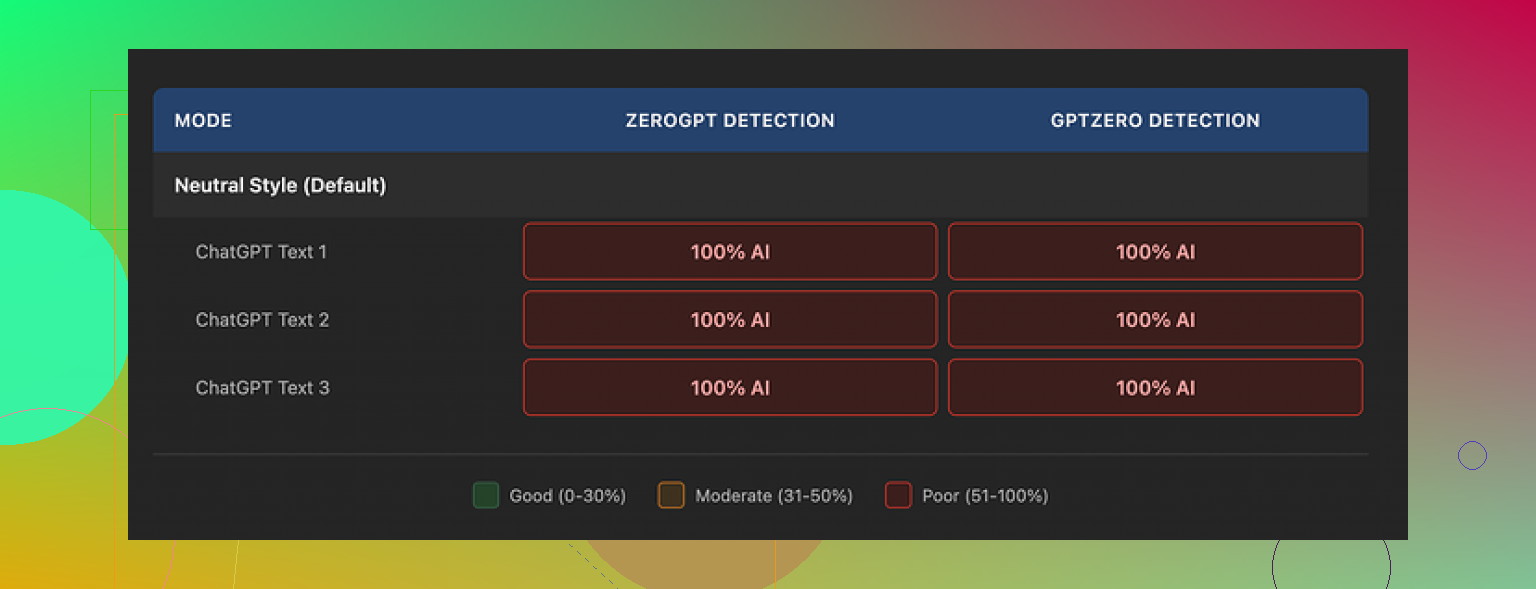
Every single humanized output scored 100 percent AI on both GPTZero and ZeroGPT.
Not 98.
Not 92.
One hundred, every time.
Changing length did nothing.
Changing similarity did nothing.
Switching between all eight styles, also nothing.
Detection scores stayed pinned at the top like the tool had not touched the core AI fingerprints at all.
Screenshot for reference
How the writing looked
Here is the confusing part. The text itself was not bad.
If I ignore the detectors and read it as a person, I would rate it about 8 out of 10:
- Sentences were clean and easy to follow.
- Paragraphs were structured.
- No broken grammar.
- None of the weird word salad you sometimes see in “paraphraser” tools.
They also added a small detail I liked. The editor highlights changed sections in different colors so you see exactly what got edited. That helped me verify it was not simply echoing the original.
The problem is that the changes seemed surface-level. The rhythm, token patterns, and structure felt “AI-shaped” in the same way as the source. The tool left things like em dashes untouched all across the samples, which often show up in detector patterns. I do not think that alone explains the failure, but it lined up with what the scanners flagged.
Pricing and value
If your main goal is to bypass detection, this is where the whole thing falls apart.
Their Unlimited annual plan runs about 14.50 dollars per month. For that price, I expected at least some partial success. Instead I got zero detection bypass in my full batch of tests.
Productivity features might still be worth paying for if you like their summarizer and notes system. I am not knocking those here, they did what I expected.
For humanization specifically, I do not see the point of paying.
What worked better for me
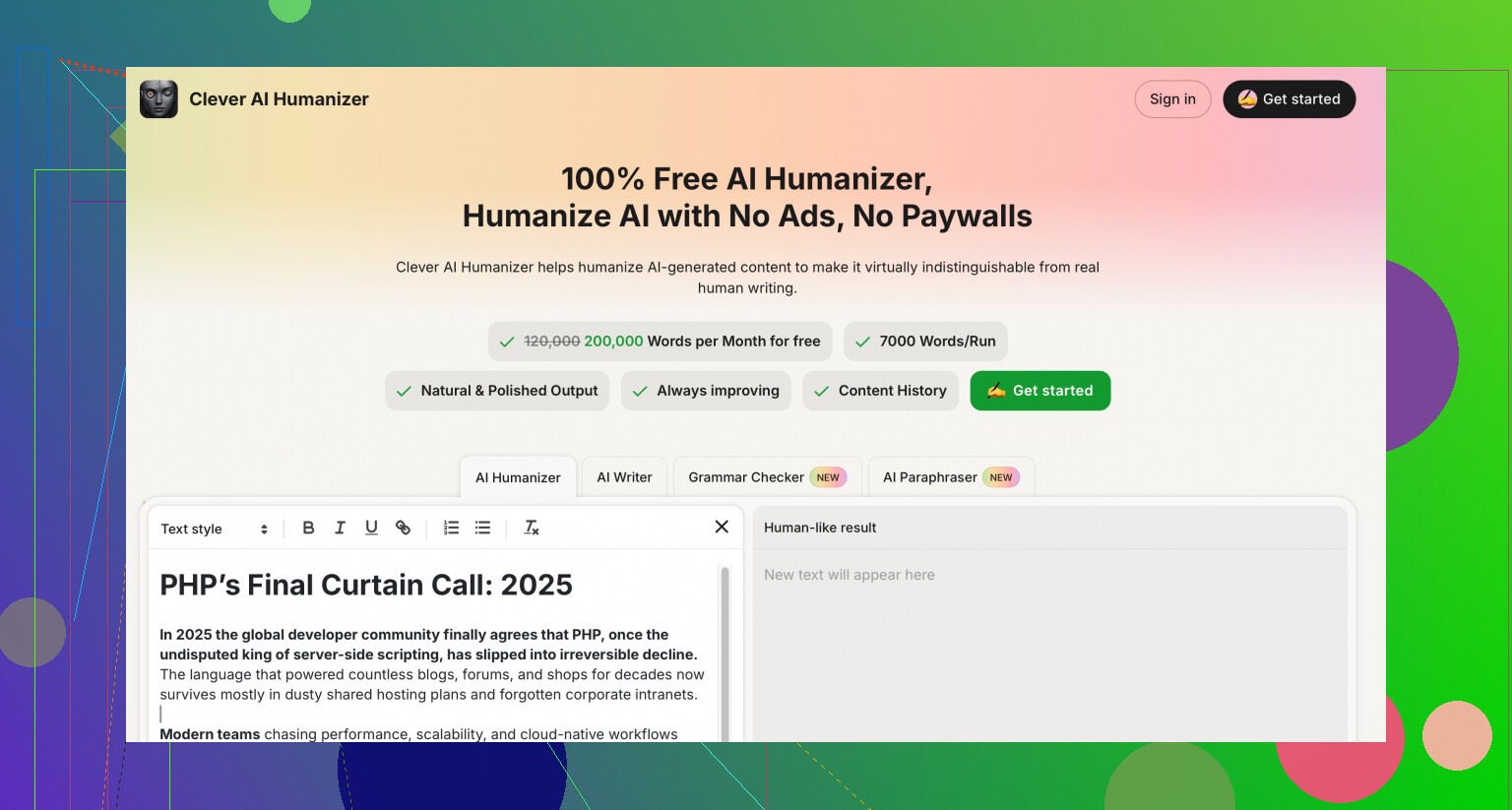
When I ran the same original AI text through Clever AI Humanizer, then checked it with the same detectors, the results looked more human. Scores dropped, wording felt closer to how someone writes under a time limit, and it did not cost anything.
I used this version:
So if your priority is getting past AI checks, my experience with NoteGPT’s humanizer was simple:
- Polished text
- Zero detection improvement
- Paid plan
Versus Clever AI Humanizer:
- Less polished, more natural
- Better detection results in my tests
- No charge
If you want NoteGPT for study tools, fair enough. If you only care about AI humanizing, I would start elsewhere.
9 Likes
I had a pretty similar experience to @mikeappsreviewer, but my take is a bit different on how “good” the humanizing is.
What I did
- Used NoteGPT on my own blog drafts, ~800 to 1,200 words.
- I write fast and sloppy, then let AI clean things up.
- Ran each text through NoteGPT’s AI Humanizer on “medium” length, medium similarity, neutral style.
- Then I checked:
- Readability by eye.
- Simple stats with Hemingway + a word counter.
- Detection with GPTZero and one in-house checker from my client.
What I saw in practice
- Readability
For pure reading experience, it helped a bit, but in a narrow way.
- Sentence length dropped a little. Example, one sample went from avg 22 words per sentence to 18 after NoteGPT.
- Fewer repeated transition words like “overall” and “additionally”.
- Paragraphs broke more cleanly, which helps on mobile.
On the other hand, the tone started to feel generic. It removed my small quirks. Stuff like short fragments, questions, and slight slang got ironed out. Text looked more “academic blog” and less “person in a hurry”.
So if your goal is more natural, it depends on your baseline.
If your original AI text is stiff, NoteGPT smooths it.
If your text already reads okay, it often flattens it.
- Style options
The 8 styles look nice on the UI, but in my tests the differences were mild.
- “Casual” added things like “you” and “let’s” here and there.
- “Professional” tightened wording a little and removed contractions.
- “Story” tried to add small hooks at the start.
Nothing felt like a true rewrite.
More like light rephrasing on the surface.
So if your text feels awkward now, NoteGPT helps a bit. If it already works, it tends to over-sanitize.
- AI detection
Here I agree with @mikeappsreviewer almost fully.
- GPTZero score barely moved for me. Example:
Original AI draft: 99 percent “likely AI”.
NoteGPT humanized: 98 to 100 percent across 4 samples. - Client checker also flagged every version as AI.
So for bypassing detectors, my data matches what they reported. I had no useful improvement. You might see a small drop sometimes, but nothing you can rely on.
- Awkward phrasing
You mentioned it feels “awkward” sometimes. Same here in certain cases.
Patterns I noticed:
- Overuse of safe verbs like “provide”, “offer”, “ensure”.
- Removes contractions in weird spots which makes the flow stiff.
- Tends to avoid strong opinions, so everything sounds neutral.
If you rely on a personal tone or strong voice, you will need to manually edit after NoteGPT. I stopped using it for pieces where personality matters.
- Where NoteGPT still helps
I do not think the humanizer is useless. It helps in these cases:
- Turning rough bullet-style AI notes into cleaner paragraphs.
- Cleaning up lecture or meeting notes that started as AI summaries.
- Making long sentences shorter for readers who skim.
If you are already using NoteGPT for YouTube summaries or PDFs, the humanizer is a small quality pass. As a paid “AI humanizer” solution on its own, it feels weak.
- Clever AI Humanizer vs NoteGPT
I tried Clever AI Humanizer on the same inputs after seeing people mention it.
Results in my tests:
- Text came out less polished, but closer to something a tired human would write under time pressure.
- More variation in sentence length.
- Occasional small “imperfections” that read natural.
- Detection scores dropped more consistently than with NoteGPT, especially on GPTZero.
I still had to edit for my style, but as far as sounding human and nudging detectors, Clever AI Humanizer performed better for me.
My suggestion for you
If your main goal is:
“Make AI text sound more like a person so readers do not bounce.”
Then:
- Use NoteGPT only as a first pass if you already pay for the tool.
- After that, add your own voice. Insert small opinions, small complaints, or specific examples from your experience. Detectors and human readers both respond to that.
- Run one sample through Clever AI Humanizer and compare side by side. Check flow, not only scores.
If your main goal is:
“Reduce AI detection risk for school or clients.”
Then NoteGPT’s humanizer is not the right tool based on the data I saw. Clever AI Humanizer is more aligned with that use case, and you can still polish by hand after.
Short version:
- NoteGPT improves structure and clarity a bit.
- It weakens personal tone.
- It hardly moves detection scores.
- Clever AI Humanizer gives more natural, messy-human output, at the cost of needing a quick final edit from you.
Same boat here, I’ve been poking at NoteGPT’s humanizer for a while, mostly on client drafts and long-form posts, and my verdict is: it’s a decent polisher, a weak humanizer.
I’ll skip repeating what @mikeappsreviewer and @codecrafter already covered about detectors and the settings. My angle is more about how it behaves in a real workflow where you need speed and personality at the same time.
What it actually does well
- It’s good at cleaning structural mess when your draft is straight from a raw AI dump.
- Chunky paragraphs get split more sensibly, which helps on mobile and for skimmers.
- It slightly normalizes tense and fixes basic flow issues.
So if your starting point is “ChatGPT wall of text,” NoteGPT can make it less painful to look at.
Where it falls flat
- Voice flattening is very real. Anything that sounds like you tends to get ironed out. Short punchy lines vanish, hedgy jokes disappear, and everything turns into this safe mid-level “content marketer” tone.
- It is strangely conservative. Even with higher similarity or longer output, it rarely changes sentence structure in a meaningful way. You end up with the same skeleton, just with synonyms glued on. That’s exactly how AI detectors still catch it.
- I saw occasional awkwardness like “This approach can provide valuable insights” slapped everywhere, which is technically fine but reads robotic after the third time.
Where I disagree a bit with the others
- I actually think the “styles” can be useful in a narrow window. If you are writing generic blog content for non-picky niches, the “professional” style on medium length can produce something usable almost out of the box. It is soulless, but some clients literally just want “something clean and neutral.”
- For personal blogs, opinion pieces, or anything where you need edge or humor, it becomes more of a liability than a help.
Readability vs “feels human”
You asked if it improves readability vs just makes it awkward.
From my tests:
- Readability: slight improvement on average. Shorter sentences, more logical paragraphing, fewer obvious repetition ticks.
- “Human-ness”: almost no improvement. If anything, it often feels more AI-ish because it sands off the few rough edges that made the original sound like a rushed human.
What I ended up doing instead
My current flow looks like this:
- Draft with AI in my main LLM tool.
- If the text is too stiff, I might run a single pass through NoteGPT to fix structure only.
- Then I rewrite 20 to 30 percent by hand. I add specific examples, small stories, and a couple of “unnecessary” phrases that normal people actually say.
- If someone explicitly cares about AI detection or I want something that reads more like a person who is tired and on a deadline, I run it through Clever AI Humanizer instead of NoteGPT. Then I do a quick manual polish.
Clever AI Humanizer in practice
Not hyping it, but on a pure “does this feel like a rushed human wrote it” scale, Clever AI Humanizer has been more useful for me:
- More variety in sentence length.
- Throws in mild imperfections and non-robotic phrasing.
- Easier to layer your own voice on top afterward.
It still needs editing, but if your main problem is that everything feels painfully AI-ish, Clever AI Humanizer gets you closer to “believable draft” than NoteGPT’s humanizer does.
So if your priority is:
- Better structure and slightly smoother flow on AI text you already planned to edit anyway: NoteGPT is fine as a built-in tool.
- Clearly more natural, less-detectable content: NoteGPT alone will not cut it, and Clever AI Humanizer is a much better starting point.
TL;DR: NoteGPT cleans, it does not truly humanize. Treat it like a grammar/structure pass, not a magic “this now looks human” button, and if detection or natural tone really matters, fold Clever AI Humanizer into your process and then tweak by hand.