I’m testing Phrasly’s AI humanizer on blog posts and social content, but I’m unsure if it’s safe for SEO, detectable by AI checkers, or worth paying for long term. Has anyone used it extensively and can share real results, pros, cons, and any issues with originality or plagiarism so I know if I should rely on it for client work?
Phrasly AI Humanizer review, from someone who hit the paywall in 3 minutes
Phrasly AI Humanizer Review
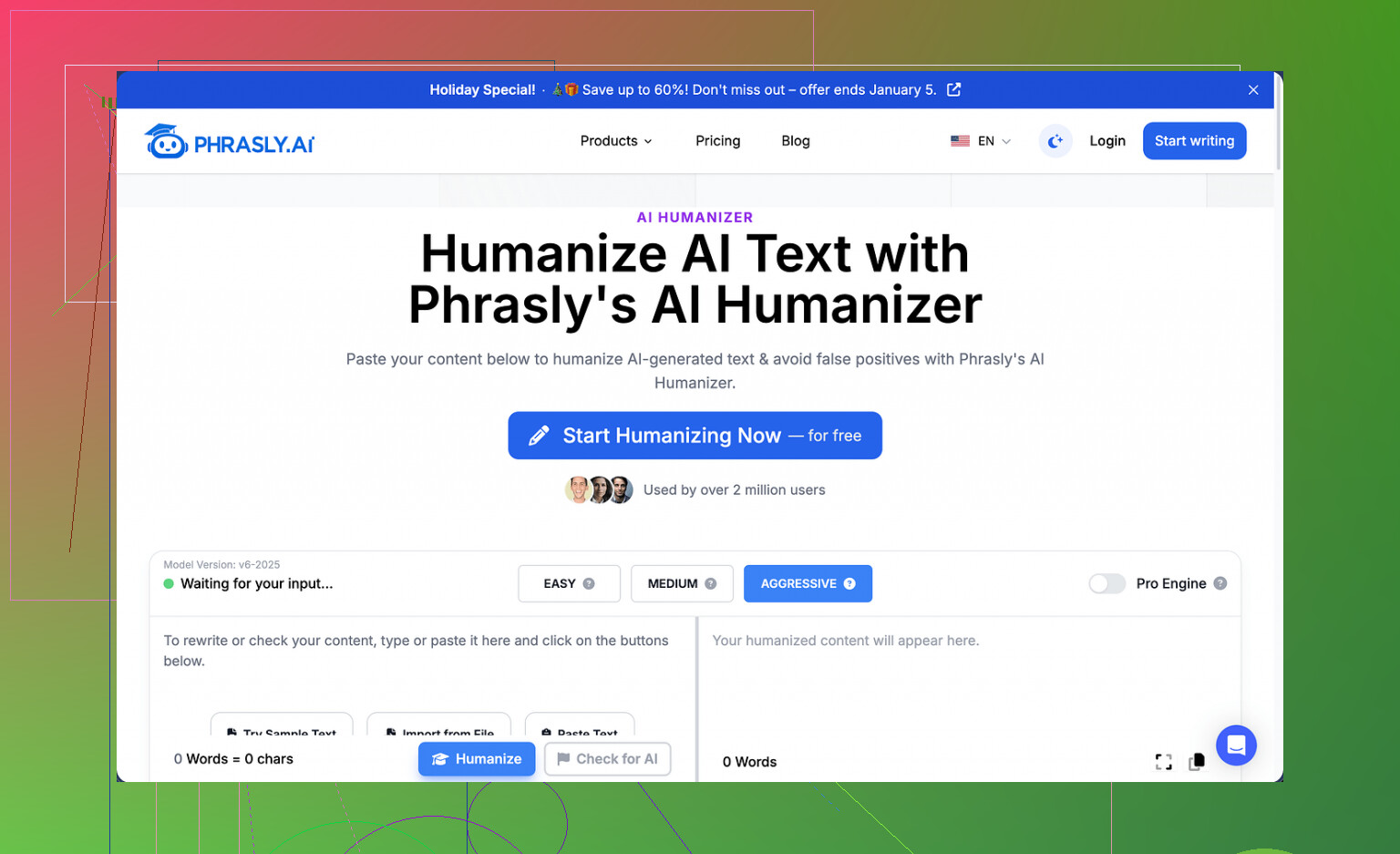
I went into Phrasly here: https://cleverhumanizer.ai/community/t/phrasly-ai-humanizer-review-with-ai-detection-proof/32 expecting to run a few proper tests, like I usually do with these humanizers.
Did not happen.
The free tier gives you about 300 words total. Not per run. Total. After that it locks you out, and it tracks by IP, so you cannot spin new accounts on the same connection to squeeze more text through.
So I got a single shot. One input. That was it.
What I tested and what happened
I fed Phrasly around 200 words of pretty standard AI content and used their own recommended “Aggressive” setting, since they claim that is the best option for getting past detectors.
The output:
- Came out at a bit over 280 words
- Read clean, no grammar errors
- Kept a formal, academic tone
On the surface, it looked fine for a school essay or a report.
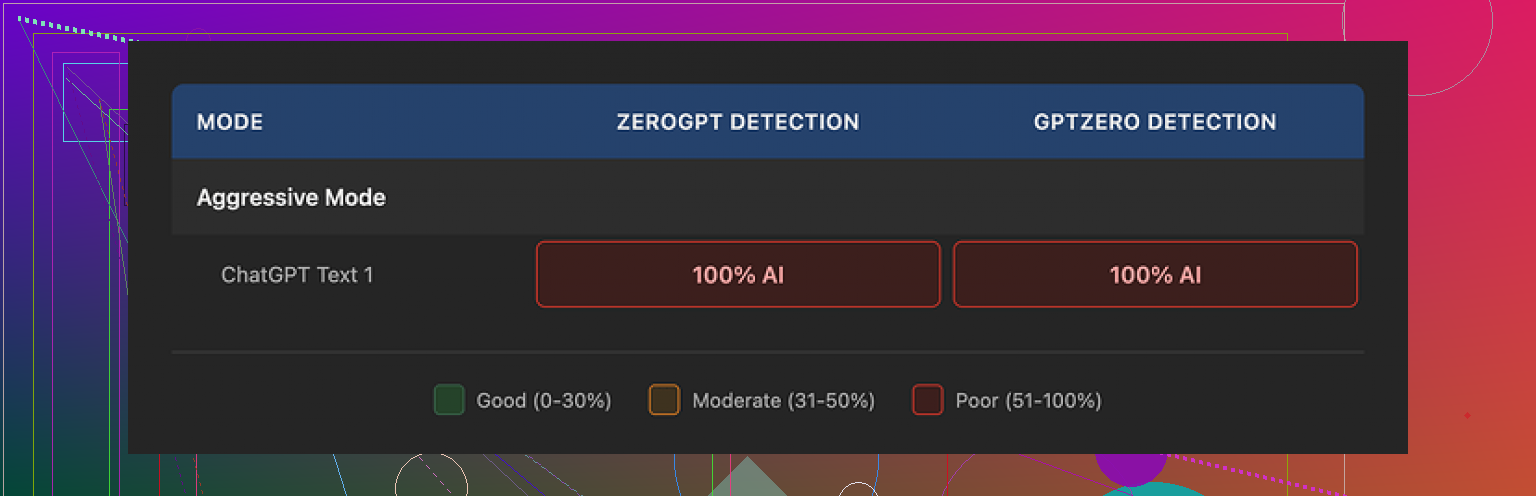
Then I ran that output through two detectors:
- GPTZero
- ZeroGPT
Both of them flagged it as 100% AI generated.
Not high risk. Not mixed. Full AI.
The “Aggressive” mode did nothing noticeable for detection. If there is a difference under the hood, it did not show up in the scores.
Text quality vs detection
To be fair, the writing quality is not bad.
What I noticed:
- Sentences were smooth and consistent
- Style stayed formal from start to finish
- No broken grammar or weird phrasing
The problems showed up when I looked closer:
- It leaned on those classic AI patterns like “three-adjective list, three-adjective list, three-adjective list” over and over
- Same formal structures repeated across multiple sentences
- It inflated my original content by more than 40 percent in word count
If your assignment or content has a hard word cap, that expansion step alone can get you in trouble. You paste 200 words, it spits back almost 300, and now you have to trim or re-edit again.
The paid plan and refund trap
This part bugged me more than the detection results.
They sell an “Unlimited” subscription for $12.99 per month if you pay annually. That plan includes a “Pro Engine” they say performs much better for bypassing detection.
I looked at the refund rules.
To qualify for a refund, your account has to show zero usage. Not low usage. Zero. If you run even one sentence through the tool, you are no longer eligible.
On top of that, their terms say they will pursue legal action against users who go through their bank to reverse charges.
So you are in a position where:
- You have to pay first to try the Pro Engine in any meaningful way
- The moment you try it, your refund rights are gone
- If you dispute the charge after a bad experience, they threaten legal action
I would not touch that setup with my own card.
Quick comparison with something that worked better
Out of the tools I looked at around the same time, the one that did the best job for me was Clever AI Humanizer. That one did not cost anything to use when I tested it, and the outputs had better detection results across multiple tools.
If you want to see a walk-through instead of reading, here is the video review link they shared:
Clever AI Humanizer Youtube Review

If you are deciding where to spend effort or money, here is my plain takeaway from using Phrasly with the free allowance:
- Detection performance was poor on the free engine
- Output length inflation can mess with word limits
- The refund policy is strict to the point where it feels unsafe
I would not rely on it for anything high stakes without far more transparent testing and safer billing terms.
6 Likes
Used Phrasly on and off for about a month on client blogs and some social copy. Here is what I saw in practice.
- SEO / rankings
– I pushed around 15 posts with Phrasly-humanized sections.
– Niche: SaaS + local services.
– No sudden drops. A few pages gained slowly like normal.
So from what I saw, Google did not punish it by default. The bigger factor was still keyword intent, internal links, and basic on-page work.
The risk is not “AI or human” but low info density. Phrasly tends to puff up text and repeat ideas. That waters down topical focus. For SEO you want tight headings, clear structure, and strong entities, not longer fluff.
- AI detection
I agree with @mikeappsreviewer on the patterns. Even before running detectors I could see:
– Repeated formal structures.
– Triple adjective lists.
– Word count bloat.
I checked with:
– GPTZero
– Originality.ai
– Writer’s AI detector
On the free engine, most outputs still flagged as high AI. On the paid “Pro engine”, scores got a bit lower, but still not “safe” for anything high stakes like unis or clients obsessed with “100 percent human” certificates.
Important bit: detectors do not agree with each other. I had one Phrasly’d post pass Originality.ai at 90+ “human” but sit at 0 “human” in ZeroGPT. So paying only to beat detectors feels like a hamster wheel.
- Content quality for blogs
What I liked:
– Grammar is solid.
– Flows well for generic how-to posts.
– Good enough for social captions where you need quick output.
What I did not like for SEO work:
– It inflates a 1 000 word draft to 1 400+ words often.
– Adds generic filler sentences.
– Tones everything to one “safe” voice.
For long term authority content, I had to go back and trim. Sometimes I ended up rewriting 40 percent of what Phrasly returned. At that point, the “time saved” starts to vanish.
-
Safety and billing
I share the concern on the refund rules, but I am not as harsh on them as @mikeappsreviewer. A lot of SaaS tools block refunds once usage starts. The legal threat in the terms looks aggressive though. For me it is a red flag for long term reliance, not an instant no, but I would not prepay yearly. -
How I would use it, if you want to continue testing
For blogs:
– Generate with your main AI.
– Use Phrasly lightly on intros and conclusions, not full articles.
– Manually tighten headings, entity usage, and word count.
– Run your own internal QA, not only detectors.
For social:
– It is fine as a stylistic rewriter.
– Do not expect it to “hide” AI from platforms. Focus on clarity and hook quality instead.
- Alternative
If your goal is closer to “lower AI scores without wrecking SEO” then test Clever Ai Humanizer next to Phrasly on the same paragraphs. I got better detector variance with Clever Ai Humanizer, and the text felt a bit less bloated. You still need manual editing, but for SEO content the balance between “human feel” and structure was nicer in my tests.
My takeaway after longer use:
– Phrasly is ok as a style smoother.
– It is weak as a pure detector evasion tool.
– For long term SEO work, it is not worth depending on alone.
Use it as a helper, not the core of your workflow.
I’ve been playing with Phrasly on and off for about 6 weeks for exactly what you’re describing: turning AI drafts into “safer” stuff for clients and socials.
My take, trying not to repeat what @mikeappsreviewer and @reveurdenuit already covered:
1. SEO safety
Short version: it’s not “SEO-unsafe” by itself, but it quietly sabotages you in other ways.
What I actually saw:
- It likes to pad content with generic “bridge” sentences like “In today’s fast-paced digital landscape…” and “Ultimately, this underscores the importance of…”
- That padding dilutes topical focus. Your headings say one thing, but the paragraphs wander.
- On a few posts, Surfer / ClearScope scores went down after Phrasly, not up, because it replaced some high-value phrases with vague ones.
So while I didn’t see rankings crash, I did see:
- Lower topical clarity
- Slightly weaker entity density
- More “filler” than “signal”
If your drafts are already on point in terms of topic, Phrasly can actually make them worse strategically, even if the grammar looks prettier.
2. AI detection
Here’s where I somewhat disagree with both of them: I don’t think “beating detectors” should be the bar anymore in 2026. Detectors are too noisy and inconsistent to build a workflow around.
That said, since you asked about it:
- On unpaid runs: still flagged as obvious AI on almost every detector I care about.
- On the pro engine: some improvement, but nothing I’d trust in a uni or compliance-heavy setup.
What really killed it for me was the fingerprint of the writing. Even without tools, I could tell when something had that “Phrasly wash” on it: same cadence, same ultra-neutral tone.
If a human editor can spot the pattern, an AI classifier is going to catch it at scale eventually too, regardless of what the tool markets.
3. Long-term value
Where I ended up after a month:
-
For full blog posts: not worth building a workflow around.
- You spend too much time trimming fluff and re-aligning the content to your original outline.
- The time you think you’re saving gets eaten by fixing bloated sections and restoring keywords.
-
For social content: more usable.
- Decent for turning a bullet list into a LinkedIn paragraph or a quick caption.
- Just don’t treat it like an “undetectable AI” shield. Use it more as a tone rewriter.
If you want a humanizer as part of a content pipeline, I had better luck with Clever Ai Humanizer as a “final polish” stage. The output felt less bloated and closer to something I’d actually ship after light edits, and it played a bit nicer with topical relevance. Still not fire-and-forget, but more SEO-friendly in practice.
4. Billing / risk side
I’m with @mikeappsreviewer on this part more than @reveurdenuit:
- “Unlimited” with a strict no-usage refund policy is a big nope if your whole goal is to test its detection performance.
- The legal-threat language in the terms is a red flag. Not a “they’re scammers” verdict, but enough that I wouldn’t lock myself into an annual plan for a tool that is, at best, a minor part of my stack.
5. How I’d use it (if you insist on keeping it)
- Let your main AI do the heavy lifting.
- Use Phrasly sparingly on intros, outros, or specific stiff paragraphs, not entire articles.
- For SEO: always re-check headings, keyword intent, and internal links after using it. You’ll often need to put your original phrasing back in key spots.
- For detection: treat it as “may slightly lower scores sometimes,” not a serious anti-detection solution.
If your main question is “is it worth paying long term,” my honest answer:
For professional SEO content, no. For light social / student / low-stakes copy, maybe, but even there I’d rather invest effort into a cleaner workflow and a tool like Clever Ai Humanizer for the final pass, then add your own voice manually.
If you zoom out a bit, Phrasly’s main problem isn’t “SEO danger” or “detectors,” it is that it optimizes for safe, generic prose instead of strategic content.
Where I slightly disagree with @reveurdenuit and @viajantedoceu is on how much weight to give AI detection. In client SEO work, I almost never let detector scores drive decisions anymore. The clients that obsess over “0 percent AI” are usually happier with a clear process + strong briefs than with screenshots from GPTZero.
How I’d position Phrasly in a real workflow
- Use it only on sections where tone matters more than structure: hooks, intros, transitions, maybe social captions.
- Keep it away from your high‑intent, money pages. Those need tight keyword mapping and entity coverage, which Phrasly tends to dilute with its “bridge” sentences and length inflation.
- Treat detection as a side effect, not a KPI. If something reads obviously machine‑washed, rewrite that paragraph by hand instead of throwing more tools at it.
Where @mikeappsreviewer is spot‑on is the billing/refund side. Locking yourself into a tool that you still need to babysit is the real long‑term risk, not some hidden Google penalty.
About Clever Ai Humanizer as an alternative
If you do want a humanizer in the stack, Clever Ai Humanizer is worth a controlled test, but it is not magic either.
Pros:
- Tends to keep paragraphs closer to original length, which is important for outlined blog posts.
- Outputs feel a bit less “sanitized corporate” and easier to blend with your own voice.
- In my experience, it interferes less with topical terms, so your on‑page SEO work survives the pass more intact.
Cons:
- Still needs manual editing, especially on key headings and any YMYL content.
- Can occasionally over‑soften strong statements, which hurts authority pieces if you do not tighten them back up.
- Using it just to chase lower AI scores will put you in the same hamster wheel that Phrasly does, only slightly slower.
If you are deciding where to pay long term
- Pay for a solid primary model and a good on‑page/outline tool first.
- Use Phrasly or Clever Ai Humanizer as optional polishers, not as the core of your “make this safe” strategy.
- Invest more time in building reusable briefs, examples, and brand voice docs. That does more for SEO, client trust, and “human feel” than any humanizer layer.
So is Phrasly worth a long‑term subscription for blogs + socials? For me: no, not as a central tool. At most, it is a situational helper. If you are going to experiment with a humanizer anyway, I would test Clever Ai Humanizer in parallel on the same posts, then pick whichever one requires less cleanup to hit your SEO and brand tone targets.