I accidentally lost important GoPro footage after my SD card got corrupted and stopped reading properly. The videos were from a recent trip, and I really need advice on the best way to recover deleted GoPro files from a corrupted SD card without making things worse.
I ran into this too, and it felt awful.
First thing, stop touching the SD card. Don’t shoot more clips on it. Don’t format it. Don’t run repair apps yet. With GoPro stuff, deleted video often sits on the card until new data lands on top of it. Every extra recording chips away at your odds.
Before you try recovery software, I’d check the easy stuff:
If you pay for a GoPro subscription, sign in and look through your GoPro cloud account. Check both the Media Library and the Trash. I found missing files there once when I thought they were gone for good.
Look for LRV files on the card. Those are the low-res preview copies. They look rough, sure, but if the main file is dead, a preview copy is still better than nothing.
If recording got cut off mid-shot, put the card back into the GoPro and power it on. Sometimes the camera notices the broken clip and offers a repair pass on its own.
If the footage no longer shows up on the card, I’d try Disk Drill. I used it on GoPro files before, and it did better than a few others I tested. GoPro recovery gets messy because the camera often writes video in scattered chunks across the card. A lot of recovery apps find pieces of the file, then hand you something broken which won’t open. Disk Drill did a better job for me with action cam footage, and the preview tool helped me check if a recovered clip would play before I saved it.
A few things I’d do during recovery:
Save recovered files onto another drive, never back onto the same SD card.
During the scan, use Advanced Camera Recovery mode.
If the card throws errors or drops connection at random, make a full byte-for-byte image first and work from the image instead of the card.
On Windows, Disk Drill gives you up to 100 MB free for recovery. It’s enough for a quick test so you can see if the missing footage is recoverable before paying.
If you haven’t recorded much since the files vanished, your chances are still decent. I wouldn’t wait too long tho.
20 Likes
If the SD card is corrupted and not mounting cleanly, I’d focus on card health first, not file recovery first. Small difference, big deal.
@mikeappsreviewer covered the cloud, LRV files, and camera repair angle. I’d add this. Test the card with a different reader. A bad USB reader causes fake “corruption” a lot more often than people think. I’ve seen cheap readers fail on large GoPro cards, esp on 128GB and 256GB microSDs.
My order would be:
- Try a different card reader and a different USB port.
- If it mounts, copy the whole DCIM folder off fast.
- If it does not mount stable, make a full image of the card first.
- Run recovery on the image, not the card.
On imaging, use something like HDD Raw Copy Tool on Windows or ddrescue on Mac/Linux. If the card has weak sectors, repeated rescans make things worse. One image pass is safer.
For recovery, Disk Drill is a solid pick for GoPro video recovery because it handles MP4 fragments better than a lot of generic tools. I don’t agree with throwing every repair app at the card early. That step burns time and adds writes if you slip up.
If recovered MP4 files won’t open, try a video repair tool afterward. Corruption and deletion are two diff problems.
Also, check this GoPro SD card video recovery guide on YouTube. Short and easy to follow.
If the card is making disconnect sounds or vanishes mid-scan, stop. At that point, a pro lab is the safer move.
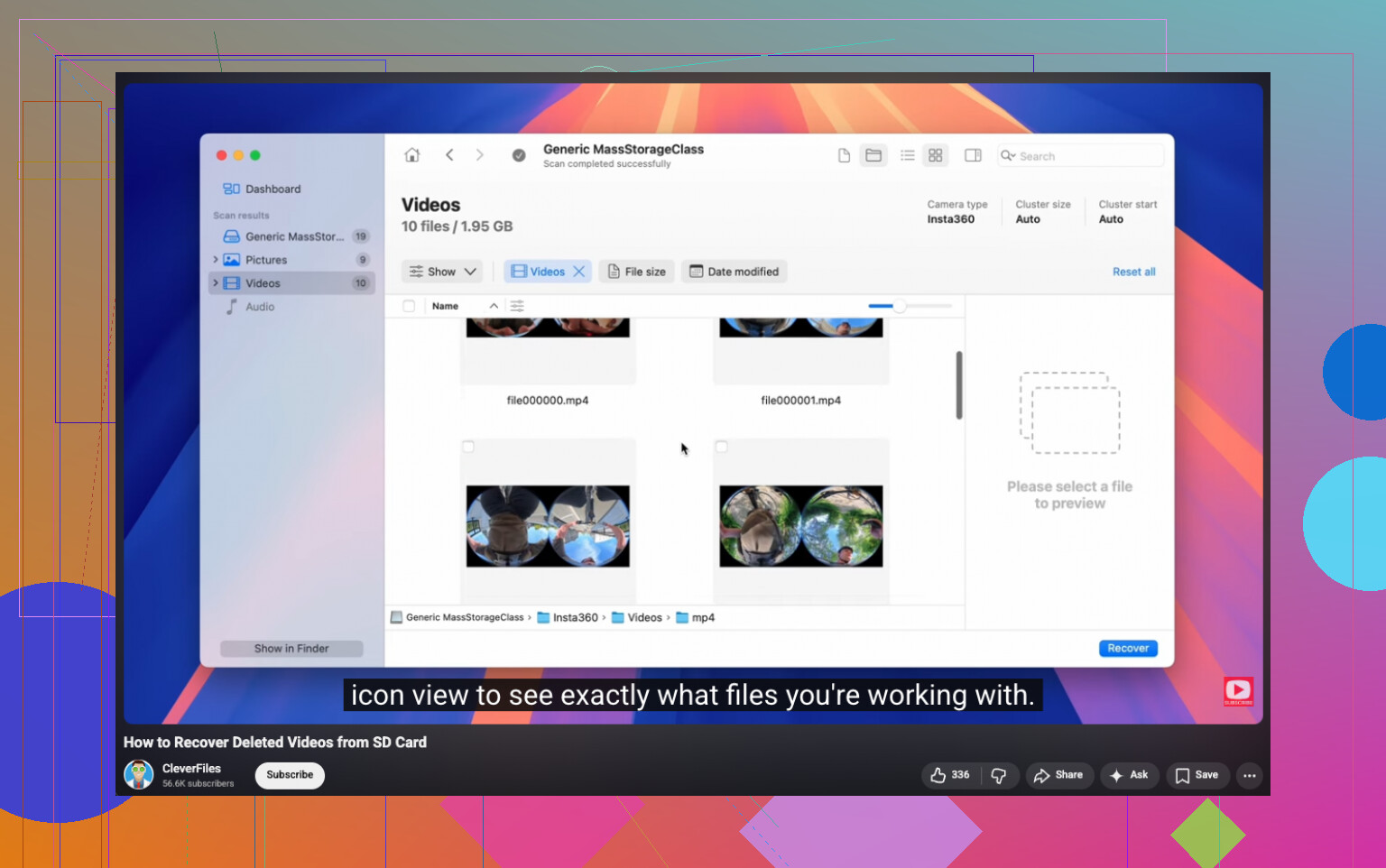
One thing I’d add to what @mikeappsreviewer and @stellacadente said: check whether the footage was actually split into chapters and you’re only missing the first segment. GoPro often creates companion files or split clips, and people think the whole video is gone when only one chunk got corrupted. Look through the card for .MP4 plus any .THM and .LRV matches with similar numbers.
Also, I slightly disagree on jumping straight into “repair” even in-camera if the card is acting really flaky. If the corruption is filesystem-level, every extra power cycle can make the card act weirder. I’d first try reading it on a computer that can see hidden/system files. Sometimes the file table is toast but the raw video blocks are still there.
If the card mounts even briefly, copy the entire card structure, not just the obvious video files. That includes MISC, DCIM, hidden files, everything. GoPro metadata can help later if you need to sort clips out. If it does not mount reliably, then yeah, image first and scan the image.
For actual recovery, Disk Drill is worth trying because GoPro MP4 recovery is kinda annoying and generic undelete tools often bring back unusable fragments. I’d also sort recovered files by size after the scan. Bigger recovered MP4s usually have a better shot than tiny “found” clips that are just scraps.
One more thing people skip: after recovery, test the files in VLC first. Windows Media Player says stuff is broken when VLC will still play half of it just fine. Not perfect, but better then losing the trip footage entirely.
If you want more community troubleshooting, this is a solid thread on GoPro SD card video recovery software advice.
I’d add one angle the others only touched lightly: verify whether the card is actually failing at the hardware level before spending hours on recovery.
A lot of “corrupted” GoPro cards are just counterfeit or worn-out microSDs. If you eventually get the card to read, run a read-only validation afterward with something like H2testw or F3 on a clone, not on the original card. If capacity is fake or the NAND is dying, recovery results can look random and incomplete no matter which app you use.
I also slightly disagree with putting the card back in the GoPro too early. If the file system is unstable, the camera may rewrite housekeeping data. Small risk, but real.
What I’d do differently:
- Lock the card if your adapter has a write-protect switch.
- Check SMART-like behavior indirectly by seeing if the card reports the same size consistently in Disk Management or System Information.
- If it reads at all, clone first.
- Recover from the clone.
- Keep every recovered fragment, even broken ones. MP4 repair tools can sometimes rebuild from partial files if the moov atom is missing.
On software, Disk Drill is a reasonable choice for GoPro recovery, especially when you need to preview found MP4 files and scan an image instead of the original card.
Pros of Disk Drill:
- good interface
- decent raw video detection
- preview helps separate usable clips from junk
- works well on disk images
Cons of Disk Drill:
- free recovery limit on Windows is tiny
- deep scans can return lots of false-positive fragments
- not magic if the card has heavy physical damage
Also worth noting from what @stellacadente, @espritlibre, and @mikeappsreviewer were getting at: recovery and repair are separate jobs. First get the data back. Then worry about making damaged GoPro videos playable. VLC, untrunc, or a dedicated video fixer can help after that.