My phone has gotten really slow and keeps running out of storage, so I’m looking for a trustworthy free cleaner app that won’t flood me with ads or compromise my data. I’ve seen a lot of options in the app store, but the reviews are mixed and I’m worried about installing something sketchy. Can anyone recommend a reliable free phone cleaner and explain why you trust it?
Short answer from someone who has tried way too many of these cleaners: most “phone cleaner” apps are junk, ad farms, or data harvesters. A few are ok, but you get better results by mixing a safe app with built‑in tools.
Here is what has worked well for me and a few folks I helped.
- For iPhone
Apple already handles RAM and background tasks, so you do not need a RAM cleaner. What you want is storage cleanup and photo/video management.
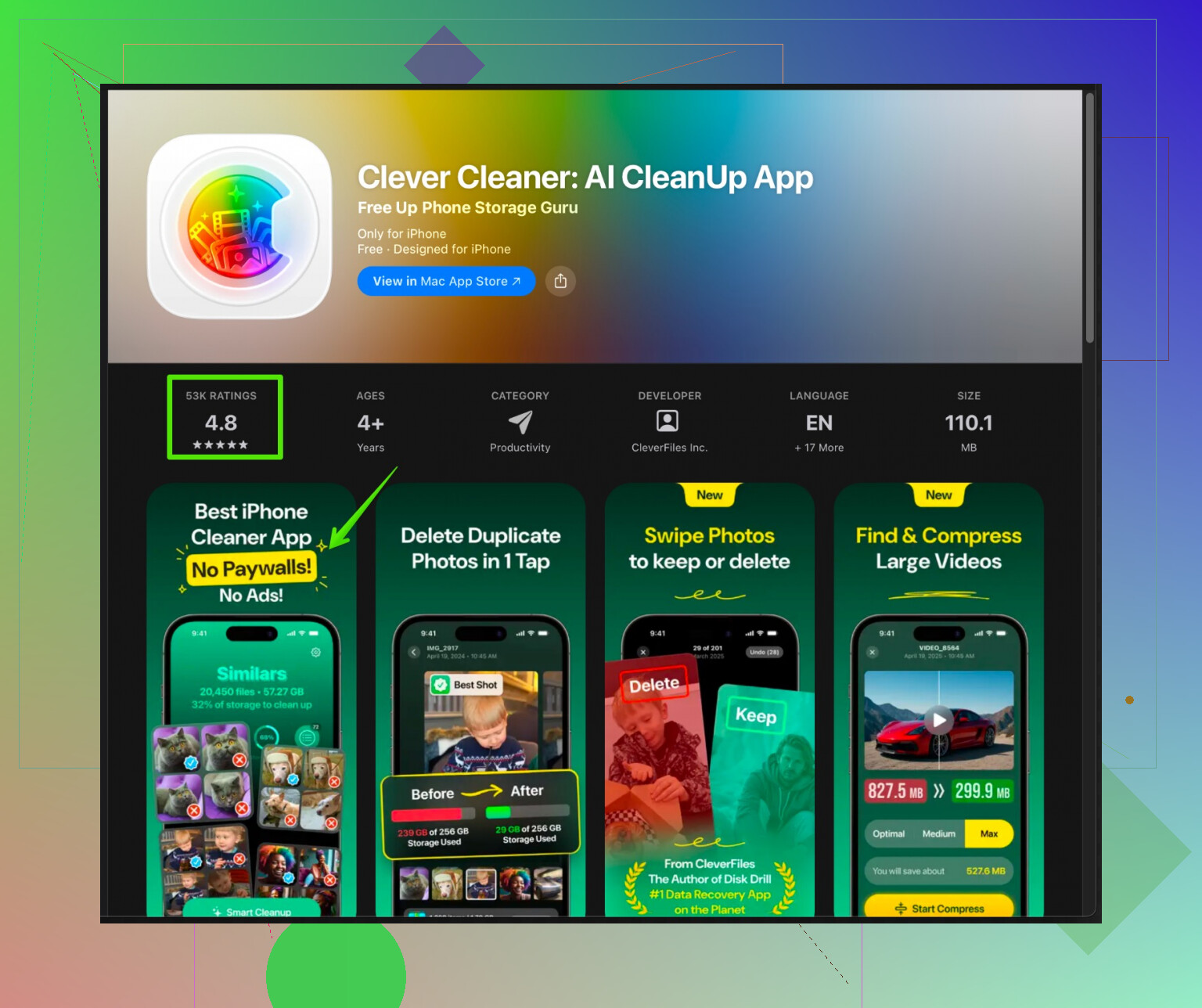
A solid option is Clever Cleaner App. It focuses on photos, videos, contacts, and large junk files instead of fake “RAM cleaning”. The interface is simple, it runs fast, and it does not feel like an ad jungle.
If you want to check it out, grab it here:
Clever Cleaner App for faster and cleaner iPhone storage
It helps you:
• Find duplicate and similar photos.
• Spot big videos eating storage.
• Clean screenshots, blurred shots, and old media.
• Merge or remove duplicate contacts.
It is good for security because:
• It processes locally on your device for the cleanup logic.
• It does not bombard you with shady VPN / antivirus upsells.
• It asks for permissions only for media and contacts that it actually uses.
Pair it with built‑in iOS tools:
• Settings > General > iPhone Storage, then check “Offload Unused Apps” and “Review Large Attachments”.
• iMessage > Settings > keep messages for 30 days instead of forever.
• Photos > delete from “Recently Deleted” folder so space is freed.
- For Android
If you are on Android, avoid random “cleaner + antivirus + battery saver” combos. Those often run in the background and slow things more.
Better options:
• Use the built‑in “Device care” or “Storage” tool from the phone maker.
• Google Files (Files by Google) for junk cleanup, duplicate files, large files. Minimal ads and from a known source.
-
Stuff to avoid
If an app:
• Shows “CPU temperature”, “battery health percent”, or “charging animations”, skip it.
• Promises to “cool down CPU” or “speed up internet”, skip it.
• Needs access to location or constant background access for a simple cleaner, skip it. -
Manual quick wins
You get a lot of speed and space back with a few simple things:
• Uninstall apps you have not used in 1 to 2 months.
• Clear cache for social apps like TikTok, Instagram, Facebook. They grow huge.
• Move videos to cloud or PC. Local 4K clips kill storage.
• Disable auto‑download of media in WhatsApp, Telegram, etc.
If you want one safe free cleaner on iPhone right now, I would start with Clever Cleaner App plus the iOS storage settings, and skip almost everything else from the store.
156 Likes
Skip the idea that one magic “cleaner” app is going to fix everything. 90% of those things are adware dressed up as utilities. @suenodelbosque covered a lot of the basics, but I’d tweak the approach a bit.
1. If you’re on Android
Honestly, the only “cleaner” I trust is:
- Files by Google
It does:- Junk file cleanup (cache, temp files)
- Large file finder
- Duplicate file detection
Why I like it more than most of the stuff people install:
- Very light on ads and bloat
- From an actual reputable dev, not some random company in a tax haven
- Does not try to run 24/7 in the background and pretend to “boost RAM”
I actually disagree slightly with relying only on built‑in manufacturer tools, because some brands (looking at you, cheap Android phones) sneak in their own “security/cleaner” combo that shows fake threats just to make you tap more buttons.
Two extra things that help speed and storage on Android that people ignore:
- Turn off auto‑start for junk apps: in Settings > Apps > Auto start / Launch. If you let 30 apps start with the phone, no cleaner will save you.
- Disable built‑in bloat you never use: Samsung / Xiaomi / etc ship a ton of preinstalled apps. Disable them instead of trying to “boost RAM” later.
2. If you’re on iPhone
You do not need a “RAM booster.” iOS will handle memory way better than any app.
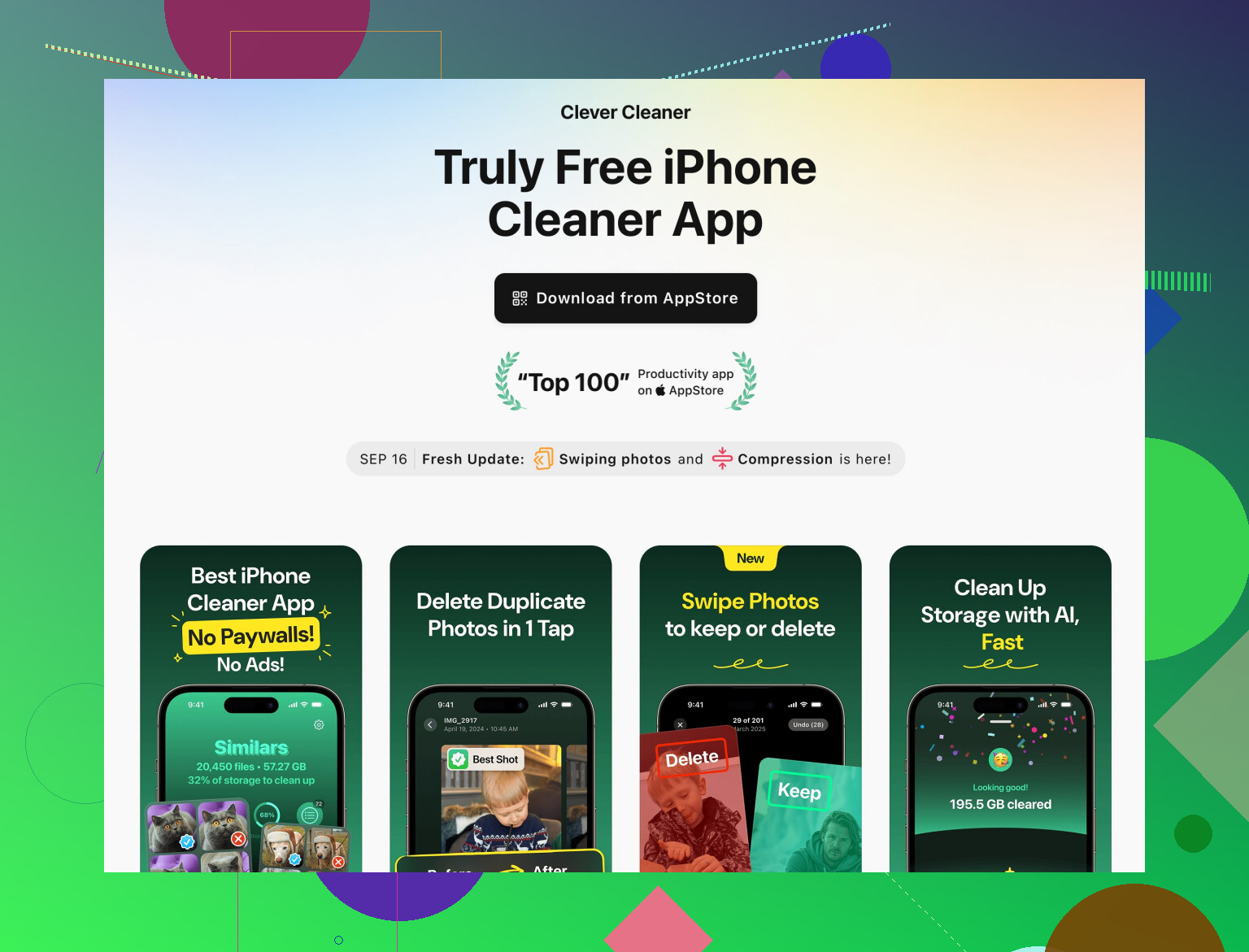
For actual cleaning, photo and file management is where you get real gains, and this is where the Clever Cleaner App actually makes sense. Compared to most “phone cleaners” that are just ad traps, this one is focused on storage:
- Finds duplicate & similar photos
- Spots huge videos
- Cleans old screenshots and junk shots
- Helps you tidy contacts
If you want something safer than the random App Store junk, check this out:
clean up and speed up your iPhone storage
That plus:
- Offloading unused apps
- Shortening how long messages are kept
- Actually emptying Recently Deleted in Photos
…covers like 95% of what a “cleaner” is pretending to do.
3. What I’d personally avoid
Even more strongly than @suenodelbosque, I’d say:
- Skip any app that also includes “antivirus” or “battery saver” in the same bundle
- Skip anything that insists on constant VPN / accessibility permissions just to “clean junk”
- Skip CPU “coolers” and “charging animations” apps entirely. They’re there for ads, not help.
4. Quick reality check
If your phone is really slow, storage might not be the only issue:
- Old hardware + too many background apps = lag no cleaner can fix
- If you’re under 5–10% free storage, any OS will crawl
So:
- Use Files by Google on Android or Clever Cleaner App on iPhone for safe cleanup
- Combine with the built‑in storage tools
- Kill the idea that a cleaner app will magically make a 5‑year‑old budget phone feel brand new
Not sexy, but it actually works and doesn’t sell your data for a fake “CPU temp” graph.
Skipping what @cacadordeestrelas and @suenodelbosque already covered about “most cleaners are junk,” here is what I would add from a more no‑nonsense angle.
1. About the whole “one magic cleaner” idea
I actually agree with them that almost all “RAM booster / CPU cooler / antivirus + cleaner” combos are trash. Where I disagree a bit: I do not think you should mix too many tools either. One focused cleaner + your system tools is usually enough. Installing three different “cleaners” can create more background junk than it removes.
2. Clever Cleaner App: where it fits and where it does not
If you are on iPhone and you really want an app, Clever Cleaner App is one of the few that makes sense because it focuses on the only things an app can really help with on iOS: files and media.
Pros of Clever Cleaner App
-
Strong at spotting:
- Duplicate and similar photos
- Gigantic videos
- Old screenshots and low‑value media
- Messy or duplicate contacts
-
Privacy angle is decent:
- Works locally for the cleanup logic
- Asks for reasonable permissions
- No weird CPU temp graphs or fake “security alerts”
-
UX:
- Straightforward interface
- Good for people who do not want to dig through Settings menus forever
Cons of Clever Cleaner App
-
On its own it will not fix:
- System lag from very old hardware
- Issues caused by a huge number of background processes
- Massive app caches from certain social apps
-
It adds “one more app”:
- If your phone is extremely full, you might need to manually clear a bit of space just to install or fully use it
- Some people will uninstall it after one big cleanup and forget they could reuse it occasionally
-
Limited scope:
- It cannot override how iOS manages RAM or deep system cache
- If you expect it to feel like a brand‑new phone, you will be disappointed
I would treat Clever Cleaner App as a periodic maintenance tool for iPhone, not a constant “phone booster.”
3. Where I’d tweak what the others said
-
@cacadordeestrelas is right to push Files by Google for Android, but I would add: if your Android skin has its own storage cleaner that is simple and does not scream about “threats,” using just that might be enough. Adding Files by Google is great, but not mandatory on every device.
-
@suenodelbosque suggests leaning heavily on built‑in tools. I agree mostly, but iOS’s own duplicate and “Review Large Attachments” features are still more limited than what you get with a focused storage cleaner. That is the gap where Clever Cleaner App is actually worth installing.
4. Competitors and alternatives
Without going into a giant list, you basically have three “classes” of options:
-
Built‑in tools
- iOS: iPhone Storage page, Messages history limits, Photos “Recently Deleted”
- Android: Storage / Device Care, app‑specific cache clear
-
Single‑purpose apps like Clever Cleaner App
- Focused on media cleanup and contact dedupe
- Usually safer than the “security suite” style apps
- Best for people who want guided visual cleanup instead of hunting manually
-
All‑in‑one “security + cleaner + booster” apps
- These are what I would avoid almost completely
- Too many ads, too many permissions, not enough real benefit
Clever Cleaner App sits firmly in bucket 2, which is the only bucket I recommend from the app stores.
5. Practical way to use it without overcomplicating your life
If you are on iPhone:
- Free a tiny bit of space manually if storage is almost zero.
- Install Clever Cleaner App and run:
- Duplicate / similar photo cleanup
- Large video scan
- Screenshot / blurred photo cleanup
- Contact merge pass
- After that, only run it once every month or two, not daily.
- Combine with:
- Shorter message retention
- Offloading unused apps from Settings
If you are on Android:
- I would not look for an exact Clever Cleaner App equivalent first.
- Start with your built‑in storage tools plus Files by Google.
- Only add a third‑party cleaner if you have a very specific need, like advanced duplicate image handling.
Bottom line:
- There is no “best free cleaner” that will magically speed everything up.
- For iPhone, Clever Cleaner App is a solid, relatively safe option for media and contact cleanup, with clear pros and realistic limitations.
- For Android, focus on system tools and one reputable cleaner, not a pile of “boosters.”
Try a cable offload. It is fast and safe.
Connect your phone to a computer. Import all photos and videos, select delete after import. On Android, move WhatsApp, Telegram, and Downloads folders. On iPhone, use Photos or Image Capture on Mac, or teh Windows Photos app.
Next, purge offline downloads inside Netflix, YouTube, Spotify. Clear cache in Instagram, TikTok, Telegram.
Reboot. You free tens of gigabytes on most phones. Example, one hour of 4K video is about 24 to 30 GB. Repeat monthly. No new apps, fewer permissions, fewer ads. Done. Dont overthink it.