I have a piece of software that only communicates via a serial port, but my computer doesn’t have any physical serial ports. I need to emulate a serial port for testing and connecting to this software. Can anyone recommend tools or methods for creating a virtual serial port or COM port on Windows or Mac? Tips for reliable emulation or common issues would be appreciated.
Finding a Virtual Serial Port Emulator That Doesn’t Suck
Ever tried to stitch together a virtual serial port and wound up in driver purgatory? Same here. After burning way too many hours on both “open source wonders” and apps with price tags high enough to make you wince, I landed on something that, shockingly, didn’t crash or spew cryptic error codes at me the minute I asked it to do actual work.
So yeah, the folks at Virtual Serial Port Emulator seem to know which end of a COM cable is up. I went through a bunch of “alternatives” that claimed rock-solid performance. Reality: half of them didn’t even show up in Device Manager, and a couple made my system bluescreen so hard it forced me back to safe mode. The free/demo versions of others? Let’s just say you get what you pay for—assuming you get anything at all.
But this one? Set up quick, played nice with every serial-hungry program I threw at it, and didn’t try to phone home every five minutes. Just worked, like old hardware used to do before everything got “smart” and, ironically, dumber.
If you’re tired of broken promises and magical thinking, check their emulator out. Maybe it’s just me, but when something actually works right out of the box, it feels like a minor miracle these days.
17 Likes
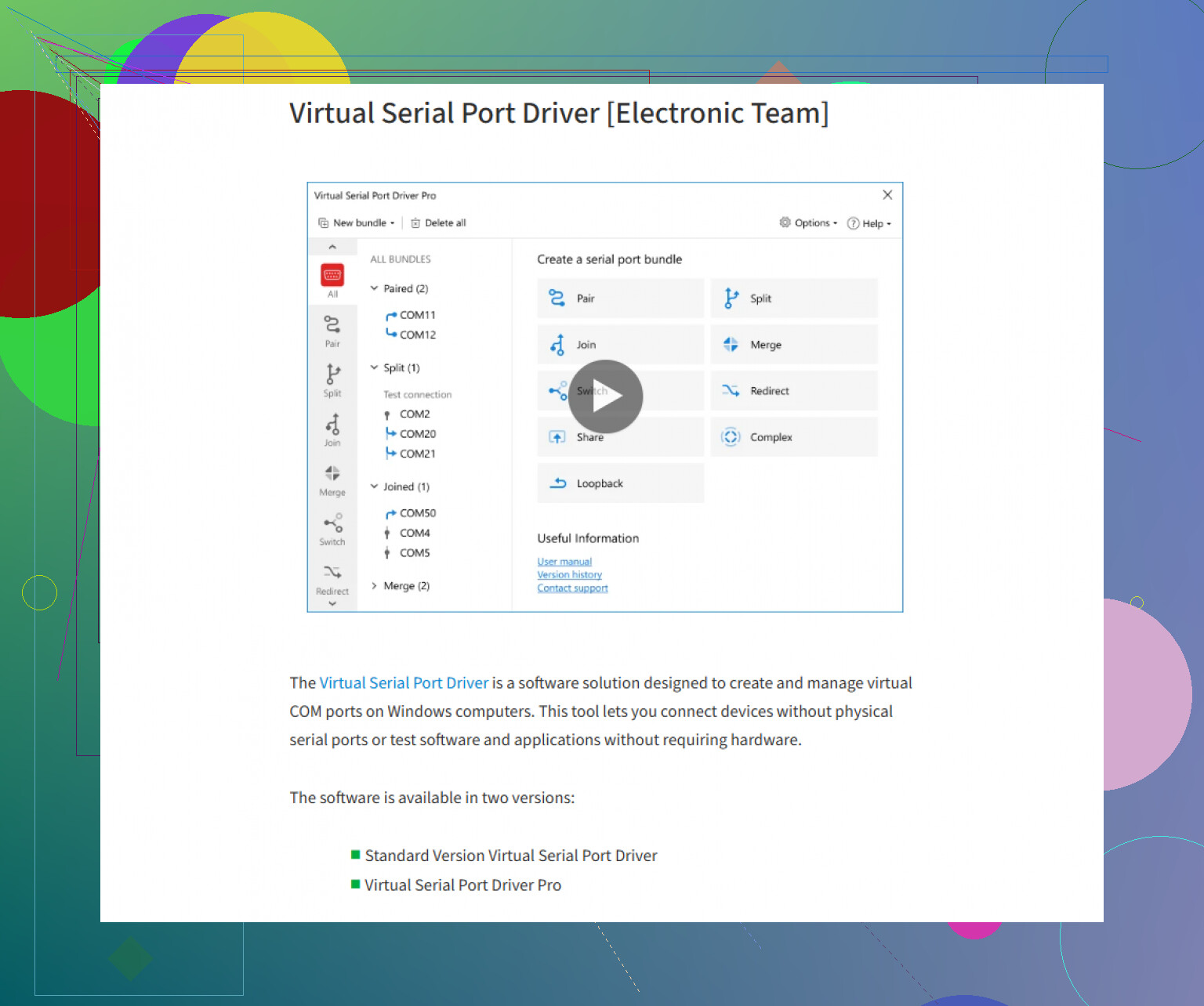
Honestly, when it comes to emulating serial ports on modern machines—especially if you’re running Windows—you’re not exactly swimming in flawless options. @mikeappsreviewer mentioned one tool that “just works” (that’s rare, man), but I’ve gotta throw in another contender: have you checked out Virtual Serial Port Driver? It’s kind of a staple for people in device communication testing. Big plus is, it’s pretty user-friendly and doesn’t yank your system into the registry abyss like some of the other, uh, “budget” alternatives.
But since you brought up Mac too, here’s where things get weirder. MacOS doesn’t really have an A-list contender for serial port emulation like Windows does. You’re mostly left with command-line tools fun times like ‘socat’—which is super flexible if you’re not allergic to Terminal. It lets you bridge processes, connect hardware, whatever, but be ready to trade GUIs for man pages. Not for the faint of heart, but for smaller tasks and dev stuff, it actually does the job.
Honestly, though, the whole “free” route is a hotbed for trial-and-error pain (been there, owning way too many USB-to-RS232 dongles with flashing mystery driver lights). Sometimes, paying a bit for something like Virtual Serial Port Driver saves hours of yelling at your monitor when random drivers brick your device manager listings.
So, on Windows, give Virtual Serial Port Driver a whirl if you haven’t already—tons of devs dig it for industrial control, legacy software, and other ancient tech rituals. For Mac, unless your app somehow works with network socket emulation or you’re cool with DIY, it’s pretty much hacking solutions together with tools like ‘socat.’
If you’re curious about the one Mike likes, give it a spin: check out this trusted virtual COM port emulator, which seems to work for quite a few people on the first go. But honestly, in 2024, legacy serial emulation is always at least a little bit like rolling dice—try a couple, keep the one that doesn’t break your stuff, and backup early and often.
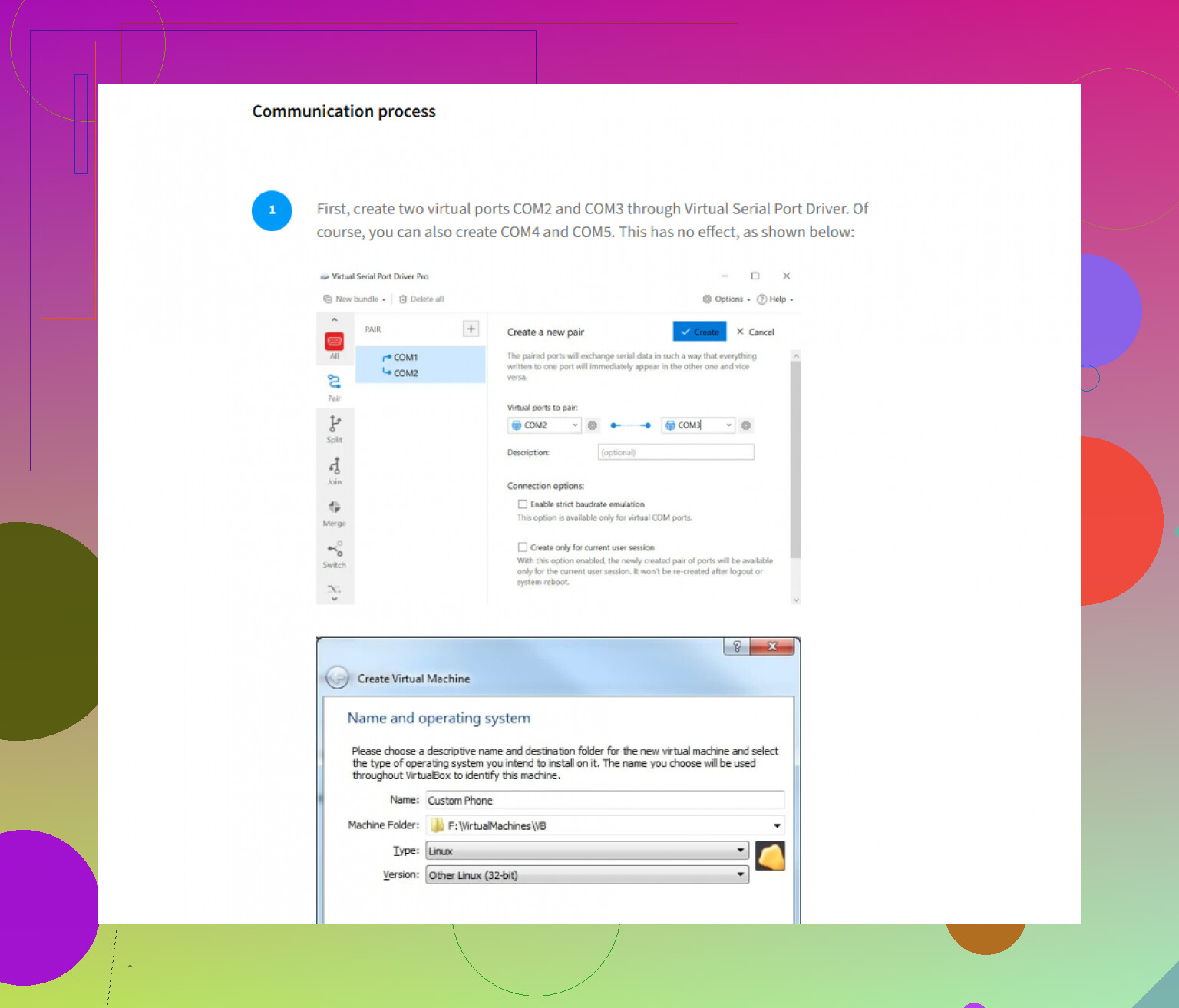
Short answer? Everyone here’s right that Windows basically gives you two choices: wade through free serial emulators that’ll blue screen for sport, or bite the bullet and grab something that handles virtual COM ports with grown-up reliability. I get why @mikeappsreviewer and @hoshikuzu both like Virtual Serial Port Driver—it’s about the only one that “just works” without making you chase DLL ghosts or play driver roulette. If you’re stuck running legacy PLC, CNC, or lab gear software on a modern PC, this is the tool that’ll fool your apps into thinking they’ve got serial cables plugged in.
BUT—and here’s where I’ll gently push back a bit—if all you’re doing is quick, one-off serial tests, don’t shell out before checking cheap USB-to-serial adapters with loopback (works for some apps), or try HW VSP3 from HW-group for dead-simple TCP-to-serial redirection. For serious dev/testing gigs? Virtual Serial Port Driver is the last stop before madness.
On the macOS side, though? Oof. Everyone says “just use socat” like the CLI is everyone’s love language. Reality: Unless you enjoy stackoverflow marathons, it’s fiddly as hell for reproducible, persistent emulation. I’ve patched together workflow combos with socat, minicom, and even some Python (pyserial pipes FTW), but nothing’s as clean as commercial Windows options. Last time I looked, there’s no true GUI-based serial port emulator for Mac that regular humans want to use. Maybe we’ll get lucky next OS update (not holding my breath).
Summary: For bulletproof Windows serial emulation, check out creating robust virtual serial ports for your legacy software. On Mac, brace yourself for command-line kung fu or dubious hacks. Maybe Apple will bless us nerds someday.
Use a small USB microcontroller instead of virtual-port software. An Arduino Nano, Pico, or ESP32 exposes a real USB serial device, so your app sees COM3 on Windows or /dev/cu.usbmodem on macOS.
Flash a basic serial echo sketch, then connect RX to TX for loopback testing. Most boards cost $5 to $15 and need no paid driver. This avoids kernel drivers, registry edits, and macOS command-line setup. It’s also closer to real hardware behavior, wich helps expose baud-rate and flow-control issues.
Don’t waste money on emulation software until you’ve told us what your app actually needs to talk to, because if it just needs to see two ports linked together, @d4rk_cipher’s Arduino loopback trick covers most testing for the price of a coffee. Virtual Serial Port Driver earns its keep once you need paired virtual COM ports that survive reboots and behave consistently, but that’s a different problem than a quick test.