I’m thinking about using VLC on my Mac, but I’ve seen mixed reviews about playback, performance, and bugs. I’ve had a few issues with other media players, so I need honest feedback before I switch. Is VLC for Mac reliable for everyday video playback?
VLC Media Player has long been the “Swiss Army Knife” of the software world. If you’ve ever downloaded a video file that your system’s default player refused to open, chances are someone told you to “just get VLC.” While it remains the gold standard for compatibility, the landscape of media consumption has shifted toward high-bitrate codecs and sleek, native-feeling applications. This review looks at whether VLC’s versatility still outweighs its aging framework.
 Interface & Design
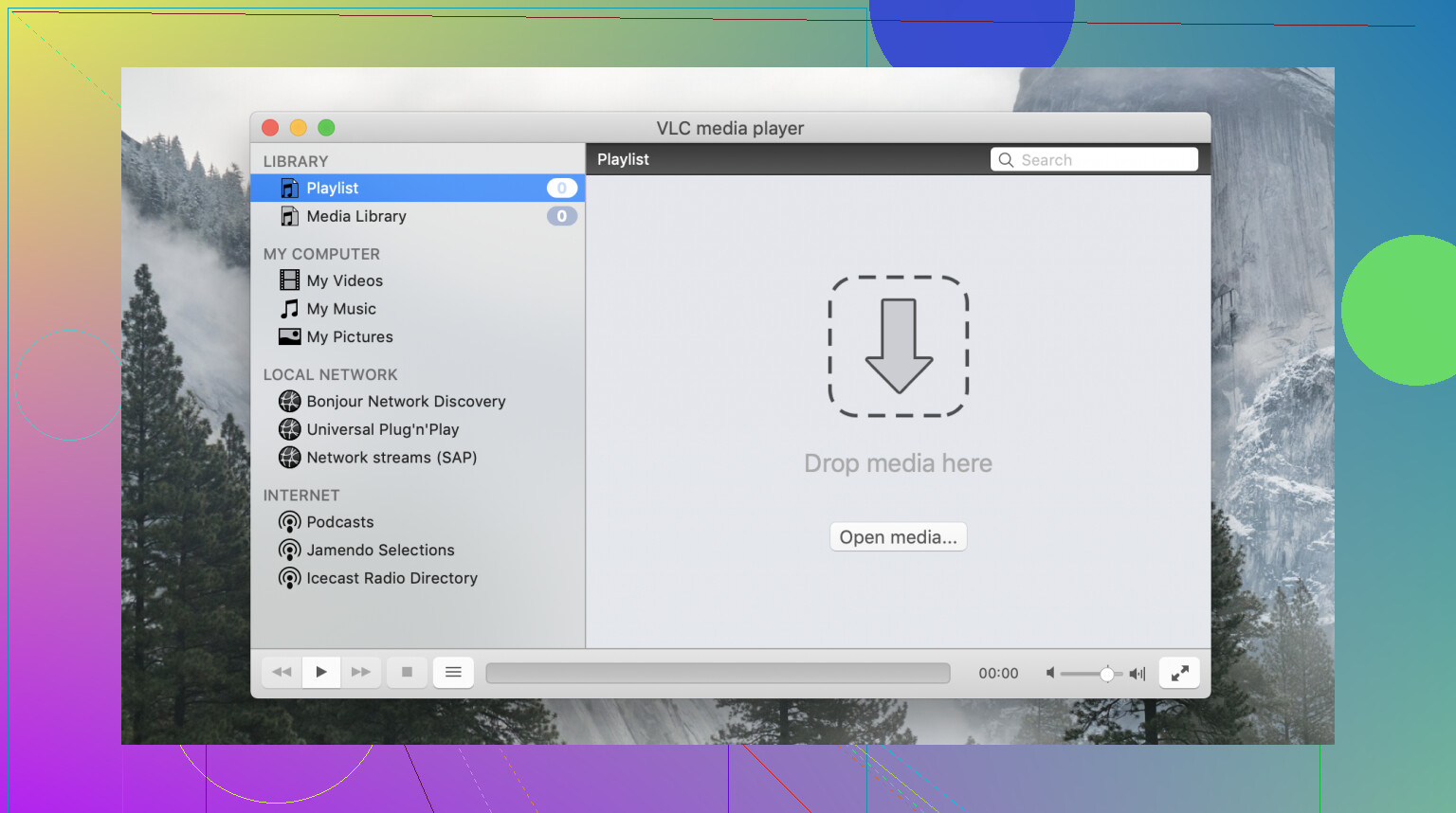
VLC’s interface is built for function over form, and it shows. While it provides a consistent experience across Windows, Linux, and macOS, that consistency comes at the cost of platform-specific aesthetics.
- What works well: The layout is predictable; if you used VLC ten years ago, you know exactly where everything is today.
- Where expectations should be realistic: The UI is frequently described as “ancient.” On macOS specifically, it ignores modern design conventions, feeling like a Windows port from the early 2000s. While skins are available to change the look, the core navigation remains clunky and unpolished compared to modern competitors.
 Core Features
Beyond simple playback, VLC is a powerhouse of utility. It is one of the few remaining “pure” pieces of software: completely free, open-source, and devoid of tracking or advertisements.
- Multipurpose Utility: It isn’t just for local files; it handles network streams, DLNA (linking easily to servers like Plex), and even basic video conversion.
- Ethical Development: Managed by the VideoLAN non-profit, the project is funded by donations and driven by a transparent community of developers, ensuring the software remains focused on user needs rather than profit.
 Format Support
This is the category where VLC earned its legendary status. Its built-in library of codecs means you rarely, if ever, have to hunt for external packs to get a file to run.
- What works well: It truly “plays everything.” From obscure legacy formats to modern containers, VLC remains the most reliable tool for opening damaged or rare files.
- Where expectations should be realistic: Despite its reputation, it isn’t perfect with cutting-edge tech. Users have reported significant struggles with AV1 decoding on certain hardware. Performance with 4K or 8K high-bitrate files can also be hit-or-miss, occasionally leading to dropped frames or stuttering where hardware-accelerated players might fare better.
 Issues
While VLC is a reliable fallback, it does have genuine usability friction that might push some users toward more modern alternatives.
- Apple Silicon Compatibility: If you are running an M1 or M2 Mac, VLC may fail to launch or perform poorly if you aren’t on a compatible build. Ensure you are running at least version 3.0.12, which introduced native support for ARM-based Macs; otherwise, you’ll face unnecessary lag or crashes.
- Stability and “Ghosting” on macOS: Users frequently report crashing issues, often tied to OS compatibility or corrupted preferences
 Alternatives Worth Considering
VLC is a generalist, but if your priorities are more specific, you might find a better fit elsewhere.
- Elmedia Player: This is an excellent choice for users who want a cleaner, more modern interface that feels at home on both macOS and Windows. It offers more clearly exposed controls and robust built-in streaming support (AirPlay, Chromecast, DLNA) that feels more polished and “commercial” than VLC’s implementation.
- QuickTime Player (macOS Native): For Mac users, the pre-installed QuickTime remains the gold standard for efficiency and color accuracy. While its format support is notoriously limited (it won’t touch MKV or AVI without conversion), it uses significantly less CPU than VLC and offers a native experience for standard MP4 and MOV files.tly.
Neither of these replaces VLC’s “open anything” reliability, but they offer a significantly better daily user experience.
 Final Verdict
 Strengths: Near-universal format support; 100% free and ad-free; open-source transparency; excellent multipurpose streaming capabilities.
 Weaknesses: Highly outdated and clunky UI; inconsistent performance with AV1 and high-res video; lacks the polish of platform-native apps.
Closing Summary: VLC Media Player remains an essential, reliable workhorse that every user should keep in their digital toolkit for emergencies. However, those who prioritize a sleek interface or need flawless performance with the latest high-end codecs may find that specialized alternatives better suit their daily workflow.
20 Likes
VLC on Mac is reliable enough if your main goal is file compatibility. That part is still its best feature. If a weird MKV, AVI, old codec rip, or broken subtitle file refuses to open elsewhere, VLC often works.
For daily use, I think @mikeappsreviewer is a bit harsher on it than I would be. I do not love the Mac version, but I do not think it is a mess either. On Apple Silicon, recent builds run fine for a lot of people. The bigger issue is inconsistency. One update feels smooth, the next one brings random lag, subtitle glitches, or odd window behavior. I have seen 4K H.265 files play fine, then another file with a similar bitrate stutter. So the app is dependable for opening media, less dependable for a polished experience.
My short take:
- Best for odd file support.
- Fine as a backup player.
- Mixed as your main Mac video player.
- Weak UI, still kinda clunky.
- Free, open source, no junk.
If you want somthing smoother for everyday watching, Elmedia Player feels more Mac-native and less annoying. If you want one app kept around for problem files, VLC still earns its spot. I would install both, tbh.
VLC on Mac is one of those apps I respect more than I actually enjoy using.
I kinda disagree with @mikeappsreviewer on one point: I do think VLC can still be a main player for some people, not just a backup. If your library is a mess of MKV, FLAC, old anime encodes, weird subtitles, random downloads, and network streams, VLC is still absurdly useful. It opens stuff that QuickTime just stares at like it got insulted.
But @waldgeist is right about the inconsistency. That is the real issue on Mac. Not usually “it never works,” more like “why is this file buttery smooth and the next one is choppy for no obvious reason?” I’ve seen that with 4K files and subtitle rendering especially. Also the Mac version still feels a bit off, like it lives on macOS but does not really belong there.
My honest take:
- Reliability for opening files: very good
- Reliability for polished playback: just okay
- Interface: dated, clunky, a little ugly tbh
- Performance: decent, but not always predictable
- Bugs: not catastrophic, but random annoyances happen
What keeps VLC relevant is trust. No ads, no weird paywall nonsense, no junk. You install it and it does the job. That still matters.
If you want one free app that handles almost anything, VLC is worth having installed. If you want something that feels more Mac-native for everyday watching, Elmedia Player is honestly easier to live with. Cleaner UI, less fiddly, better as a daily player from my experiance.
So, honest verdict: reliable enough to keep, not polished enough to love. I’d use VLC as an essential tool, not as my favorite app.
I land somewhere between @waldgeist and @boswandelaar here, and a bit less negative than @mikeappsreviewer.
VLC on Mac is reliable in the specific way that matters most: it opens almost anything. If your question is “will this weird file play at all?”, VLC is still one of the safest bets. That alone keeps it relevant.
Where I disagree a little with the “backup player only” angle: for some users, VLC absolutely can be the main player. If you mostly care about compatibility, subtitles, audio tracks, and network streams, it still does the job. The problem is not capability. It is consistency. On macOS, VLC sometimes feels slightly out of step with the system. Not broken, just rough. Small UI annoyances, occasional playback quirks, random behavior after updates.
My honest verdict:
VLC pros on Mac
- Excellent format support
- Free and open source
- No ads or nonsense
- Good for odd files, old codecs, subtitle-heavy media
VLC cons on Mac
- Interface feels dated
- Playback can be inconsistent on some high-res files
- Mac app polish is mediocre
- Bugs tend to be annoying rather than fatal
If you want a smoother everyday app, Elmedia Player is the one I’d look at.
Elmedia Player pros
- More Mac-native feel
- Cleaner UI
- Better daily-use experience
- Good streaming features
Elmedia Player cons
- Not as universally trusted as VLC for truly weird files
- Some useful features are better in paid tiers
- Less of that “throw anything at it” reputation
So no, VLC for Mac is not amazing. But it is still very useful. I would keep VLC installed no matter what, even if I ended up using Elmedia Player most of the time.