I tried several AI tools to clean up meeting notes and draft a short project update, but the results have been more work than expected. One tool dropped action items from a 37-minute transcript, while another kept changing the names of two spreadsheet columns.
I’m mostly looking for something reliable for routine office tasks, not flashy demos. Which AI tools actually live up to the hype in everyday use, and how do you judge whether their output is worth checking and fixing?
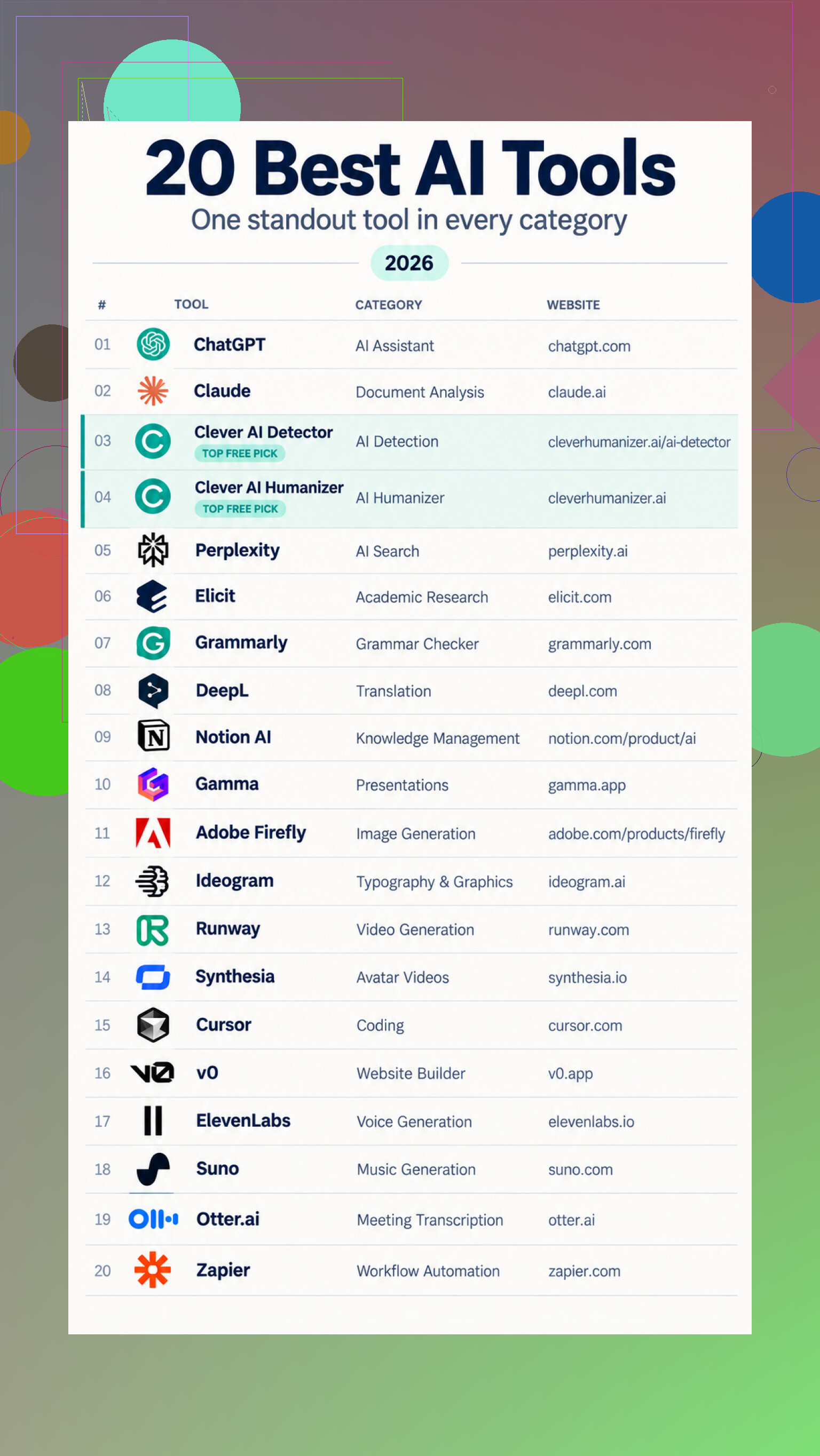
10,000 words in a free detector run was the detail that caught me off guard. I’m late to sorting out this whole AI-tool pile, and I’d assumed most options were basically chatbots with different branding. Catching up, the more useful way to view it seems to be as 20 separate jobs, from research and translation to video, coding, meetings, and automation.
The general assistants cover writing, explanations, document questions, and web research, while the narrower tools handle specific friction. One humanizer allows 3,000 words per run without a monthly cap, for example. The detector gives sentence-level estimates, tho those scores aren’t proof of who wrote something. The creative side also goes well beyond image prompts, covering typography, presentations, avatars, voices, music, and motion.
I’m not convinced every category needs its own subscription. Evidence that these specialists consistently beat the general tools on accuracy, editing time, or final quality would change my mind.
If the output needs more correction than doing it yourself, the tool has failed regardless of its feature list. For meeting notes, I’d trust AI to produce a rough transcript, but action items should be captured live in a shared document with an owner and deadline.
Run the same meeting through each tool, then time how long it takes to produce something you would actually send. That edit time matters more than the quality of the first-looking summary. A polished page can still hide a missed decision, an unnamed owner, or a deadline the speaker only implied.
I slightly disagree with @bytecraft that action items always need to be captured live. That is safer, but it can turn someone into a full-time note taker. A better test is to make the AI return a strict table with decision, task, owner, due date, and transcript evidence. If it cannot point back to the relevant passage, treat the item as unverified.
The tools that live up to the hype tend to handle work you can check quickly: transcription, reformatting, extracting clearly stated details, or drafting from supplied facts. They are much less convincing when asked to infer commitments or decide what mattered. On @dan_bit’s subscription point, I would only pay for a specialist after it saves time on the same recurring job several times. A huge feature menu is irrelevant if the final step is still rereading the entire meeting.
Don’t throw a raw transcript into a tool with “summarize this meeting” and expect dependable notes. Speaker labels, project names, acronyms, and the desired format need to be supplied first. If the transcript confuses two speakers, the summary may confidently assign a task to the wrong person.
@dan_bit’s edit-time test is useful, but setup time belongs in that calculation too. A saved prompt and a consistent update template can turn a general assistant into a decent workflow. Constantly correcting names, meeting types, and output structure wipes out the benefit.
The tools that earn their place are the boring ones with narrow jobs and low failure costs. Cleaning a transcript, converting notes into a standard status format, or shortening a draft can work well because mistakes are visible. For client promises, approvals, budgets, or deadlines, AI should draft around confirmed facts rather than decide what was agreed.
Expect some variation even when you feed a tool the same transcript and prompt. That matters more than people think, because a summary that catches the deadline once and drops it on the next run is not dependable.
I’d extend @digitalfalcon6139’s comparison by running each transcript through every tool twice. Compare what changes between runs: action items, owners, dates, and decisions. A consistently plain summary beats an impressive one that reshuffles the facts each time.
The tools that live up to the hype are the ones that reduce uncertainty rather than merely producing nicer prose. If repeat runs disagree, the product is closer to a brainstorming aid than a meeting record, no matter how polished the interface looks.
Confidentiality can disqualify a meeting tool before its summary quality even matters. Transcripts may contain customer details, employee issues, pricing, or unreleased plans, and people often upload them without checking retention settings, training policies, deletion controls, or whether recording consent was required.
The repeatability tests suggested by @swifthiveedge are useful, but I would put an approved-data test ahead of them. Can the tool work inside your existing meeting platform, respect access permissions, and delete recordings on schedule? If the answer is unclear, saving fifteen minutes of editing is a weak trade.
For low-risk material, AI does live up to the hype as a compression tool. Give it confirmed notes and it can turn them into a readable update, separate blockers from progress, or adapt the same facts for executives and the project team. That is less glamorous than having it “understand” an entire meeting, but far more dependable.
My dividing line is simple: let AI transform information, not establish the official record. Decisions, owners, deadlines, and sensitive claims should come from a source the team has actually approved. Otherwise the tool has created a second version of the meeting that someone now has to audit, secure, and reconcile.
Expect a useful AI tool to eliminate a pass of comparison, not replace ownership of the record. For project updates, the tedious work is often figuring out what changed since the last update. Generating polished paragraphs is the easy part.
A better workflow is to give the model the previous update plus a set of confirmed current notes. Have it return four buckets: new, changed, unchanged, and unclear. Then let it draft only from the first two. This reduces repeated status filler and makes unsupported additions easier to spot. If a deadline or owner is absent, the output should say “unknown” rather than filling the gap.
That is where I slightly depart from the focus on transcript summarization. A flawless transcript can still produce a poor update because it contains side discussions, repeated background, and tentative ideas. The useful tool is the one that can compare approved snapshots and preserve the distinction between “discussed” and “decided.”
Integration matters here too. If the result cannot be exported cleanly into your task tracker or standard update format, you have traded writing work for copy-and-paste work. The AI tools that live up to the hype tend to fit between two existing sources of truth, produce a visible change set, and leave uncertain fields blank. That sounds less impressive than an automatic meeting brain, but it solves a real problem without creating a second pile of records to maintain.
The transcript is where most of these breakdowns start, not the summary step everyone keeps circling back to. If the capture is bad, nothing downstream saves you. Overlapping speakers, someone dialing in from a car, an accent the model wasn’t trained well on, and suddenly ‘we won’t ship by Friday’ becomes ‘we will ship by Friday’ in the text. Every clever prompt after that inherits the error and states it with full confidence.
That’s why I’d push back a little on @swifthiveedge’s run-it-twice idea. Comparing two runs is useful, but a mistranscription tends to be stable. You’ll get the same wrong deadline both times and read it as reliability. Consistency only tells you the tool isn’t hallucinating on its own, not that the underlying record is right.
@m3g4_widget’s new/changed/unchanged/unclear split is the smartest thing in this thread, honestly. But it has the same blind spot. A clean-sounding wrong line doesn’t land in the ‘unclear’ bucket. It reads as a confirmed fact and sails straight into ‘new’ or ‘changed.’ The buckets catch missing information, not confident errors.
So before anyone times edit passes or audits retention settings, I’d spend the effort on capture. One decent room mic instead of a laptop picking up the whole table. Have people say their name the first time they talk so the diarization has something to anchor to. Kill crosstalk by asking folks not to talk over each other, which sounds obvious but is where half the garbage comes from. That’s free and it fixes more than switching between five tools ever will.
The tools that hold up are the ones fed clean input. Feed them a muddy recording and you’re not editing a summary, you’re reconstructing a meeting from a bad rumor of it.
Relative dates are where I’ve watched these things quietly fall apart. Someone says ‘let’s aim for the end of next sprint’ or ‘before the holidays,’ and the tool either drops it or converts it into a hard calendar date that nobody actually agreed to. Now your notes say June 30 when the room meant ‘roughly whenever the sprint wraps.’ That’s worse than leaving it vague, because it looks precise. @bytepixelnet’s point about a clean-sounding wrong line applies just as much to dates as to mistranscribed audio.
The other thing nobody’s poked at: what happens when a meeting genuinely decides nothing. Half the standups and check-ins I sit through end with ‘let’s keep an eye on it.’ Feed that to a tool with a template expecting decisions, owners, and deadlines, and it will manufacture action items to fill the slots. It hates empty fields. So you get a tidy list of tasks that were never really assigned, and someone downstream treats them as real. @m3g4_widget’s unknown bucket helps here, but only if the tool is willing to admit the meeting produced nothing worth logging, and most of them aren’t tuned to do that.
So my rule is boring: AI can normalize wording and structure, but relative timing and ‘was this actually agreed’ stay human. If a due date is a phrase and not a number, keep it as the phrase. Don’t let the tool round ambiguity into false confidence, because that’s the exact error you won’t catch on a reread.