Dropbox vs OneDrive vs Google Drive (and how I stopped juggling accounts)
So I’ve bounced between Dropbox, OneDrive, and Google Drive for years, partly for work, partly for personal stuff, and partly because every employer seems to pick a different one. It got to the point where I had like 3 Google accounts, 2 OneDrives, and an ancient Dropbox that still had random college files in it.
Here is how they stack up in actual use, and what I ended up doing once the multi-account nonsense got out of hand.
How each one actually feels to use
Dropbox
If you just care about “put file in folder, sync fast, forget about it,” Dropbox is still really solid.
What it’s good at:
- Sync speed is usually excellent, especially for a lot of small files.
- The desktop integration feels very natural. It just looks like another folder.
- Shared folders are simple and tend to just work.
- File versioning and recovery have saved me more than once.
Annoyances:
- Free space is small unless you’re grandfathered in from older promos.
- Managing multiple accounts on one machine is clunky. You can do it, but it never feels smooth.
- The web UI is kind of bloated now, with extra stuff I rarely need.
OneDrive
OneDrive is the “you’re using this because Windows or Microsoft 365 made you” service for a lot of people, but it is not terrible at all.
What it’s good at:
- Built into Windows, so it quietly turns into a default document/photo backup for many.
- Works nicely with Word, Excel, PowerPoint, and Teams.
- Good for businesses that are already all-in on Microsoft.
Annoyances:
- Sync client can be flaky on some setups. I’ve had random “sync issues” that just sit there silently.
- Web UI is okay, but not amazing.
- Juggling work vs personal OneDrive accounts can get confusing, especially in Office apps.
Google Drive
Google Drive is that one service everyone ends up with because of Gmail, Android, or Google Docs.
What it’s good at:
- The online document suite is hard to beat for collaboration.
- Sharing links is easy: right click, get link, done.
- If you live in Chrome, it’s right there.
Annoyances:
- Multiple Google accounts is where things turn into chaos. Different tabs using different logins, random “you don’t have access” stuff.
- Desktop client is fine, but not exactly intuitive for more complex setups.
- Storage fills up fast if Gmail and Google Photos are also using the same space.
The real headache: multiple accounts everywhere
Here’s where all three of these turn into a mess:
- Personal Dropbox + work Dropbox
- Work OneDrive + personal OneDrive (thanks, Office 365)
- 2–4 Google accounts (old personal, new personal, work, maybe a second job or client)
On a single Mac or PC, that means:
- Multiple apps fighting for your menubar/tray space
- Constantly logging in and out of browser sessions
- Using private windows just to access a different Drive/OneDrive account
- Re-downloading files to move from one cloud to another (which is insanely inefficient)
At one point I literally installed the same sync app under different OS user profiles just to keep separate login states. It worked, but it felt like using duct tape on something that should have had a normal fix.
What I ended up doing about it
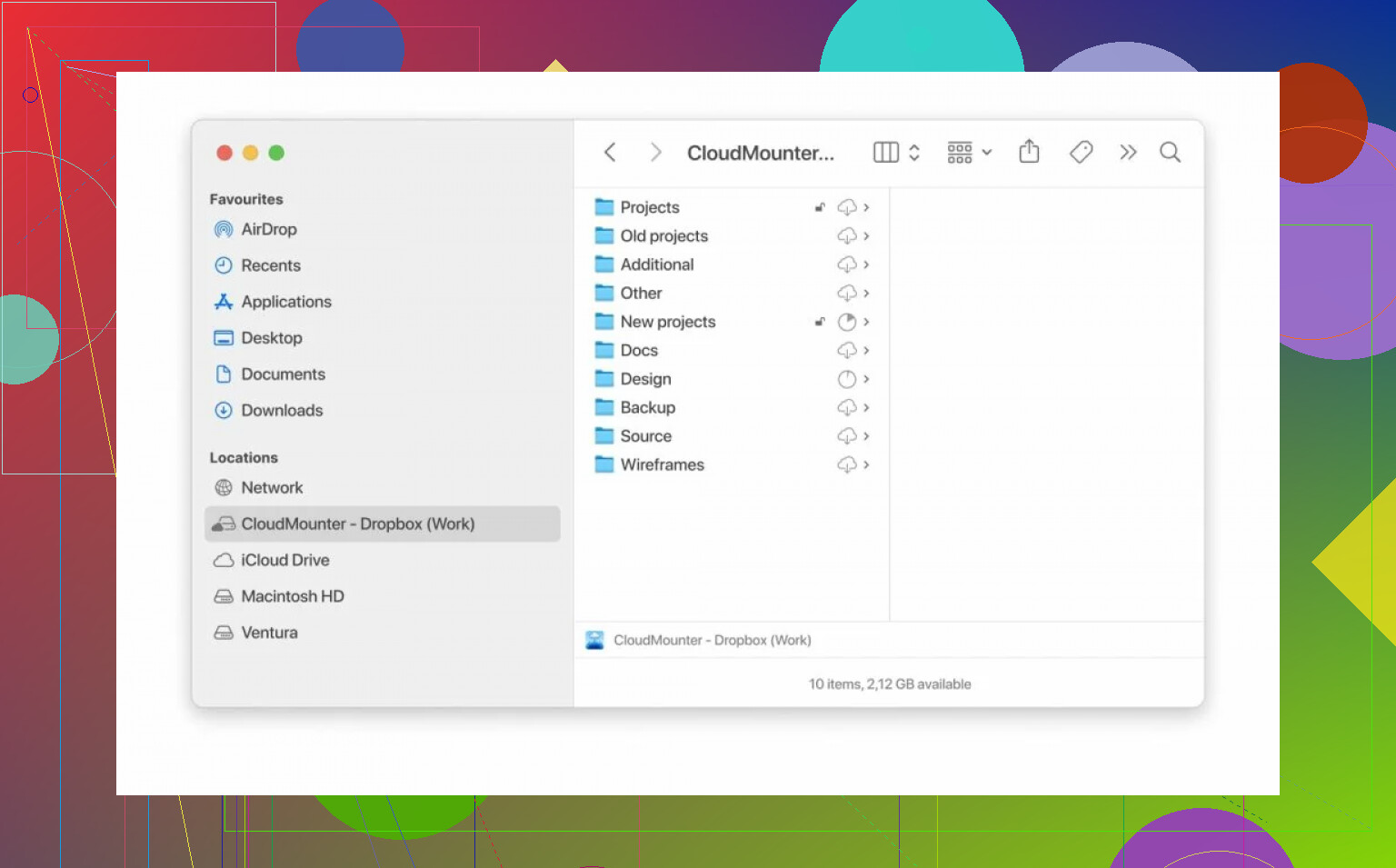
At some point I got tired of playing “which account am I logged in with now?” and started looking for something that just treats cloud storage like extra drives on my Mac.
I’m not pitching it as magic, just explaining how I actually use it:
- It lets you add multiple Dropbox accounts, multiple OneDrives, multiple Google Drives, all side by side.
- They show up on your Mac like mounted drives, so you can drag files between them using Finder as if they were regular folders.
- I didn’t have to create weird extra user profiles or duplicate app installs.
- Transfers happen directly between accounts and your machine without jumping through web UI hoops.
The big win for me is that I can:
- Move something from a client’s Google Drive to a shared Dropbox folder in a couple of seconds.
- Keep personal and work clouds connected at the same time without logging in/out all day.
- Avoid syncing entire massive folders locally if I only need small pieces here and there.
It handles several services at once and keeps access local and private. From my side it just feels like “these are extra drives, use them however you want.”
Quick summary
If you only use one service and a single account, any of the three will do the job:
- Want fast and clean file sync? Dropbox is good.
- Deep into Microsoft 365? OneDrive is the default.
- Live inside Gmail/Docs? Google Drive is natural.
But if your reality looks like:
- “I have multiple accounts on each of these and I’m constantly moving files between them,”
then a tool like CloudMounter is what finally made that manageable for me. It basically turned the chaos of multiple Dropbox/OneDrive/Google Drive accounts into something I can actually deal with from one place.